Mənbə ilə Təsdiqlənmiş Tam İstinad Təlimatı

AccessiMind+ (2026/10-116 · 1621660) İstifadəçi Təlimatı

Quraşdırma üçün addım-addım sənədləri tamamlayın, 6 nişanlı parametrlər arxitekturası, 1-5 barmaqla sərbəst forma jestləri, 6 kanallı TTS audio marşrutlaşdırma, AI Wizard Agent, 6 rejimli Vahid Tərcümə Mərkəzi, 31 dildə Ağıllı Diktasiya, Zənglərin İdarə Edilməsi, Əlçatan Klaviatura və Veb Brauzer.

2026/10-116 Ekran Baxışı Video Bələdçisi · Azərbaycan

AccessiMind+ ekranları, 6 nişanlı interfeys və 12 fəsildə hər bir funksiya

AccessiMind+ 2026/10-116 (Ümumi, UI Fərdiləşdirmələri, TTS Çıxış Kanalı, Jestlər, Sərbəstform Jest Yaradıcısı, Avtomatik Etiketləmə, Qabaqcıl, Zənglərin İdarə Edilməsi, AI köməkçisi, Nitq Tərcüməsi, Smart Klaviatura və Dəyişiklik Paneli) əldə edilmiş real Android ekranlarını özündə əks etdirən rəvayət edilmiş və altyazılı ekran-ekran təhlili.

01:19 · 12 Chapters · AZ

İstənilən fəslin seçilməsi videonu birbaşa həmin ekranın gedişinə keçir. Başlıqlar və tam endirilə bilən transkriptlər təqdim olunur.

İstehsal buraxılışı • 20 oktyabr 2026 • Versiya 2026/10-116 (versiya kodu: 1621660)

AccessiMind+ 2026/10-116 (1621660): Yenidən qurulmuş nüvə, 6-Tab interfeysi və 101-Yerli Dəstək

Hibrid ikili DEX arxitekturası, 4 qatlı atom parametrlərinin qorunması (Birbaşa Yükləmə), 6 kanallı TTS çıxış axını meneceri, 101 yerli söndürmə/xoş gəldin elanları və üçüncü tərəf məkan SDK-larından azad 100% yerli Android təhlükəsizliyi.

6-Tab Müasir Əsas Ekran və Ani Səs/Mətn Axtarışı

Altı mütəşəkkil tabdan hər parametrə çatın: Ümumi, Jestlər, Məzmun nitqi, Qabaqcıl, Süni İntellekt və Əlavə Parametrlər. Üst axtarış çubuğundan və ya Səsli Axtarışdan istifadə edərək istənilən seçimi dərhal süzün.
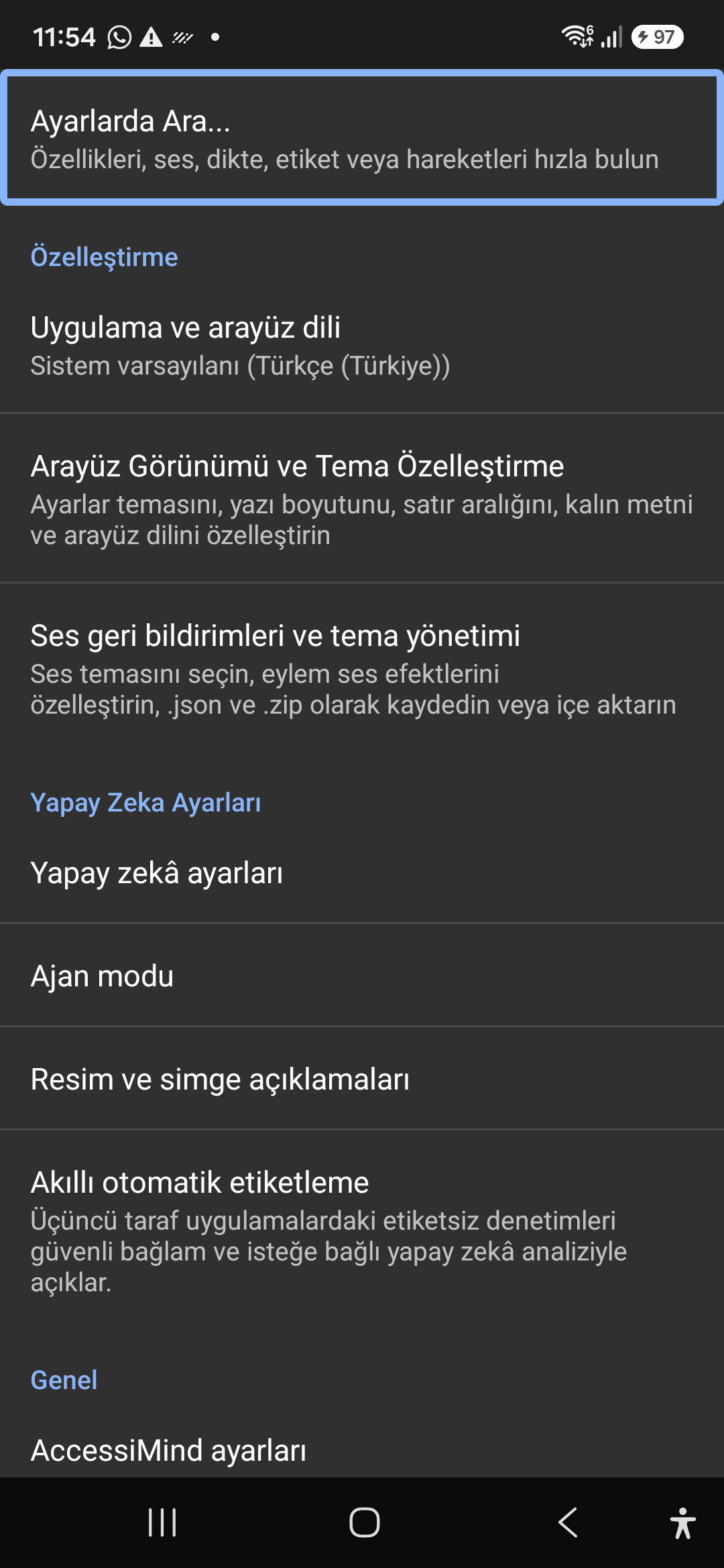
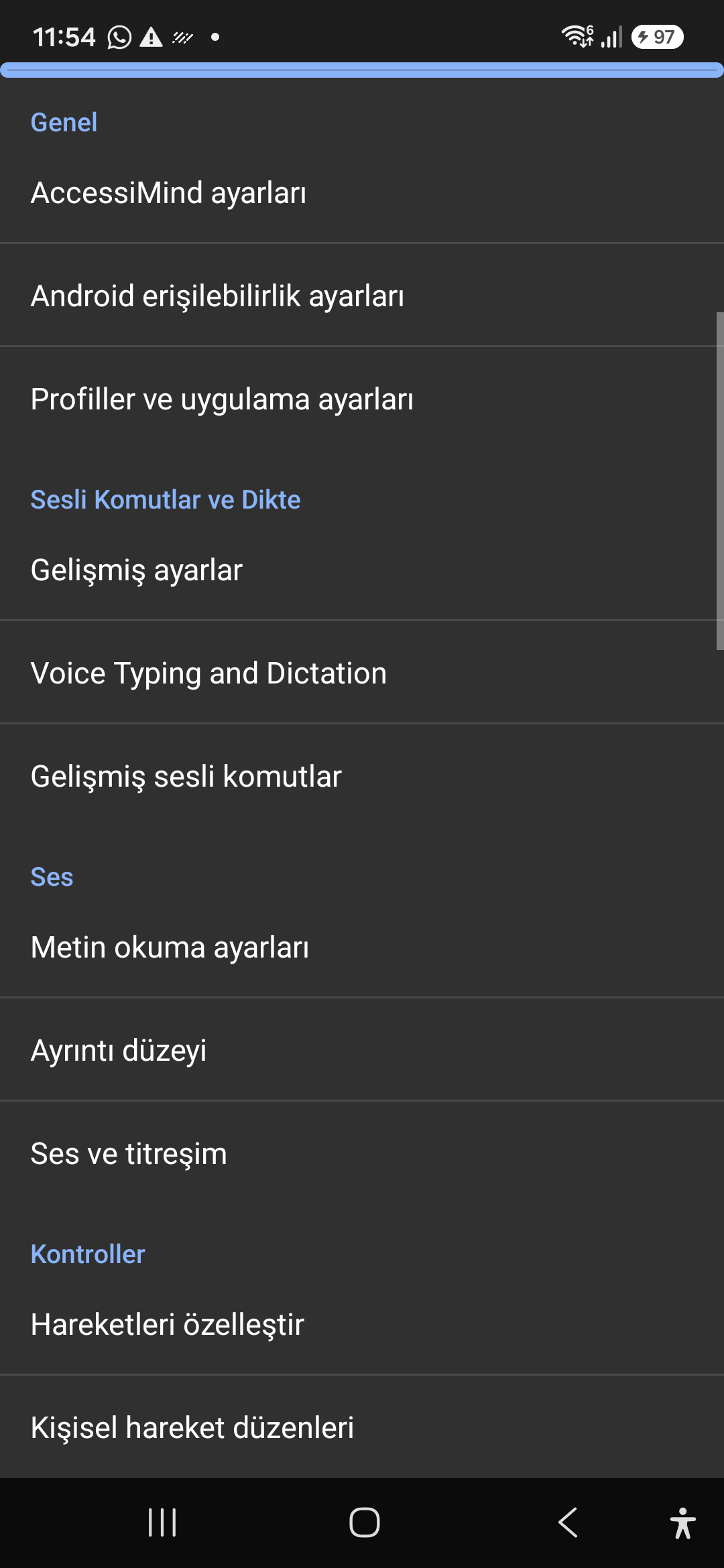
AI Assistant, Wizard Agent və Multi-Script Offline OCR

Gemini, OpenAI/Codex və ya Offline Gemma-4 E2B ilə ekranları və şəkilləri təsvir edin, səslə çox addımlı Sehrbaz Agent tapşırıqlarını yerinə yetirin və oflayn ONNX + Google ML Kit OCR ilə skriptlər arasında mətni tanıyın.

Vahid Tərcümə Mərkəzi (6 Rejim) və 31 Dildə Ağıllı Diktasiya

Avtomatik aşkarlanan Fokus, Davamlı Naviqasiya, Şəkil OCR, Tam Ekran, Bufer və Canlı Nitq tərcüməsi. 31 dildə durğu işarələrindən xəbərdar Ağıllı Diktasiya və fərdi səs əmrləri.

1–5 Barmaq Jestinin Yaradıcısı və 101-Yerli Kapatma Nitqi

Sərbəst formada 1–5 barmaq ilə fərdi jestlər çəkin və tərtibatları JSON kimi idxal/ixrac edin. Ekran oxuyucusu 101 yerli dəstdə aktiv və ya söndürüldükdə sistem dilinizdə etibarlı şifahi elanları eşidin.

6 Kanallı TTS Axın Meneceri və Tək Kliklə Zəng Daxili Yığım Paneli

Əlçatanlıq, Media, Bildiriş, Siqnal, Zəng melodiyası və ya Səsli Zəng kanalları vasitəsilə nitqi müstəqil şəkildə yönləndirin. 1 barmaqla sürüşdürmə, avtomatik dinamik telefon və tək toxunuşlu yığım düymələri ilə zənglərə cavab verin/sonlandırın.

4 Qatlı Atom Parametrlərinin Qorunması və Yerli Yer

Direct Boot kilidi ekranlarında sıfır parametr itkisi və 4-qat atomik JSON snapshots vasitəsilə tətbiq yeniləmələri, üstəgəl yerli Android LocationManager + Geocoder məkan elanları.

02 / 12 · Settings > Customization > App Language / Appearance

2. Interface Customization & System Locale Integration

Videoda bu ekran keçidinə baxın (00:07 - 00:14)

Customizable appearance with high contrast modes, large text rendering, card borders, and independent language selection.

2026/10-116 Ekran Baxışı Video Bələdçisi (00:07 - 00:14)

Lock the interface language to system default or independently select from 30 supported languages. WCAG 2.2 compliant dark/light themes and custom font scales.

Screenshot showing customization options for language and theme appearance.

2. Interface Customization & System Locale Integration — Settings > Customization > App Language / Appearance
Settings > Customization > App Language / Appearance
03 / 12 · Settings > Customization > Sound Feedback & Themes

3. Audio Feedback & Sound Theme Management

Videoda bu ekran keçidinə baxın (00:14 - 00:18)

Configure feedback sounds for focus changes, clicks, and notifications. Easily import community-crafted sound packages via .zip or .json.

2026/10-116 Ekran Baxışı Video Bələdçisi (00:14 - 00:18)

Customize action audio effects, choose built-in sound themes, or import/export external WAV and OGG sound packages.

Screenshot showing sound feedback and theme configuration.

3. Audio Feedback & Sound Theme Management — Settings > Customization > Sound Feedback & Themes
Settings > Customization > Sound Feedback & Themes
04 / 12 · Settings > AI Settings > Agent Mode

4. Dedicated AI Architecture & Autonomous Agent Mode

Videoda bu ekran keçidinə baxın (00:18 - 00:23)

Agent Mode interprets onscreen context and coordinates complex tasks such as form completion, order placement, or message drafts with interactive safety overlays.

2026/10-116 Ekran Baxışı Video Bələdçisi (00:18 - 00:23)

Multi-provider AI architecture integrating Google Gemini 2.5, on-device Gemma, and GPT. Autonomous Agent Mode carries out multi-step tasks with user approval.

Screenshot displaying AI Settings and Agent Mode controls.

4. Dedicated AI Architecture & Autonomous Agent Mode — Settings > AI Settings > Agent Mode
Settings > AI Settings > Agent Mode
05 / 12 · Settings > AI Settings > Image Descriptions / Auto-Labeling

5. Image, Icon Descriptions & Smart Automatic Labeling

Videoda bu ekran keçidinə baxın (00:23 - 00:27)

Visual accessibility enabled by cloud and on-device vision models. Once labeled, buttons and icons are cached locally to minimize network latency.

2026/10-116 Ekran Baxışı Video Bələdçisi (00:23 - 00:27)

Narrate images and OCR text within seconds. Recognize unlabeled controls in third-party apps and cache them in local SQLite storage.

Screenshot illustrating image narration and automatic labeling options.

5. Image, Icon Descriptions & Smart Automatic Labeling — Settings > AI Settings > Image Descriptions / Auto-Labeling
Settings > AI Settings > Image Descriptions / Auto-Labeling
06 / 12 · Settings > General > Voice Typing and Dictation

6. General Settings, Voice Typing & Dictation

Videoda bu ekran keçidinə baxın (00:27 - 00:33)

Control the screen reader using voice commands and dictate text into any input field with high recognition accuracy.

2026/10-116 Ekran Baxışı Video Bələdçisi (00:27 - 00:33)

Hands-free voice typing, custom voice commands, and core AccessiMind operational parameters.

Screenshot showing general settings and voice typing dictation.

6. General Settings, Voice Typing & Dictation — Settings > General > Voice Typing and Dictation
Settings > General > Voice Typing and Dictation
07 / 12 · Settings > Audio > Text-to-Speech / Verbosity

7. Text-to-Speech (TTS), Verbosity & Audio Channels

Videoda bu ekran keçidinə baxın (00:33 - 00:40)

Fine-tune speech output parameters, manage punctuation and character-by-character pronunciation, and route audio across dedicated streams.

2026/10-116 Ekran Baxışı Video Bələdçisi (00:33 - 00:40)

TTS engine selection, speech rate, pitch, 6 independent audio output channels, and granular verbosity controls.

Screenshot showing text-to-speech engine and verbosity preferences.

7. Text-to-Speech (TTS), Verbosity & Audio Channels — Settings > Audio > Text-to-Speech / Verbosity
Settings > Audio > Text-to-Speech / Verbosity
08 / 12 · Settings > Controls > Customize Gestures / Gesture Layouts

8. Controls: Gesture Customization & Custom Layouts

Videoda bu ekran keçidinə baxın (00:40 - 00:46)

Freely remap single and multi-finger taps, swipes, and multi-directional gestures to navigation, reading, or custom actions.

2026/10-116 Ekran Baxışı Video Bələdçisi (00:40 - 00:46)

Assign any action to 1 to 5 finger gestures, define independent JSON gesture layouts, and create app profiles.

Screenshot showing gesture customization and custom layout options.

8. Controls: Gesture Customization & Custom Layouts — Settings > Controls > Customize Gestures / Gesture Layouts
Settings > Controls > Customize Gestures / Gesture Layouts
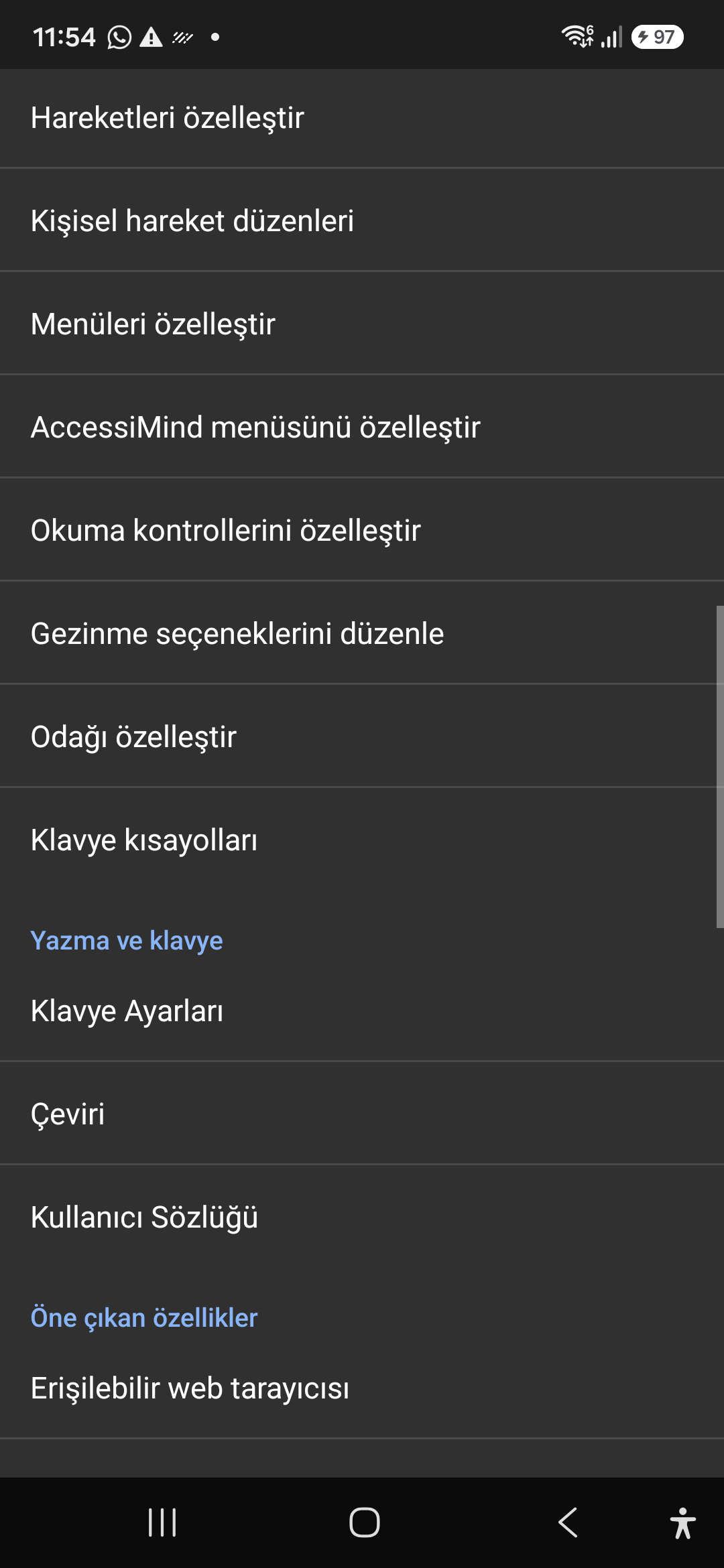
09 / 12 · Settings > Controls > Customize Menus / Navigation Options

9. Customize Menus, Reading Controls & Navigation

Videoda bu ekran keçidinə baxın (00:46 - 00:51)

Personalize the items appearing in the global context menu and reading granularity selector to match your personal workflow.

2026/10-116 Ekran Baxışı Video Bələdçisi (00:46 - 00:51)

Tailor the AccessiMind menu, reading controls (rotor), navigation granularities, focus indicator, and keyboard shortcuts.

Screenshot showing menu customization and navigation granularities.

9. Customize Menus, Reading Controls & Navigation — Settings > Controls > Customize Menus / Navigation Options
Settings > Controls > Customize Menus / Navigation Options
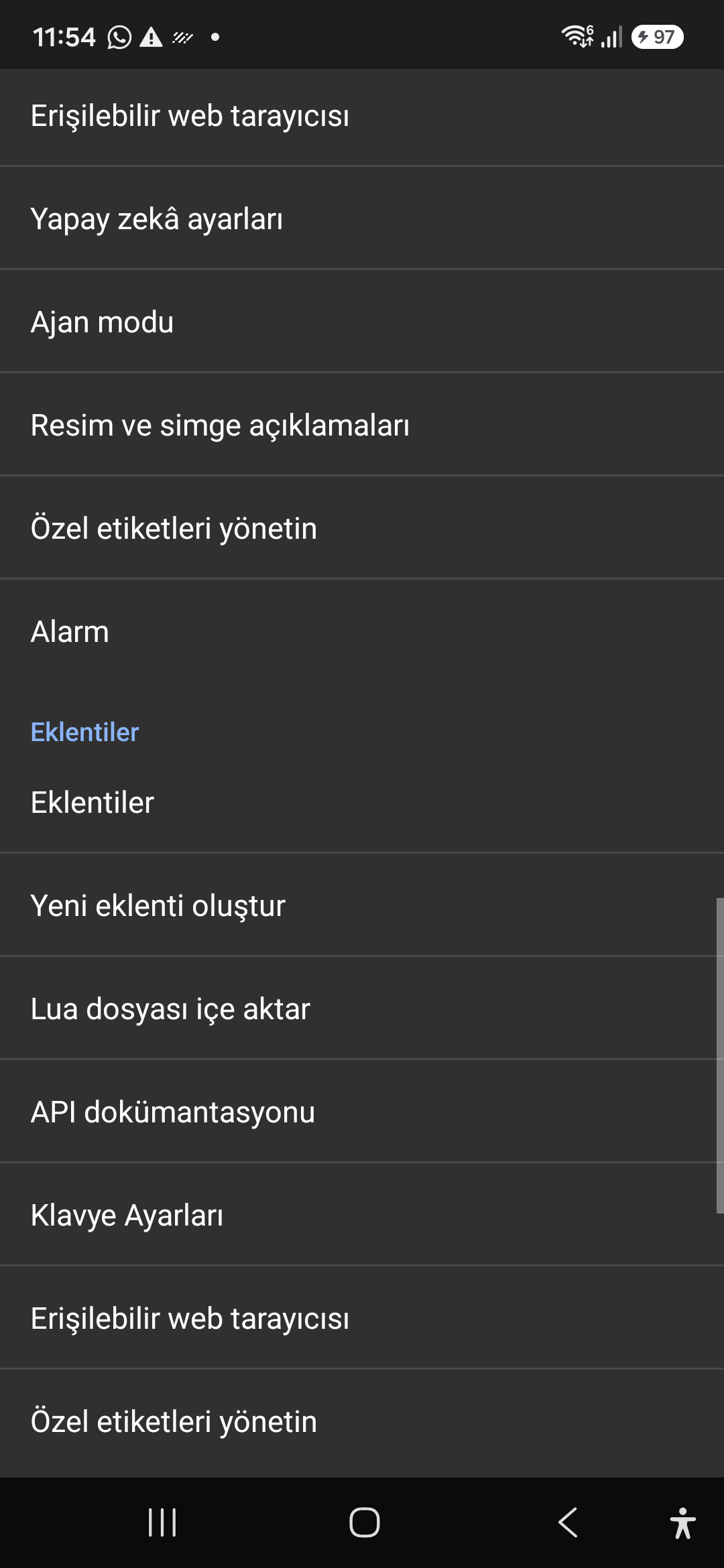
10 / 12 · Settings > Plugins > Create Plugin / Import Lua / API Docs

10. Plugins Engine & Sandboxed Lua Execution

Videoda bu ekran keçidinə baxın (00:51 - 00:58)

Author and run custom Lua scripts securely. Fully documented access to accessibility, speech, UI, HTTP, and local storage APIs.

2026/10-116 Ekran Baxışı Video Bələdçisi (00:51 - 00:58)

Sandboxed Lua scripting execution in an isolated Android process, on-device code editing, and comprehensive built-in API documentation.

Screenshot showing plugins hub and API documentation.

10. Plugins Engine & Sandboxed Lua Execution — Settings > Plugins > Create Plugin / Import Lua / API Docs
Settings > Plugins > Create Plugin / Import Lua / API Docs
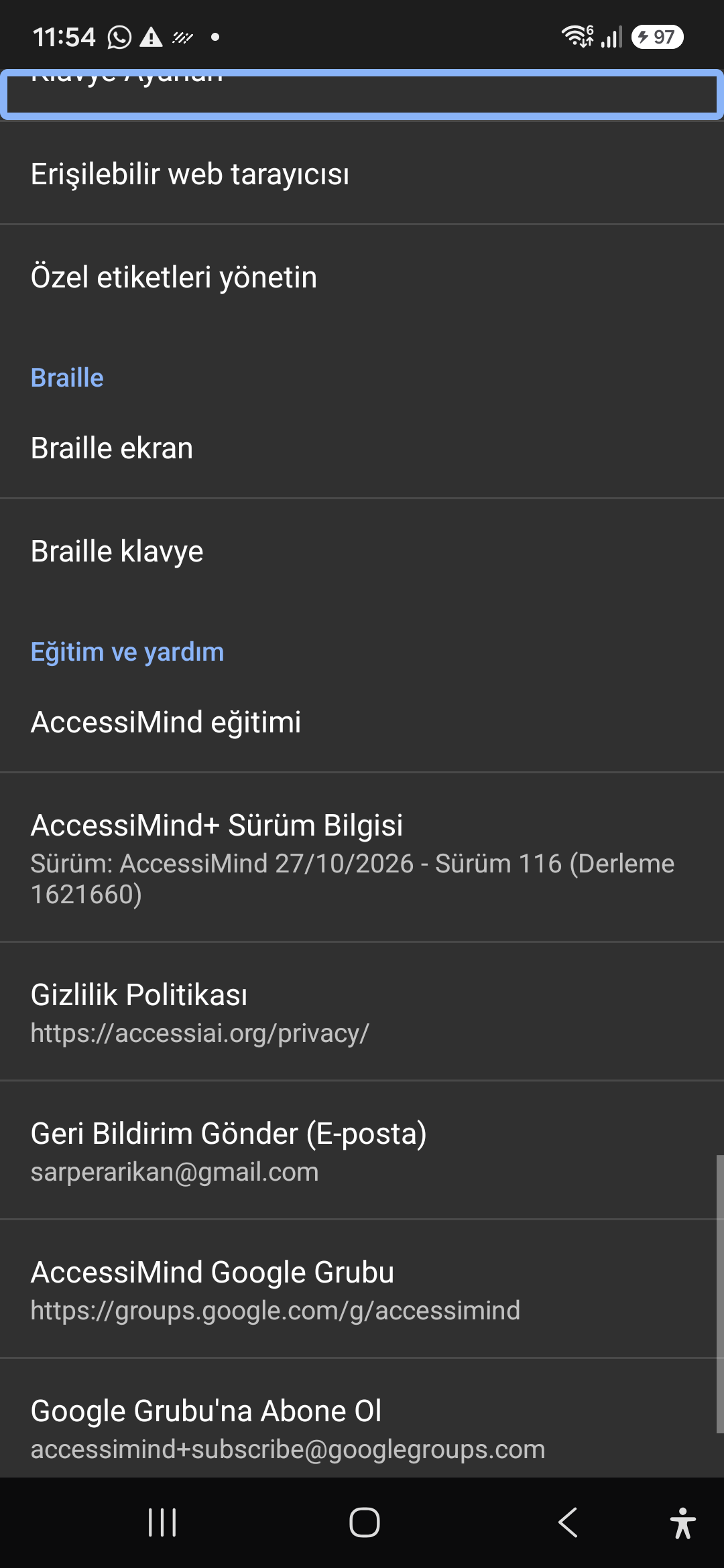
11 / 12 · Settings > Plugins and Tools > Keyboard / Browser / Custom Labels

11. Integrated Tools: Keyboard, Browser & Label Manager

Videoda bu ekran keçidinə baxın (00:58 - 01:05)

A suite of integrated utility tools designed specifically for screen reader users, including accessible web browsing and label backup.

2026/10-116 Ekran Baxışı Video Bələdçisi (00:58 - 01:05)

AccessiMind Keyboard preferences, accessible built-in web browser, and management of user-defined labels.

Screenshot displaying keyboard settings, accessible browser, and label manager.

11. Integrated Tools: Keyboard, Browser & Label Manager — Settings > Plugins and Tools > Keyboard / Browser / Custom Labels
Settings > Plugins and Tools > Keyboard / Browser / Custom Labels
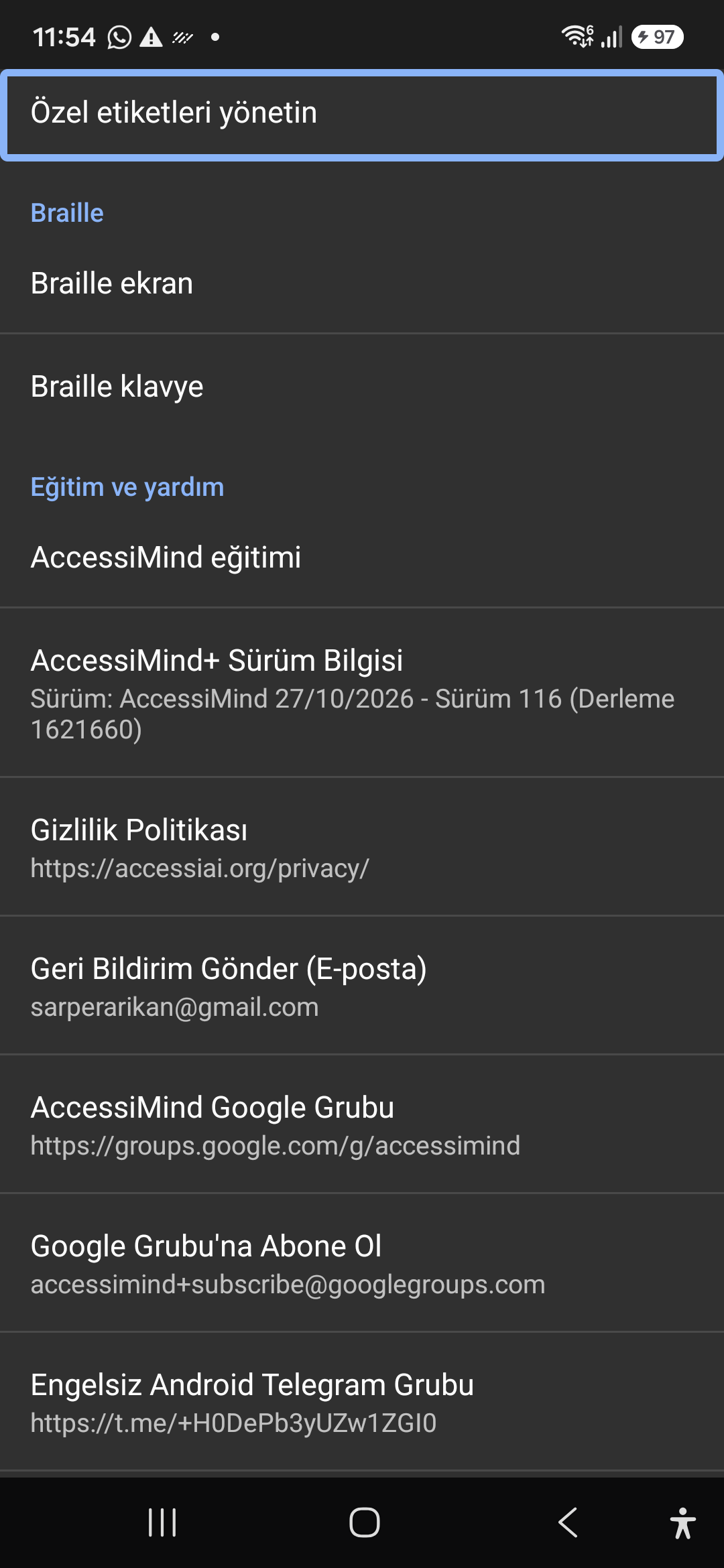
12 / 12 · Settings > Braille / Help & Support > Release 116 Info / Community

12. Braille Support, Release 116 Info & Community Channels

Videoda bu ekran keçidinə baxın (01:05 - 01:19)

Connect refreshable Braille displays via Bluetooth or USB. Access Release 116 verification certificates, privacy terms, and direct Telegram/Google Groups.

2026/10-116 Ekran Baxışı Video Bələdçisi (01:05 - 01:19)

Braille display and on-screen keyboard support; Release 116 (Build 1621660) metadata, Privacy Policy, Feedback, and active community groups.

Screenshot showing Braille settings, Release 116 version info, and community channels.

12. Braille Support, Release 116 Info & Community Channels — Settings > Braille / Help & Support > Release 116 Info / Community
Settings > Braille / Help & Support > Release 116 Info / Community