Unified Settings Screen & Instant Search Engine
Access all categories, 30 interface languages, WCAG 2.2 compliant themes, and audio feedback directly with the instant settings search engine.
Source-Verified Complete Reference Manual
Complete step-by-step documentation for setup, the unified settings architecture, instant search engine, 1–5 finger gestures, voice dictation, AI vision models, Lua plugin engine, and Braille hardware integration.
2026/10-116 Voiced Screen Walkthrough Guide · English (India)
Step-by-step voiced walkthrough featuring real phone screens (Settings Search, UI Customization, Audio Feedback, AI Vision, Voice Typing, Gestures, Plugins, and Braille).
01:19 · 12 Chapters · EN_IN
Selecting any chapter jumps the video directly to that screen's walkthrough. Captions and transcripts are fully synchronized with voice narration.
Production Release — 27 October 2026 — Version 2026/10-116 (versionCode: 1621660)
Hybrid dual-DEX architecture, 4-layer atomic settings preservation (Direct Boot), 6-channel independent audio engine, 16 KB ELF page alignment, and 100% pure native accessibility code.
Access all categories, 30 interface languages, WCAG 2.2 compliant themes, and audio feedback directly with the instant settings search engine.
Google Gemini 2.5, on-device Gemma, and GPT architecture; multi-step autonomous Agent Mode and local SQLite label caching for full independence.
Touchless voice dictation, advanced voice commands, 6 audio output streams, and granular verbosity controls.
Freely assign any action to 1 to 5 finger gestures, create independent JSON gesture layouts, and customize reading menus.
Sandboxed Lua scripting execution in an isolated process, on-device plugin authoring, AccessiMind Keyboard, and accessible web browser.
Bluetooth/USB Braille display and keyboard integration, Release 116 verification certificates, and active community groups.
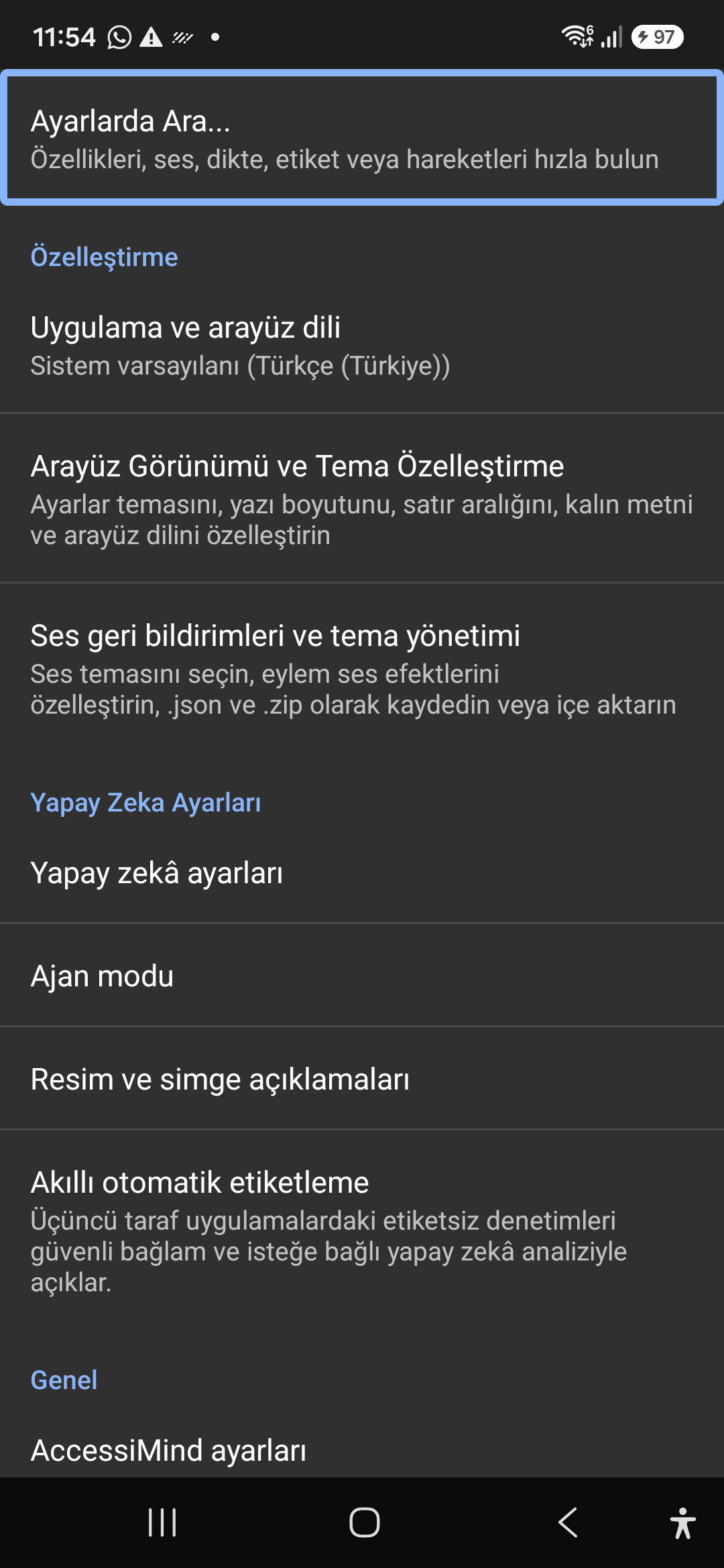
Quickly jump straight to any accessibility preference without browsing through nested menus. All keywords, commands, and tools are instantly indexed.
Instant settings search engine located at the top of the preferences list and toolbar. Search categories, sound themes, gestures, and plugins with immediate focus.
Screenshot showing the instant search engine at the top of the AccessiMind settings screen.
Customizable appearance with high contrast modes, large text rendering, card borders, and independent language selection.
Lock the interface language to system default or independently select from 30 supported languages. WCAG 2.2 compliant dark/light themes and custom font scales.
Screenshot showing customization options for language and theme appearance.
Configure feedback sounds for focus changes, clicks, and notifications. Easily import community-crafted sound packages via .zip or .json.
Customize action audio effects, choose built-in sound themes, or import/export external WAV and OGG sound packages.
Screenshot showing sound feedback and theme configuration.
Agent Mode interprets onscreen context and coordinates complex tasks such as form completion, order placement, or message drafts with interactive safety overlays.
Multi-provider AI architecture integrating Google Gemini 2.5, on-device Gemma, and GPT. Autonomous Agent Mode carries out multi-step tasks with user approval.
Screenshot displaying AI Settings and Agent Mode controls.
Visual accessibility enabled by cloud and on-device vision models. Once labeled, buttons and icons are cached locally to minimize network latency.
Narrate images and OCR text within seconds. Recognize unlabeled controls in third-party apps and cache them in local SQLite storage.
Screenshot illustrating image narration and automatic labeling options.
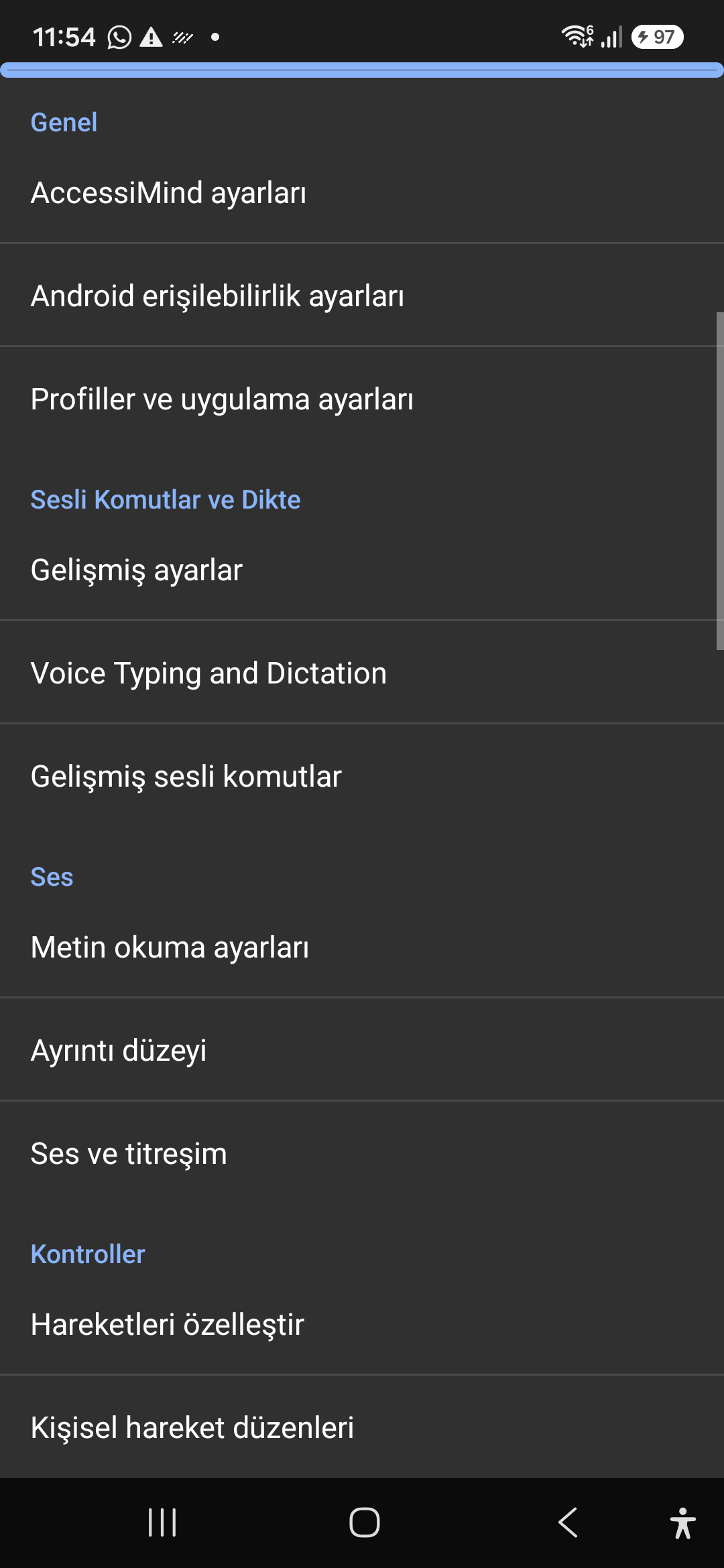
Control the screen reader using voice commands and dictate text into any input field with high recognition accuracy.
Hands-free voice typing, custom voice commands, and core AccessiMind operational parameters.
Screenshot showing general settings and voice typing dictation.
Fine-tune speech output parameters, manage punctuation and character-by-character pronunciation, and route audio across dedicated streams.
TTS engine selection, speech rate, pitch, 6 independent audio output channels, and granular verbosity controls.
Screenshot showing text-to-speech engine and verbosity preferences.
Freely remap single and multi-finger taps, swipes, and multi-directional gestures to navigation, reading, or custom actions.
Assign any action to 1 to 5 finger gestures, define independent JSON gesture layouts, and create app profiles.
Screenshot showing gesture customization and custom layout options.
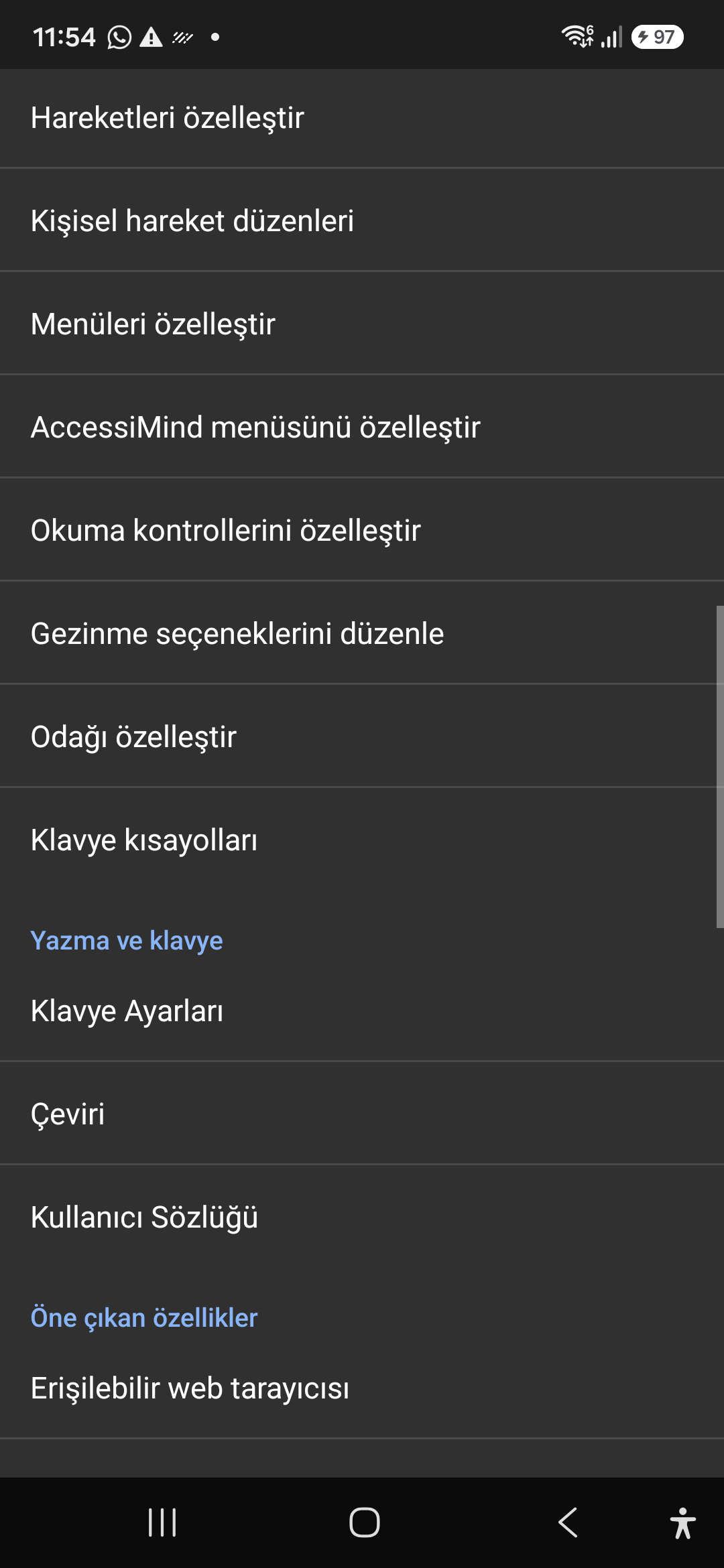
Personalize the items appearing in the global context menu and reading granularity selector to match your personal workflow.
Tailor the AccessiMind menu, reading controls (rotor), navigation granularities, focus indicator, and keyboard shortcuts.
Screenshot showing menu customization and navigation granularities.
Author and run custom Lua scripts securely. Fully documented access to accessibility, speech, UI, HTTP, and local storage APIs.
Sandboxed Lua scripting execution in an isolated Android process, on-device code editing, and comprehensive built-in API documentation.
Screenshot showing plugins hub and API documentation.
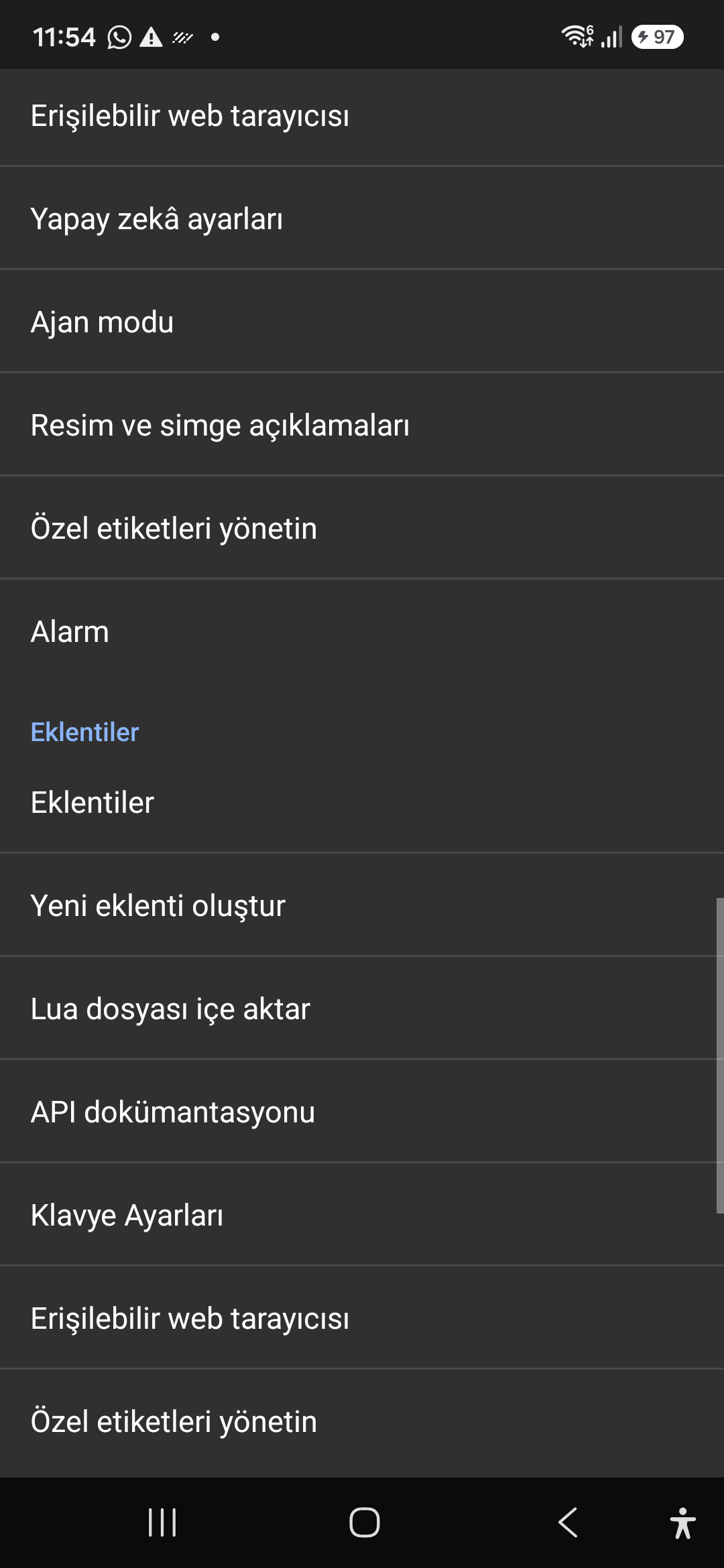
A suite of integrated utility tools designed specifically for screen reader users, including accessible web browsing and label backup.
AccessiMind Keyboard preferences, accessible built-in web browser, and management of user-defined labels.
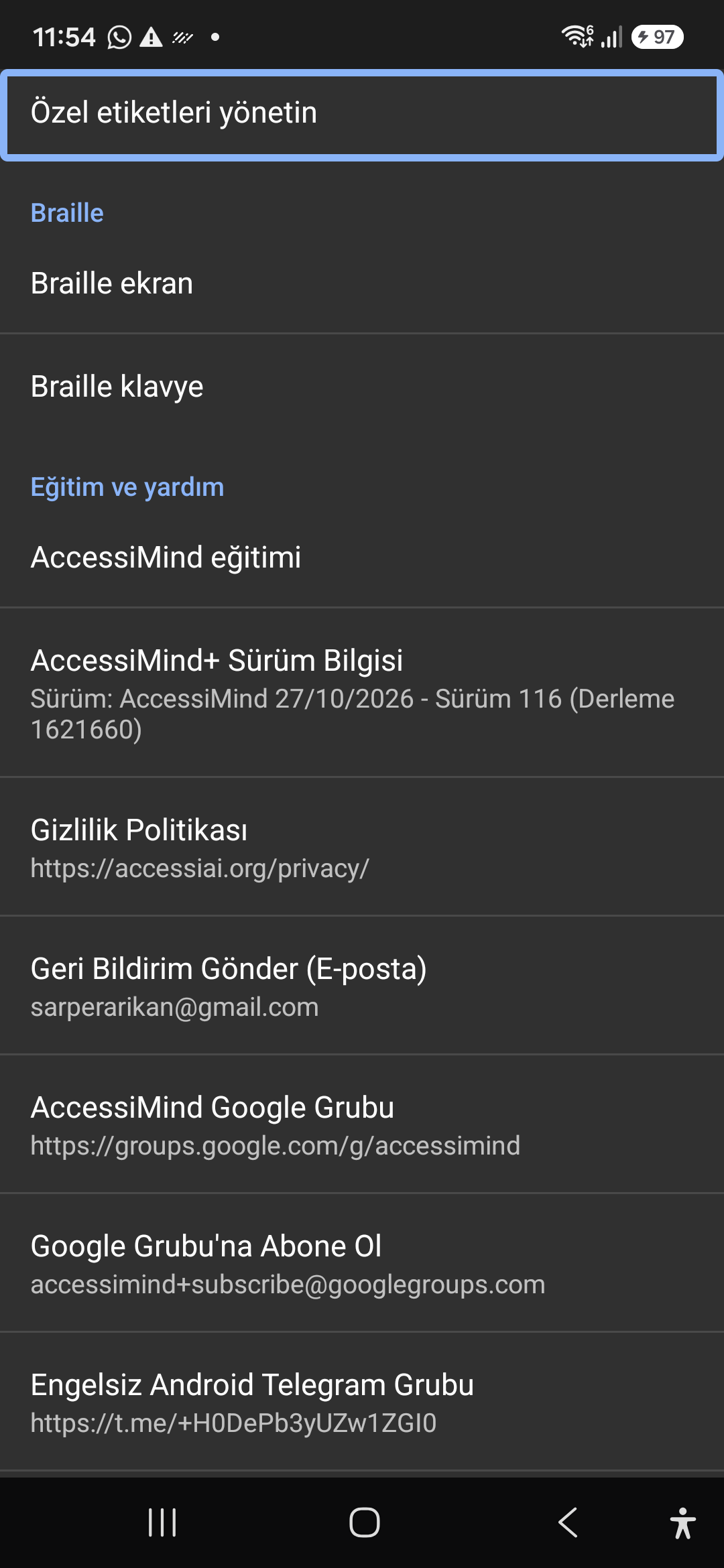
Screenshot displaying keyboard settings, accessible browser, and label manager.
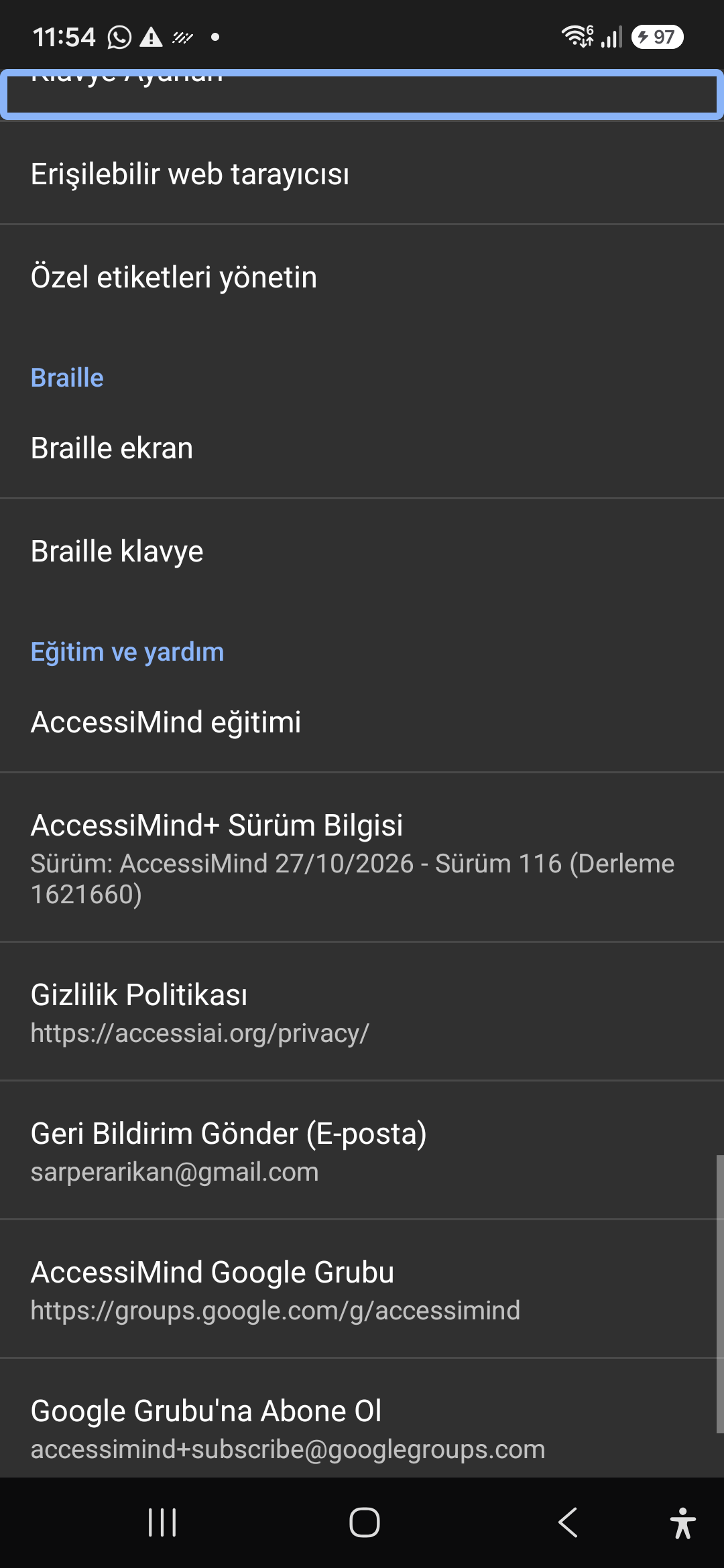
Connect refreshable Braille displays via Bluetooth or USB. Access Release 116 verification certificates, privacy terms, and direct Telegram/Google Groups.
Braille display and on-screen keyboard support; Release 116 (Build 1621660) metadata, Privacy Policy, Feedback, and active community groups.
Screenshot showing Braille settings, Release 116 version info, and community channels.