Lámhleabhar Tagartha Críochnaithe Fíoraithe ag Foinse

Treoir Úsáideora AccessiMind+ (2026/10-116 · 1621660)

Doiciméadú céim ar chéim a chomhlánú le haghaidh cumraíochta, an ailtireacht socruithe 6-chluaisín, gothaí saorfhoirme méar 1–5, ródú fuaime TTS 6-chainéil, Gníomhaire Treoraí AI, Mol Aistriúcháin Aontaithe 6-mód, Deachtú Cliste 31-teanga, Bainistíocht Glaonna, Méarchlár Inrochtana, agus Brabhsálaí Gréasáin.

2026/10-116 Treoir Físe Siúlóide Scáileáin · Gaeilge (Irish)

Scáileáin AccessiMind+, Comhéadan 6-Chluaisín & Gach Gné i 12 Chaibidil

Siúlóid scáileán-ar-scáileán inráite agus fotheideal ina bhfuil fíorscáileáin Android a gabhadh ó AccessiMind+ 2026/10-116 (Ginearálta, Saincheapadh Chomhéadain, Cainéal Aschuir TTS, Gothaí, Cruthaitheoir Gesture Freeform, Lipéadú Gluaisteán, Ardleibhéal, Bainistíocht Glaonna, Cúntóir AI, Aistriú Urlabhra, Deachtú Cliste, agus Inrochtana).

01:19 · 12 Chapters · GA

Má roghnaítear caibidil ar bith, léimeann sé an físeán go díreach chuig bealach an scáileáin sin. Cuirtear fotheidil agus tras-scríbhinní iomlána ar féidir a íoslódáil ar fáil.

Eisiúint Léiriúcháin • 20 Deireadh Fómhair 2026 • Leagan 2026/10-116 (Cód Leagan: 1621660)

AccessiMind+ 2026/10-116 (1621660): Croílár Atógtha, Comhéadan 6-Tab & Tacaíocht 101-Locale

Ailtireacht dé-DEX hibrideach, caomhnú socruithe adamhach 4-ciseal (Direct Boot), bainisteoir sruth aschuir TTS 6-chainéil, fógraí múchta / fáilte 101-áit, agus slándáil dhúchasach Android 100% saor ó shuíomhanna tríú páirtí SDK.

Scáileán Baile Nua-Aimseartha 6-Tab & Cuardach Gutha/Téacs Meandaracha

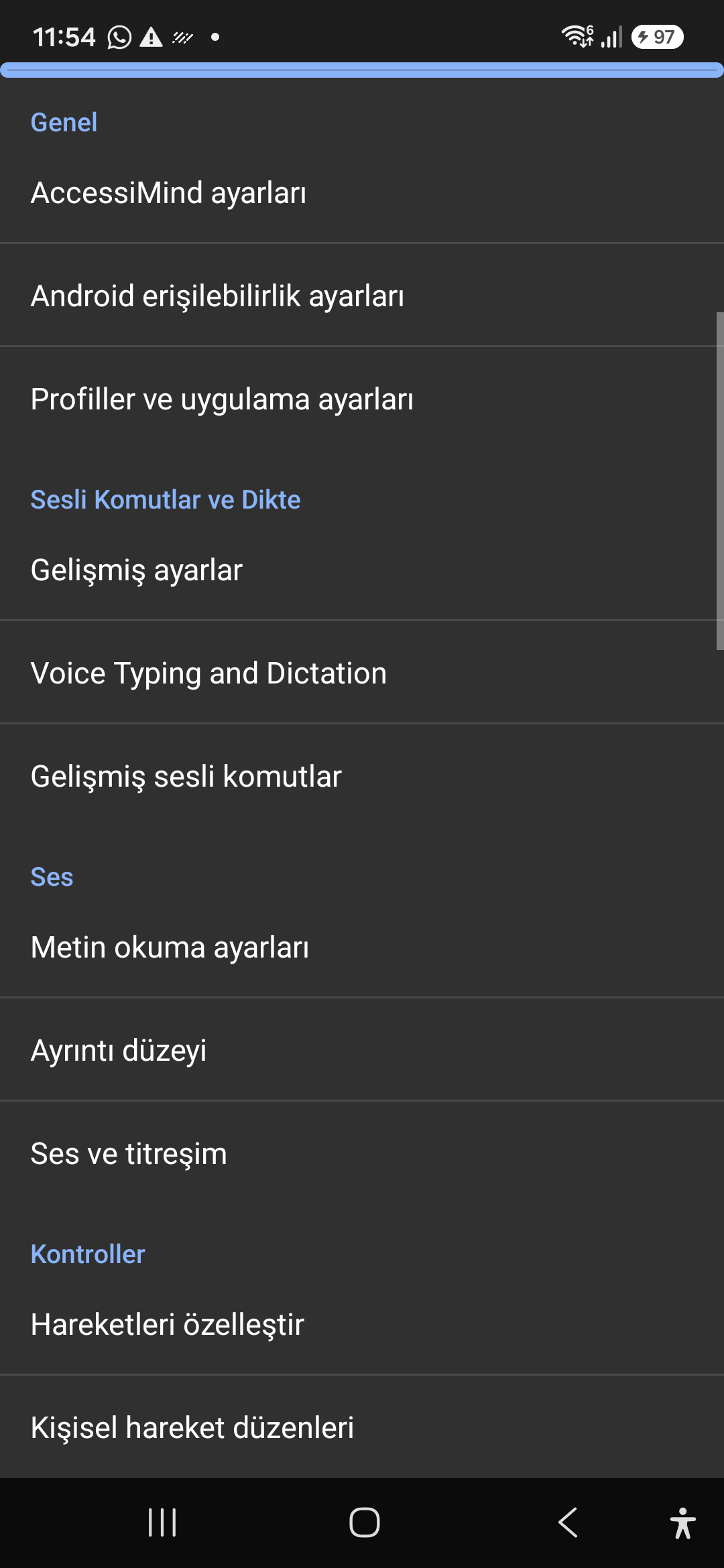
Déan gach socrú ó shé chluaisín eagraithe: Ginearálta, Gothaí, Urlabhra Ábhar, Ard-Intleacht Shaorga, agus Socruithe Breise. Scag aon rogha láithreach ag baint úsáide as an mbarra cuardaigh uachtarach nó Cuardach Gutha.
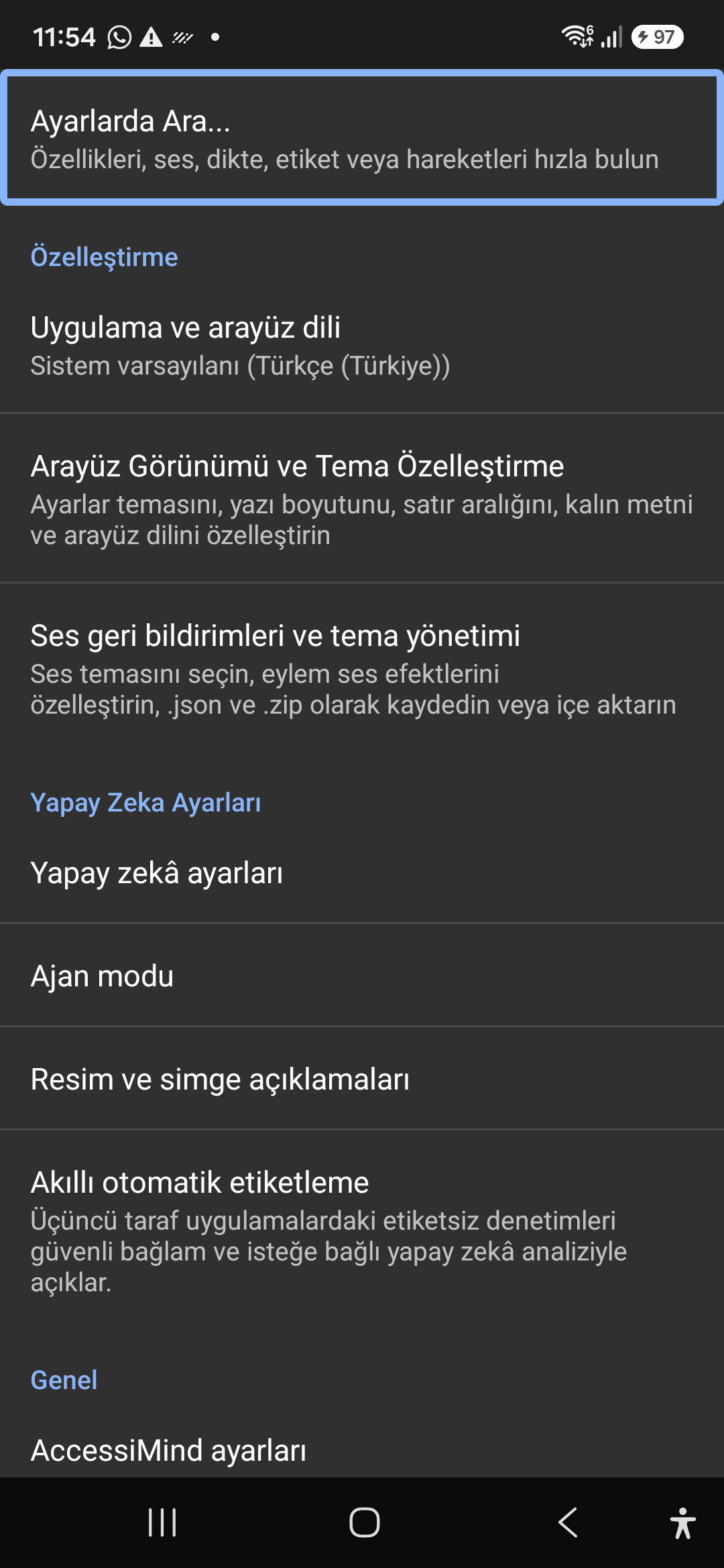
Cúntóir AI, Gníomhaire Treoraí & OCR Il-Script As Líne

Déan cur síos ar scáileáin agus íomhánna le Gemini, OpenAI/Codex, nó Offline Gemma-4 E2B, cuir tascanna Gníomhaire Treoraí ilchéime i gcrích trí ghuth, agus aithin téacs thar scripteanna le ONNX + Google ML Kit OCR as líne.

Mol Aistriúcháin Aontaithe (6 Mhód) & Deachtú Cliste 31-Teanga

Fócas Uathbhraite, Nascleanúint Leanúnach, Íomhá OCR, Lánscáileán, Gearrthaisce, agus Aistriúchán Beo Urlabhra. Deachtú Cliste atá feasach ar phoncaíocht agus orduithe gutha saincheaptha i 31 teanga.

1–5 Cruthaitheoir Gesture Méar & Óráid Mhúchadh 101-Locale

Tarraing gothaí saincheaptha méar 1–5 saorfhoirmeacha agus leagan amach iompórtála/easpórtála mar JSON. Éist le fógraí labhartha iontaofa i do theanga chórais aon uair a chasann an léitheoir scáileáin air nó as ar fud 101 tacar locale.

Bainisteoir Sruth TTS 6-Cainéal & Dialpad Isteach Tapa Aonair

Bealach cainte neamhspleách trí Inrochtaineacht, Meáin Chumarsáide, Fógra, Aláram, Ringtone nó Glaonna Gutha. Glaonna a fhreagairt/chríochnú le svaidhpeanna 1 mhéara, guthán cainteoir uathoibríoch, agus eochracha diailphlé aon-sconna.

Caomhnú Socruithe Adamhacha 4 Chiseal & Suíomh Dúchais

Caillteanas socruithe nialais ar fud scáileáin ghlais Direct Boot agus nuashonruithe aip trí ghrianghraif adamhacha 4-ciseal JSON, chomh maith le fógraí suímh dúchais Android LocationManager + Geocoder.

02 / 12 · Settings > Customization > App Language / Appearance

2. Interface Customization & System Locale Integration

Féach ar an siúlóid seo ar an scáileán san fhíseán (00:07 - 00:14)

Customizable appearance with high contrast modes, large text rendering, card borders, and independent language selection.

2026/10-116 Treoir Físe Siúlóide Scáileáin (00:07 - 00:14)

Lock the interface language to system default or independently select from 30 supported languages. WCAG 2.2 compliant dark/light themes and custom font scales.

Screenshot showing customization options for language and theme appearance.

2. Interface Customization & System Locale Integration — Settings > Customization > App Language / Appearance
Settings > Customization > App Language / Appearance
03 / 12 · Settings > Customization > Sound Feedback & Themes

3. Audio Feedback & Sound Theme Management

Féach ar an siúlóid seo ar an scáileán san fhíseán (00:14 - 00:18)

Configure feedback sounds for focus changes, clicks, and notifications. Easily import community-crafted sound packages via .zip or .json.

2026/10-116 Treoir Físe Siúlóide Scáileáin (00:14 - 00:18)

Customize action audio effects, choose built-in sound themes, or import/export external WAV and OGG sound packages.

Screenshot showing sound feedback and theme configuration.

3. Audio Feedback & Sound Theme Management — Settings > Customization > Sound Feedback & Themes
Settings > Customization > Sound Feedback & Themes
04 / 12 · Settings > AI Settings > Agent Mode

4. Dedicated AI Architecture & Autonomous Agent Mode

Féach ar an siúlóid seo ar an scáileán san fhíseán (00:18 - 00:23)

Agent Mode interprets onscreen context and coordinates complex tasks such as form completion, order placement, or message drafts with interactive safety overlays.

2026/10-116 Treoir Físe Siúlóide Scáileáin (00:18 - 00:23)

Multi-provider AI architecture integrating Google Gemini 2.5, on-device Gemma, and GPT. Autonomous Agent Mode carries out multi-step tasks with user approval.

Screenshot displaying AI Settings and Agent Mode controls.

4. Dedicated AI Architecture & Autonomous Agent Mode — Settings > AI Settings > Agent Mode
Settings > AI Settings > Agent Mode
05 / 12 · Settings > AI Settings > Image Descriptions / Auto-Labeling

5. Image, Icon Descriptions & Smart Automatic Labeling

Féach ar an siúlóid seo ar an scáileán san fhíseán (00:23 - 00:27)

Visual accessibility enabled by cloud and on-device vision models. Once labeled, buttons and icons are cached locally to minimize network latency.

2026/10-116 Treoir Físe Siúlóide Scáileáin (00:23 - 00:27)

Narrate images and OCR text within seconds. Recognize unlabeled controls in third-party apps and cache them in local SQLite storage.

Screenshot illustrating image narration and automatic labeling options.

5. Image, Icon Descriptions & Smart Automatic Labeling — Settings > AI Settings > Image Descriptions / Auto-Labeling
Settings > AI Settings > Image Descriptions / Auto-Labeling
06 / 12 · Settings > General > Voice Typing and Dictation

6. General Settings, Voice Typing & Dictation

Féach ar an siúlóid seo ar an scáileán san fhíseán (00:27 - 00:33)

Control the screen reader using voice commands and dictate text into any input field with high recognition accuracy.

2026/10-116 Treoir Físe Siúlóide Scáileáin (00:27 - 00:33)

Hands-free voice typing, custom voice commands, and core AccessiMind operational parameters.

Screenshot showing general settings and voice typing dictation.

6. General Settings, Voice Typing & Dictation — Settings > General > Voice Typing and Dictation
Settings > General > Voice Typing and Dictation
07 / 12 · Settings > Audio > Text-to-Speech / Verbosity

7. Text-to-Speech (TTS), Verbosity & Audio Channels

Féach ar an siúlóid seo ar an scáileán san fhíseán (00:33 - 00:40)

Fine-tune speech output parameters, manage punctuation and character-by-character pronunciation, and route audio across dedicated streams.

2026/10-116 Treoir Físe Siúlóide Scáileáin (00:33 - 00:40)

TTS engine selection, speech rate, pitch, 6 independent audio output channels, and granular verbosity controls.

Screenshot showing text-to-speech engine and verbosity preferences.

7. Text-to-Speech (TTS), Verbosity & Audio Channels — Settings > Audio > Text-to-Speech / Verbosity
Settings > Audio > Text-to-Speech / Verbosity
08 / 12 · Settings > Controls > Customize Gestures / Gesture Layouts

8. Controls: Gesture Customization & Custom Layouts

Féach ar an siúlóid seo ar an scáileán san fhíseán (00:40 - 00:46)

Freely remap single and multi-finger taps, swipes, and multi-directional gestures to navigation, reading, or custom actions.

2026/10-116 Treoir Físe Siúlóide Scáileáin (00:40 - 00:46)

Assign any action to 1 to 5 finger gestures, define independent JSON gesture layouts, and create app profiles.

Screenshot showing gesture customization and custom layout options.

8. Controls: Gesture Customization & Custom Layouts — Settings > Controls > Customize Gestures / Gesture Layouts
Settings > Controls > Customize Gestures / Gesture Layouts
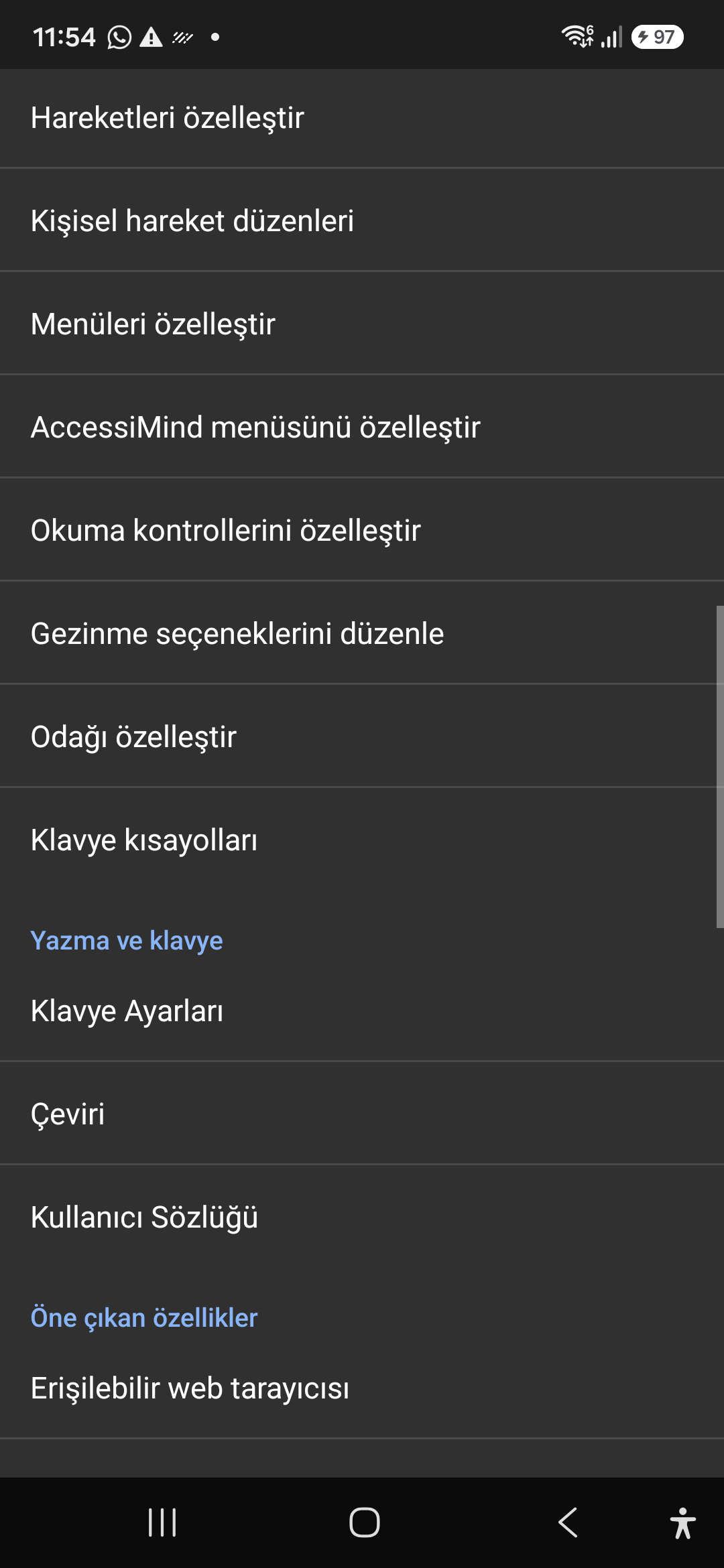
09 / 12 · Settings > Controls > Customize Menus / Navigation Options

9. Customize Menus, Reading Controls & Navigation

Féach ar an siúlóid seo ar an scáileán san fhíseán (00:46 - 00:51)

Personalize the items appearing in the global context menu and reading granularity selector to match your personal workflow.

2026/10-116 Treoir Físe Siúlóide Scáileáin (00:46 - 00:51)

Tailor the AccessiMind menu, reading controls (rotor), navigation granularities, focus indicator, and keyboard shortcuts.

Screenshot showing menu customization and navigation granularities.

9. Customize Menus, Reading Controls & Navigation — Settings > Controls > Customize Menus / Navigation Options
Settings > Controls > Customize Menus / Navigation Options
10 / 12 · Settings > Plugins > Create Plugin / Import Lua / API Docs

10. Plugins Engine & Sandboxed Lua Execution

Féach ar an siúlóid seo ar an scáileán san fhíseán (00:51 - 00:58)

Author and run custom Lua scripts securely. Fully documented access to accessibility, speech, UI, HTTP, and local storage APIs.

2026/10-116 Treoir Físe Siúlóide Scáileáin (00:51 - 00:58)

Sandboxed Lua scripting execution in an isolated Android process, on-device code editing, and comprehensive built-in API documentation.

Screenshot showing plugins hub and API documentation.

10. Plugins Engine & Sandboxed Lua Execution — Settings > Plugins > Create Plugin / Import Lua / API Docs
Settings > Plugins > Create Plugin / Import Lua / API Docs
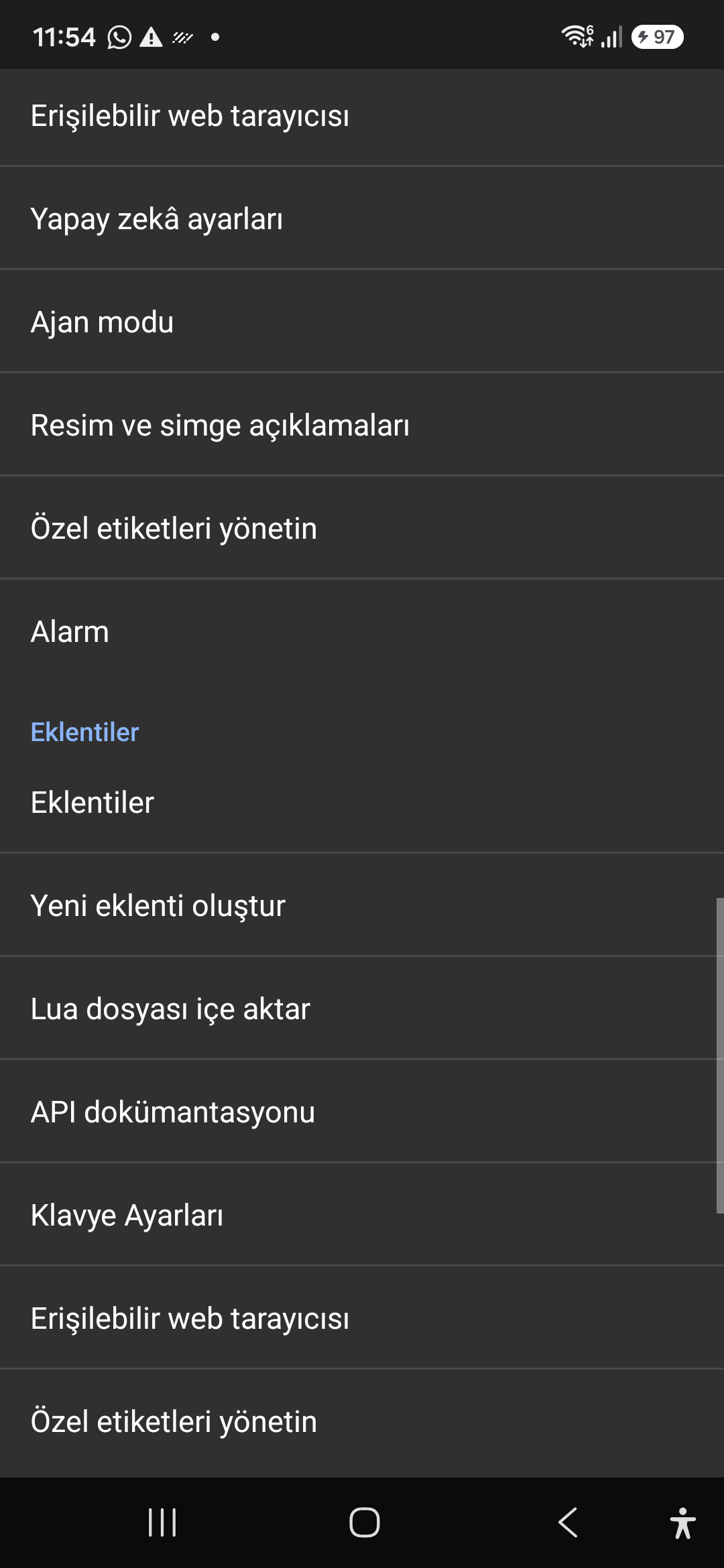
11 / 12 · Settings > Plugins and Tools > Keyboard / Browser / Custom Labels

11. Integrated Tools: Keyboard, Browser & Label Manager

Féach ar an siúlóid seo ar an scáileán san fhíseán (00:58 - 01:05)

A suite of integrated utility tools designed specifically for screen reader users, including accessible web browsing and label backup.

2026/10-116 Treoir Físe Siúlóide Scáileáin (00:58 - 01:05)

AccessiMind Keyboard preferences, accessible built-in web browser, and management of user-defined labels.

Screenshot displaying keyboard settings, accessible browser, and label manager.

11. Integrated Tools: Keyboard, Browser & Label Manager — Settings > Plugins and Tools > Keyboard / Browser / Custom Labels
Settings > Plugins and Tools > Keyboard / Browser / Custom Labels
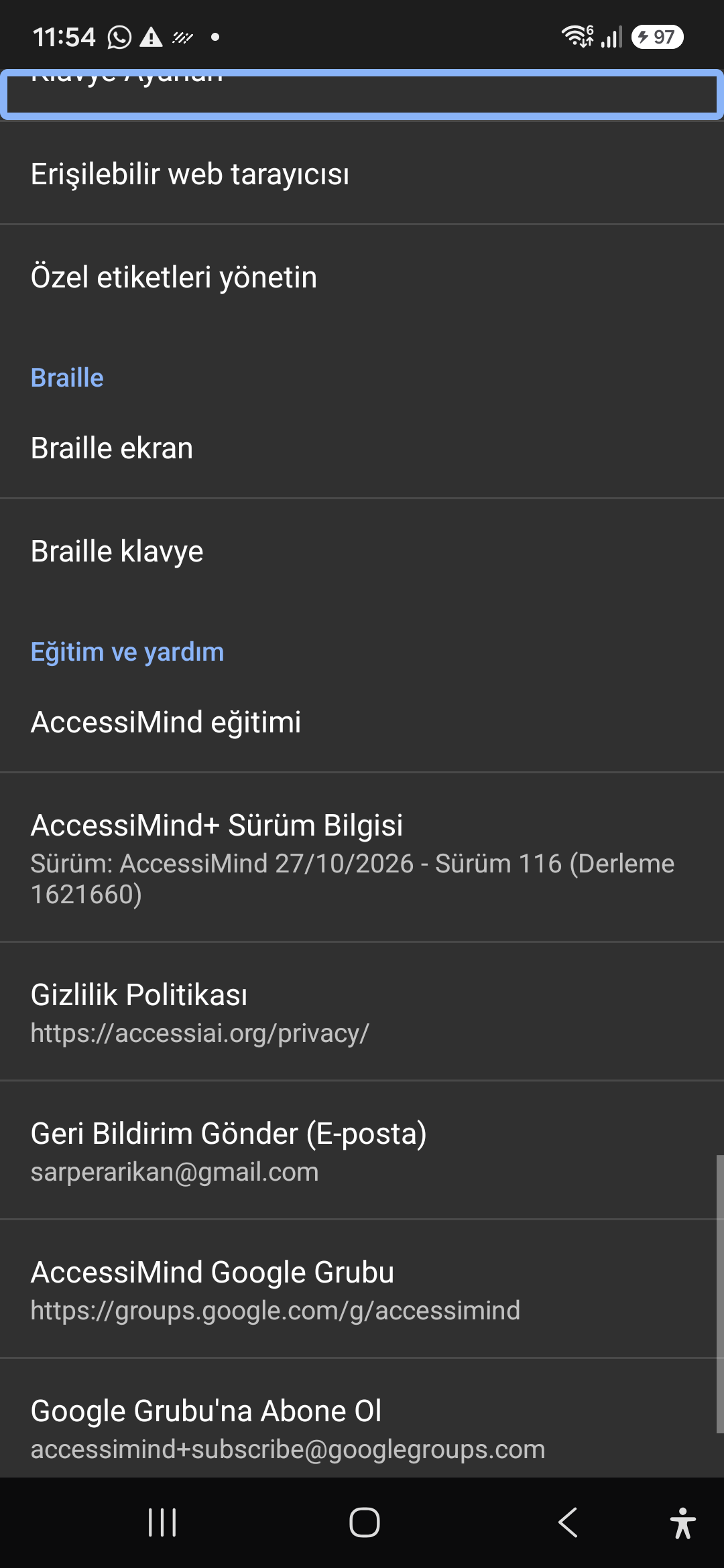
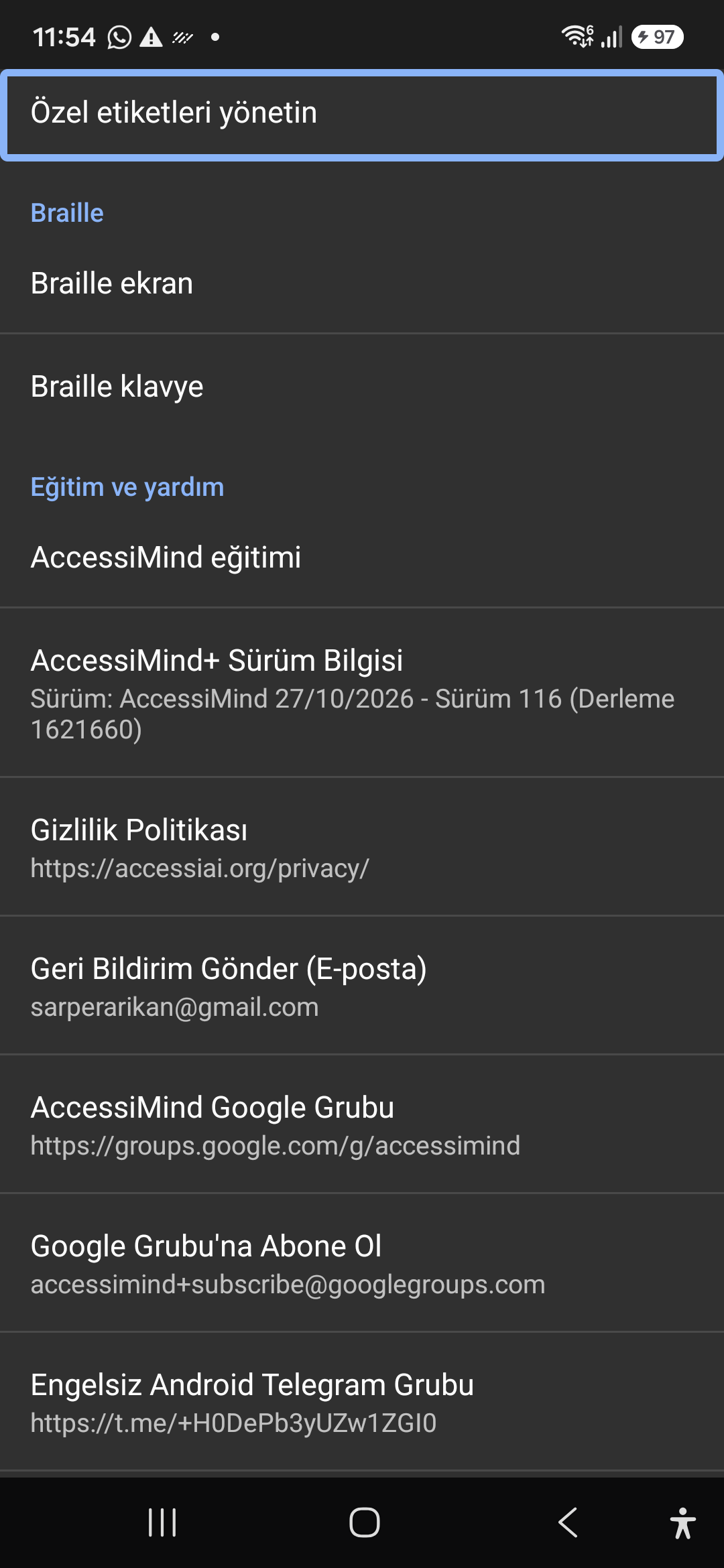
12 / 12 · Settings > Braille / Help & Support > Release 116 Info / Community

12. Braille Support, Release 116 Info & Community Channels

Féach ar an siúlóid seo ar an scáileán san fhíseán (01:05 - 01:19)

Connect refreshable Braille displays via Bluetooth or USB. Access Release 116 verification certificates, privacy terms, and direct Telegram/Google Groups.

2026/10-116 Treoir Físe Siúlóide Scáileáin (01:05 - 01:19)

Braille display and on-screen keyboard support; Release 116 (Build 1621660) metadata, Privacy Policy, Feedback, and active community groups.

Screenshot showing Braille settings, Release 116 version info, and community channels.

12. Braille Support, Release 116 Info & Community Channels — Settings > Braille / Help & Support > Release 116 Info / Community
Settings > Braille / Help & Support > Release 116 Info / Community