Llawlyfr Cyfeirio Cyflawn wedi'i Wirio â Ffynhonnell

AccessiMind+ (2026/10-116 · 1621660) Canllaw Defnyddiwr

Cwblhau dogfennaeth cam wrth gam ar gyfer gosod, pensaernïaeth gosodiadau 6-tab, ystumiau rhyddffurf 1–5 bys, llwybr sain TTS 6-sianel, Asiant Dewin AI, Hyb Cyfieithu Unedig 6-modd, Arddywediad Clyfar 31-iaith, Rheoli Galwadau, Bysellfwrdd Hygyrch, a Porwr Gwe.

2026/10-116 Canllaw Fideo Trwodd Sgrin · Cymraeg (Welsh)

Sgriniau AccessiMind+, Rhyngwyneb 6-Tab a Phob Nodwedd mewn 12 Pennod

Trywydd sgrin-wrth-sgrîn wedi'i adrodd a'i gapsiynau yn cynnwys sgriniau Android go iawn wedi'u dal o AccessiMind + 2026/10-116 (Cyffredinol, Addasiadau UI, Sianel Allbwn TTS, Ystumiau, Crëwr Ystumiau Rhadffurf, Labelu Ceir, Uwch, Rheoli Galwadau, Cynorthwyydd AI, Cyfieithu Lleferydd, Arddywediad Clyfar, a Hygyrch Bysellfwrdd/Brows).

01:19 · 12 Chapters · CY

Mae dewis unrhyw bennod yn neidio'r fideo yn uniongyrchol i lwybr y sgrin honno. Darperir capsiynau a thrawsgrifiadau llawn y gellir eu lawrlwytho.

Datganiad Cynhyrchu • 20 Hydref 2026 • Fersiwn 2026/10-116 (Cod fersiwn: 1621660)

AccessiMind+ 2026/10-116 (1621660): Craidd wedi'i Ailadeiladu, Rhyngwyneb 6-Tab a Chymorth 101-Locale

Pensaernïaeth deuol-DEX hybrid, cadwraeth gosodiadau atomig 4-haen (Direct Boot), rheolwr ffrwd allbwn TTS 6-sianel, cyhoeddiadau cau / croeso 101-locale, a diogelwch Android 100% brodorol heb SDKs lleoliad trydydd parti.

Sgrin Gartref Fodern 6-Tab a Chwiliad Llais/Testun Sydyn

Cyrraedd pob lleoliad o chwe thab trefnus: Cyffredinol, Ystumiau, Lleferydd Cynnwys, Uwch, Deallusrwydd Artiffisial, a Gosodiadau Ychwanegol. Hidlo unrhyw opsiwn ar unwaith gan ddefnyddio'r bar chwilio uchaf neu Chwiliad Llais.
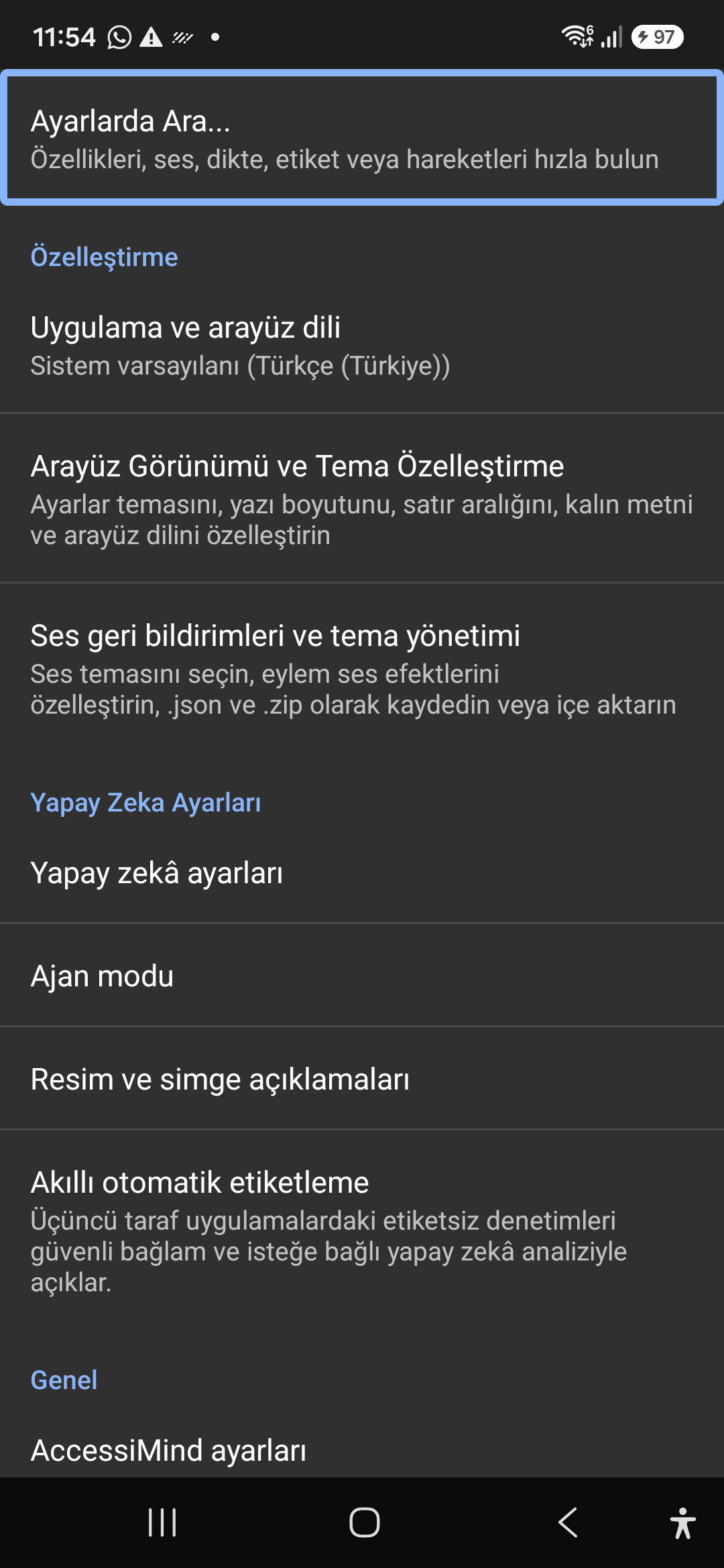
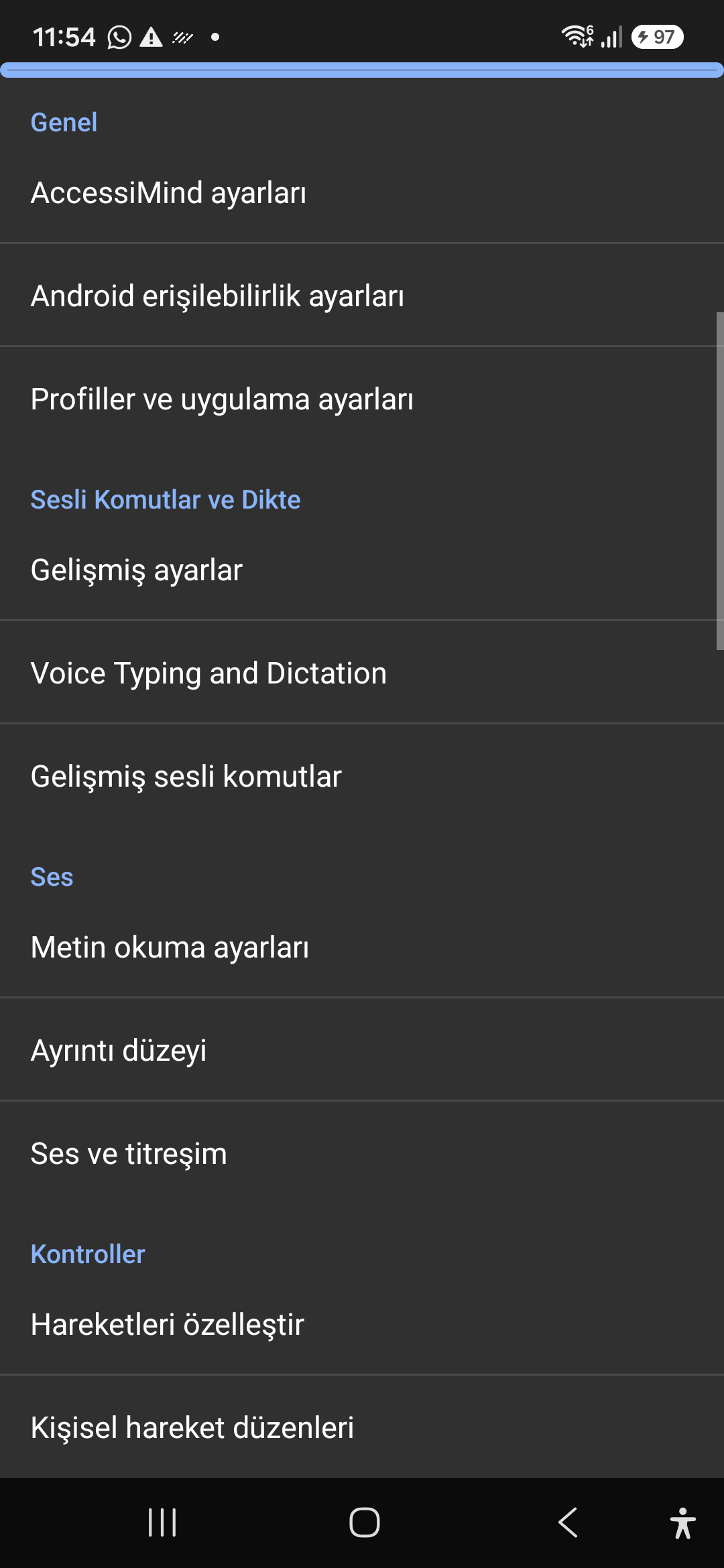
Cynorthwyydd AI, Asiant Dewin ac OCR All-lein Aml-Sgript

Disgrifiwch sgriniau a delweddau gyda Gemini, OpenAI/Codex, neu Offline Gemma-4 E2B, cyflawni tasgau Asiant Dewin aml-gam yn ôl llais, ac adnabod testun ar draws sgriptiau gydag all-lein ONNX + Google ML Kit OCR.

Canolbwynt Cyfieithu Unedig (6 Modd) a Arddywediad Clyfar 31-Iaith

Ffocws wedi'i ganfod yn awtomatig, llywio parhaus, delwedd OCR, sgrin lawn, clipfwrdd, a chyfieithu llais byw. Arddywediad Clyfar sy'n ymwybodol o atalnodi a gorchmynion llais personol mewn 31 o ieithoedd.

1–5 Crëwr Ystumiau Bys ac Araith Diffodd 101-Local

Tynnwch lun ystumiau personol bys 1-5 ffurf rydd a chynlluniau mewnforio/allforio fel JSON. Clywch gyhoeddiadau llafar dibynadwy yn eich iaith system pryd bynnag y bydd y darllenydd sgrin yn troi ymlaen neu i ffwrdd ar draws 101 set locale.

Rheolwr Ffrwd TTS 6-Sianel a Dialpad Mewn Alwad Tap Sengl

Llwybr lleferydd yn annibynnol trwy sianeli Hygyrchedd, Cyfryngau, Hysbysu, Larwm, Tôn Ffon, neu Alwad Llais. Ateb/diweddu galwadau gyda swipes 1 bys, ffôn siaradwr auto, ac allweddi pad deialu un tap.

Cadwedigaeth Gosodiadau Atomig 4-Haen a Lleoliad Brodorol

Dim colled gosodiadau ar draws sgriniau clo Direct Boot a diweddariadau ap trwy gipluniau JSON atomig 4-haen, ynghyd â chyhoeddiadau lleoliad Android LocationManager + Geocoder brodorol.

02 / 12 · Settings > Customization > App Language / Appearance

2. Interface Customization & System Locale Integration

Gwyliwch y llwybr sgrin hwn yn y fideo (00:07 - 00:14)

Customizable appearance with high contrast modes, large text rendering, card borders, and independent language selection.

2026/10-116 Canllaw Fideo Trwodd Sgrin (00:07 - 00:14)

Lock the interface language to system default or independently select from 30 supported languages. WCAG 2.2 compliant dark/light themes and custom font scales.

Screenshot showing customization options for language and theme appearance.

2. Interface Customization & System Locale Integration — Settings > Customization > App Language / Appearance
Settings > Customization > App Language / Appearance
03 / 12 · Settings > Customization > Sound Feedback & Themes

3. Audio Feedback & Sound Theme Management

Gwyliwch y llwybr sgrin hwn yn y fideo (00:14 - 00:18)

Configure feedback sounds for focus changes, clicks, and notifications. Easily import community-crafted sound packages via .zip or .json.

2026/10-116 Canllaw Fideo Trwodd Sgrin (00:14 - 00:18)

Customize action audio effects, choose built-in sound themes, or import/export external WAV and OGG sound packages.

Screenshot showing sound feedback and theme configuration.

3. Audio Feedback & Sound Theme Management — Settings > Customization > Sound Feedback & Themes
Settings > Customization > Sound Feedback & Themes
04 / 12 · Settings > AI Settings > Agent Mode

4. Dedicated AI Architecture & Autonomous Agent Mode

Gwyliwch y llwybr sgrin hwn yn y fideo (00:18 - 00:23)

Agent Mode interprets onscreen context and coordinates complex tasks such as form completion, order placement, or message drafts with interactive safety overlays.

2026/10-116 Canllaw Fideo Trwodd Sgrin (00:18 - 00:23)

Multi-provider AI architecture integrating Google Gemini 2.5, on-device Gemma, and GPT. Autonomous Agent Mode carries out multi-step tasks with user approval.

Screenshot displaying AI Settings and Agent Mode controls.

4. Dedicated AI Architecture & Autonomous Agent Mode — Settings > AI Settings > Agent Mode
Settings > AI Settings > Agent Mode
05 / 12 · Settings > AI Settings > Image Descriptions / Auto-Labeling

5. Image, Icon Descriptions & Smart Automatic Labeling

Gwyliwch y llwybr sgrin hwn yn y fideo (00:23 - 00:27)

Visual accessibility enabled by cloud and on-device vision models. Once labeled, buttons and icons are cached locally to minimize network latency.

2026/10-116 Canllaw Fideo Trwodd Sgrin (00:23 - 00:27)

Narrate images and OCR text within seconds. Recognize unlabeled controls in third-party apps and cache them in local SQLite storage.

Screenshot illustrating image narration and automatic labeling options.

5. Image, Icon Descriptions & Smart Automatic Labeling — Settings > AI Settings > Image Descriptions / Auto-Labeling
Settings > AI Settings > Image Descriptions / Auto-Labeling
06 / 12 · Settings > General > Voice Typing and Dictation

6. General Settings, Voice Typing & Dictation

Gwyliwch y llwybr sgrin hwn yn y fideo (00:27 - 00:33)

Control the screen reader using voice commands and dictate text into any input field with high recognition accuracy.

2026/10-116 Canllaw Fideo Trwodd Sgrin (00:27 - 00:33)

Hands-free voice typing, custom voice commands, and core AccessiMind operational parameters.

Screenshot showing general settings and voice typing dictation.

6. General Settings, Voice Typing & Dictation — Settings > General > Voice Typing and Dictation
Settings > General > Voice Typing and Dictation
07 / 12 · Settings > Audio > Text-to-Speech / Verbosity

7. Text-to-Speech (TTS), Verbosity & Audio Channels

Gwyliwch y llwybr sgrin hwn yn y fideo (00:33 - 00:40)

Fine-tune speech output parameters, manage punctuation and character-by-character pronunciation, and route audio across dedicated streams.

2026/10-116 Canllaw Fideo Trwodd Sgrin (00:33 - 00:40)

TTS engine selection, speech rate, pitch, 6 independent audio output channels, and granular verbosity controls.

Screenshot showing text-to-speech engine and verbosity preferences.

7. Text-to-Speech (TTS), Verbosity & Audio Channels — Settings > Audio > Text-to-Speech / Verbosity
Settings > Audio > Text-to-Speech / Verbosity
08 / 12 · Settings > Controls > Customize Gestures / Gesture Layouts

8. Controls: Gesture Customization & Custom Layouts

Gwyliwch y llwybr sgrin hwn yn y fideo (00:40 - 00:46)

Freely remap single and multi-finger taps, swipes, and multi-directional gestures to navigation, reading, or custom actions.

2026/10-116 Canllaw Fideo Trwodd Sgrin (00:40 - 00:46)

Assign any action to 1 to 5 finger gestures, define independent JSON gesture layouts, and create app profiles.

Screenshot showing gesture customization and custom layout options.

8. Controls: Gesture Customization & Custom Layouts — Settings > Controls > Customize Gestures / Gesture Layouts
Settings > Controls > Customize Gestures / Gesture Layouts
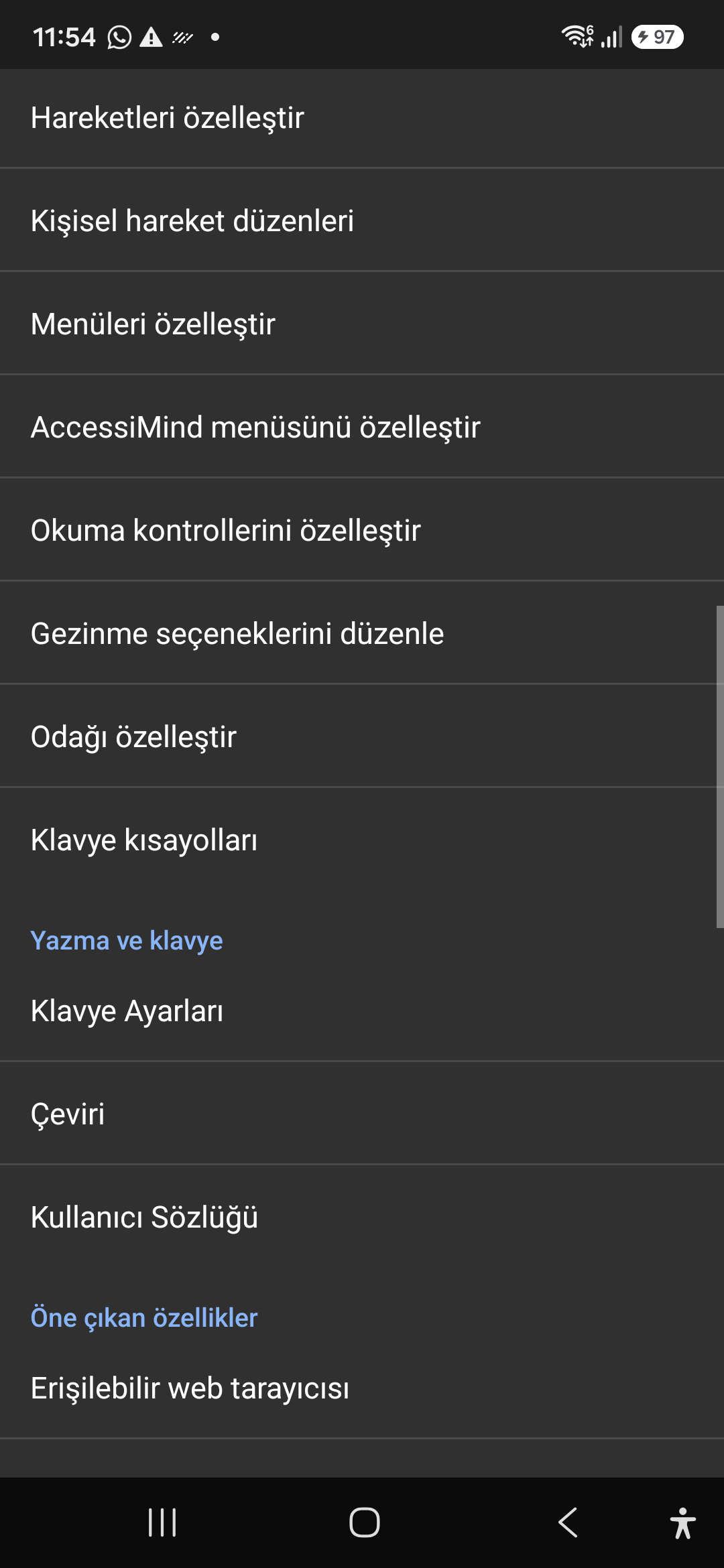
09 / 12 · Settings > Controls > Customize Menus / Navigation Options

9. Customize Menus, Reading Controls & Navigation

Gwyliwch y llwybr sgrin hwn yn y fideo (00:46 - 00:51)

Personalize the items appearing in the global context menu and reading granularity selector to match your personal workflow.

2026/10-116 Canllaw Fideo Trwodd Sgrin (00:46 - 00:51)

Tailor the AccessiMind menu, reading controls (rotor), navigation granularities, focus indicator, and keyboard shortcuts.

Screenshot showing menu customization and navigation granularities.

9. Customize Menus, Reading Controls & Navigation — Settings > Controls > Customize Menus / Navigation Options
Settings > Controls > Customize Menus / Navigation Options
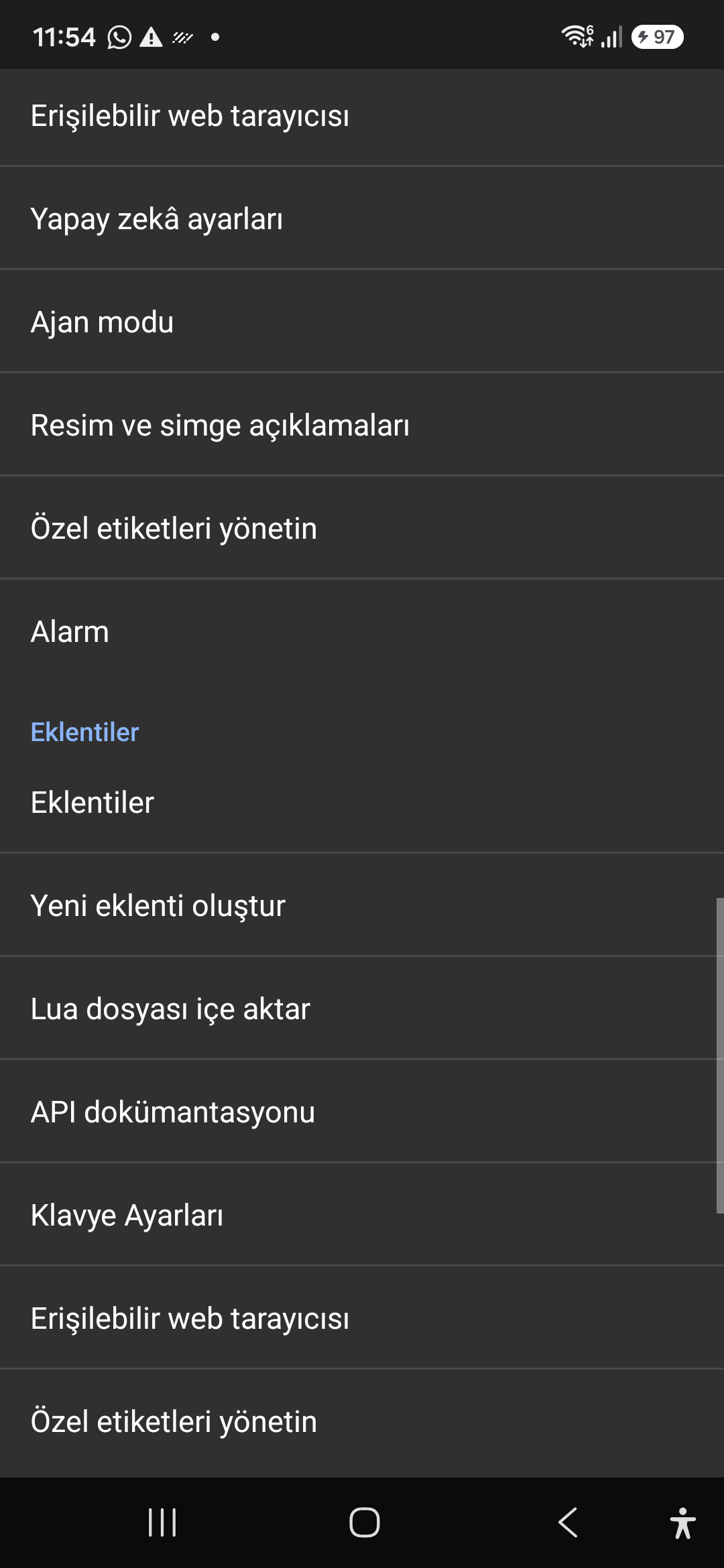
10 / 12 · Settings > Plugins > Create Plugin / Import Lua / API Docs

10. Plugins Engine & Sandboxed Lua Execution

Gwyliwch y llwybr sgrin hwn yn y fideo (00:51 - 00:58)

Author and run custom Lua scripts securely. Fully documented access to accessibility, speech, UI, HTTP, and local storage APIs.

2026/10-116 Canllaw Fideo Trwodd Sgrin (00:51 - 00:58)

Sandboxed Lua scripting execution in an isolated Android process, on-device code editing, and comprehensive built-in API documentation.

Screenshot showing plugins hub and API documentation.

10. Plugins Engine & Sandboxed Lua Execution — Settings > Plugins > Create Plugin / Import Lua / API Docs
Settings > Plugins > Create Plugin / Import Lua / API Docs
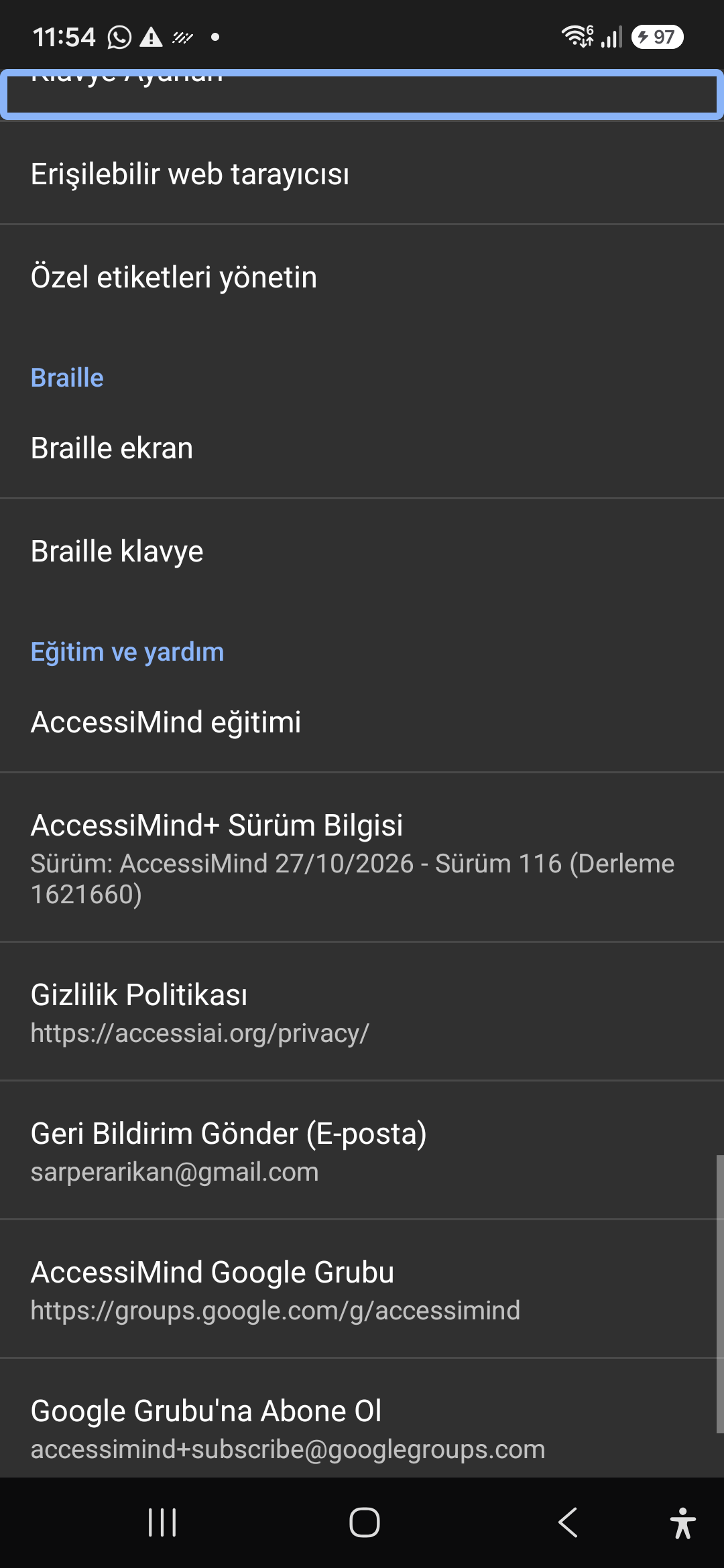
11 / 12 · Settings > Plugins and Tools > Keyboard / Browser / Custom Labels

11. Integrated Tools: Keyboard, Browser & Label Manager

Gwyliwch y llwybr sgrin hwn yn y fideo (00:58 - 01:05)

A suite of integrated utility tools designed specifically for screen reader users, including accessible web browsing and label backup.

2026/10-116 Canllaw Fideo Trwodd Sgrin (00:58 - 01:05)

AccessiMind Keyboard preferences, accessible built-in web browser, and management of user-defined labels.

Screenshot displaying keyboard settings, accessible browser, and label manager.

11. Integrated Tools: Keyboard, Browser & Label Manager — Settings > Plugins and Tools > Keyboard / Browser / Custom Labels
Settings > Plugins and Tools > Keyboard / Browser / Custom Labels
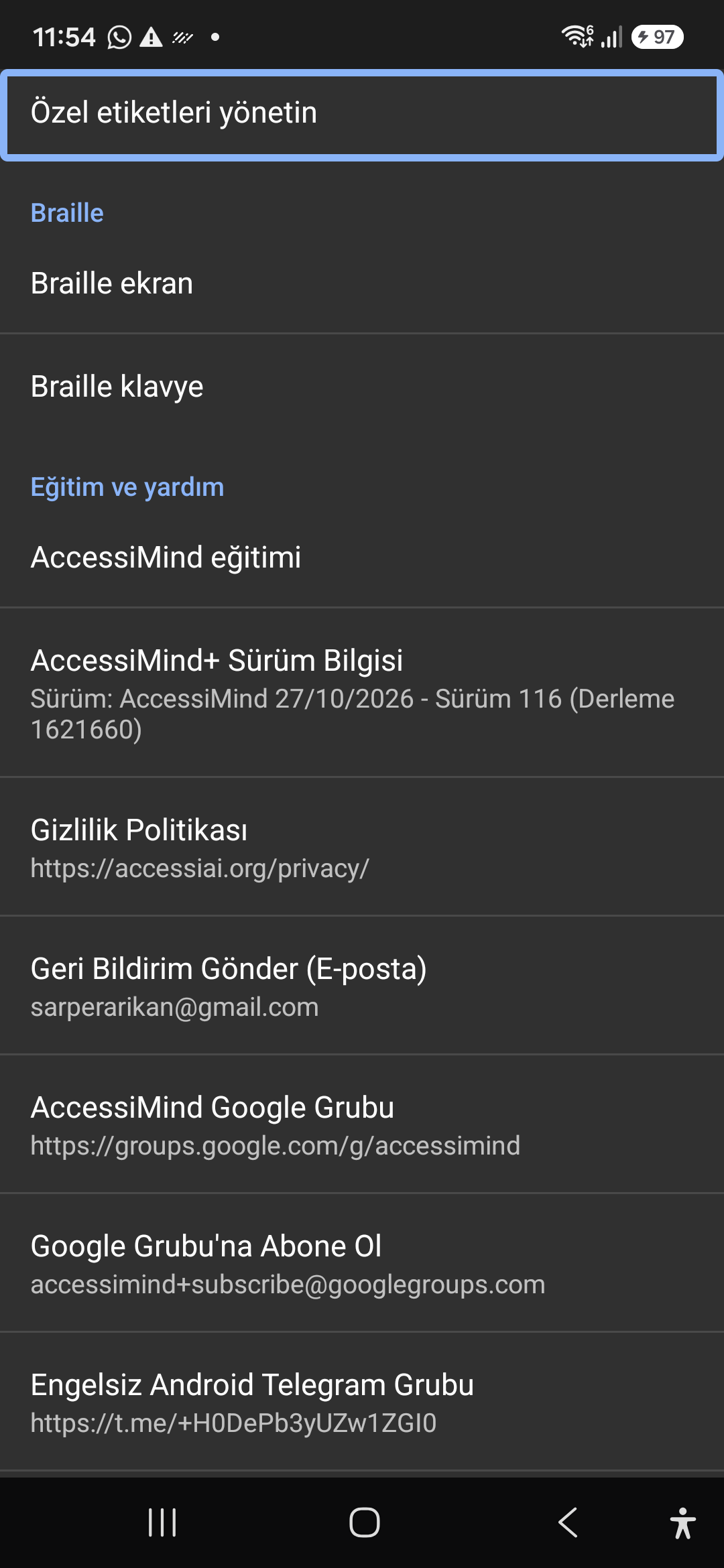
12 / 12 · Settings > Braille / Help & Support > Release 116 Info / Community

12. Braille Support, Release 116 Info & Community Channels

Gwyliwch y llwybr sgrin hwn yn y fideo (01:05 - 01:19)

Connect refreshable Braille displays via Bluetooth or USB. Access Release 116 verification certificates, privacy terms, and direct Telegram/Google Groups.

2026/10-116 Canllaw Fideo Trwodd Sgrin (01:05 - 01:19)

Braille display and on-screen keyboard support; Release 116 (Build 1621660) metadata, Privacy Policy, Feedback, and active community groups.

Screenshot showing Braille settings, Release 116 version info, and community channels.

12. Braille Support, Release 116 Info & Community Channels — Settings > Braille / Help & Support > Release 116 Info / Community
Settings > Braille / Help & Support > Release 116 Info / Community