Потпуни референтни приручник са верификованим извором

АццессиМинд+ (2026/10-116 · 1621660) Упутство за употребу

Комплетна документација корак по корак за подешавање, архитектура подешавања са 6 картица, покрети слободног облика са 1–5 прстију, 6-канално ТТС аудио рутирање, АИ чаробњак, 6-режимски Унифиед Транслатион Хуб, 31-језички паметни диктат, управљање позивима, приступачна тастатура и веб претраживач.

2026/10-116 Видео водич са водичем за екран · Српски (Serbian)

АццессиМинд+ екрани, интерфејс са 6 картица и свака функција у 12 поглавља

Приповедано и титловано упутство екран по екран који садржи стварне Андроид екране снимљене из АццессиМинд+ 2026/10-116 (Опште, прилагођавања корисничког интерфејса, ТТС излазни канал, покрети, Креатор покрета слободног облика, аутоматско означавање, напредно, управљање позивима, АИ помоћник, приступ паметној тастатури/превод говорне тастатуре).

01:19 · 12 Chapters · SR

Одабиром било ког поглавља видео се пребацује директно на водич за тај екран. Дати су титлови и потпуни транскрипти за преузимање.

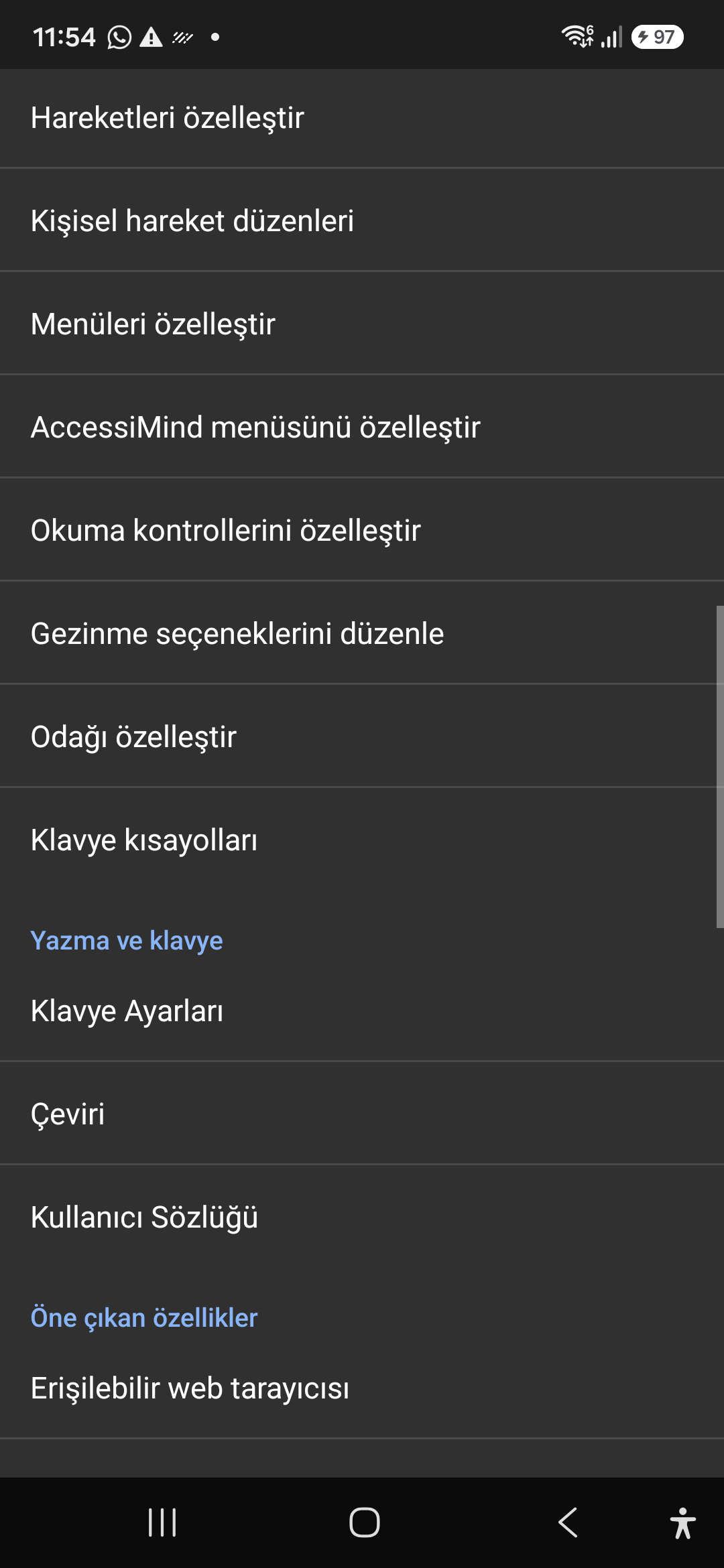
Издање у производњи • 20. октобар 2026. • Верзија 2026/10-116 (код верзије: 1621660)

АццессиМинд+ 2026/10-116 (1621660): обновљено језгро, интерфејс са 6 картица и подршка за 101 језик

Хибридна дуал-ДЕКС архитектура, 4-слојно очување атомских подешавања (Директно покретање), 6-канални ТТС менаџер излазног тока, 101-локална најава о искључењу/добродошли и 100% изворна Андроид безбедност без СДК-ова за локацију трећих страна.

Модерни почетни екран са 6 картица и тренутна гласовна/текстуална претрага

Дођите до сваког подешавања са шест организованих картица: Опште, Покрети, Говор садржаја, Напредно, Вештачка интелигенција и Додатна подешавања. Одмах филтрирајте било коју опцију користећи горњу траку за претрагу или гласовну претрагу.
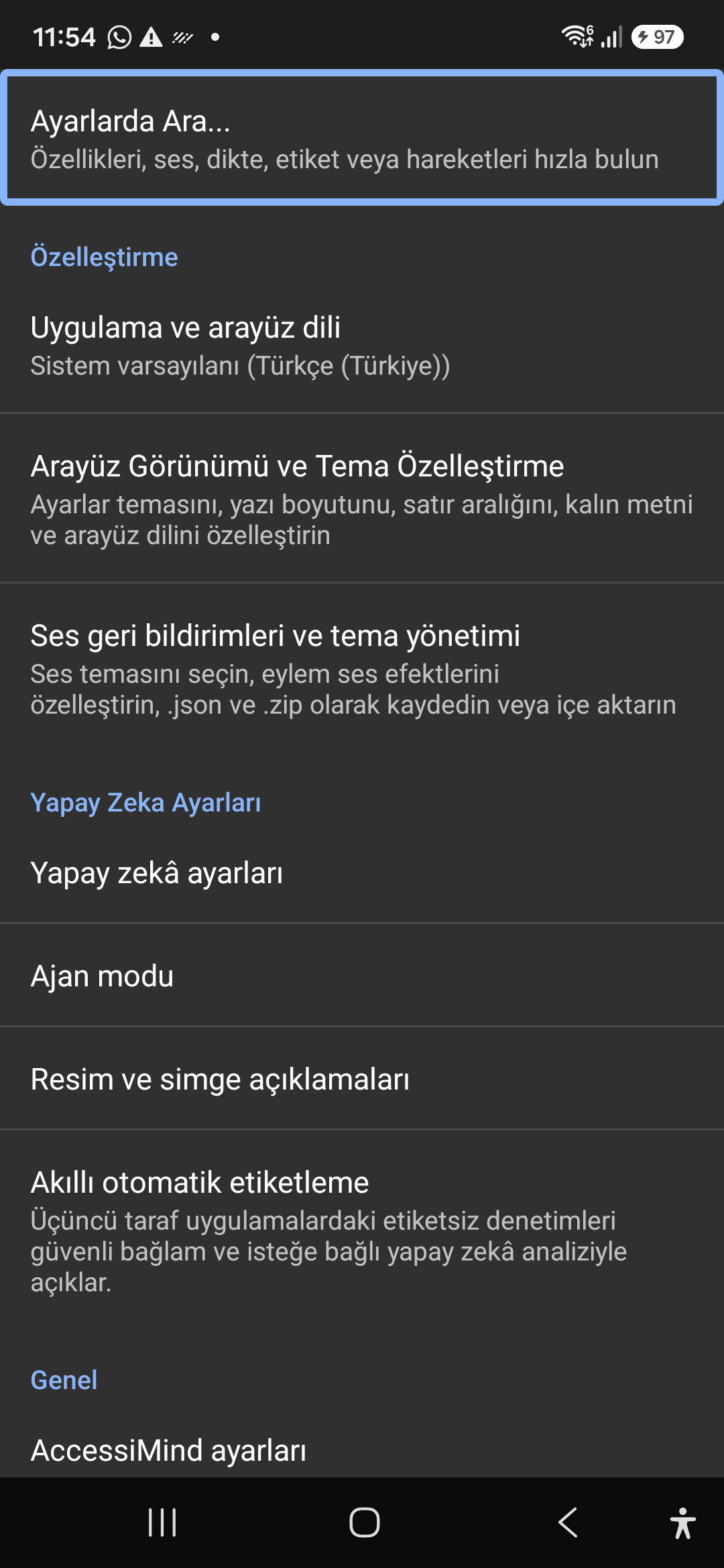
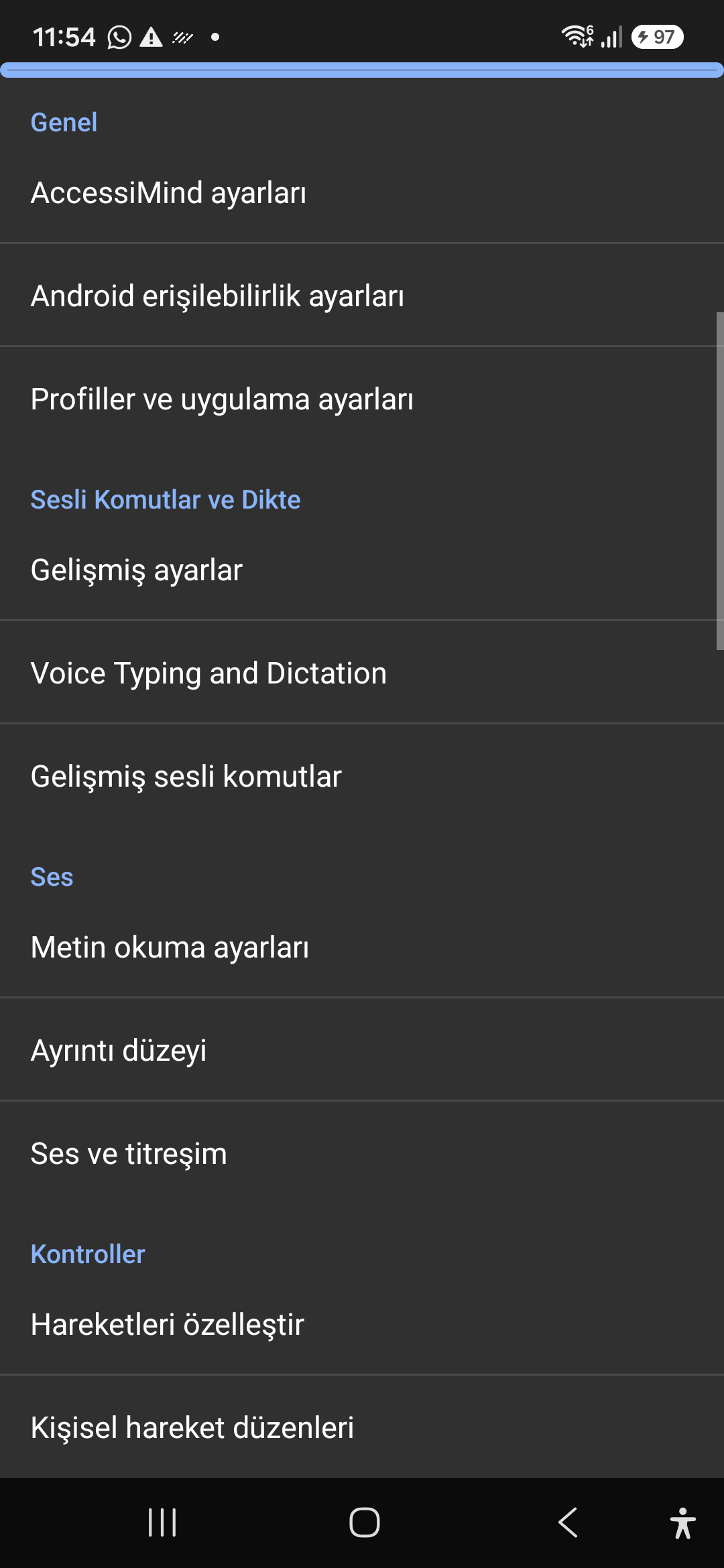
АИ помоћник, агент чаробњака и мулти-скрипта ван мреже ОЦР

Опишите екране и слике помоћу Гемини-а, ОпенАИ/Цодек-а или ван мреже Гемма-4 Е2Б, извршавајте задатке чаробњака агента у више корака гласом и препознајте текст у скриптама помоћу офлајн ОННКС + Гоогле МЛ Кит ОЦР-а.

Унифиед Транслатион Хуб (6 режима) и паметни диктат на 31 језик

Аутоматски детектовани фокус, континуална навигација, ОЦР слике, цео екран, међуспремник и превод говора уживо. Паметно диктирање са знањем о интерпункцији и прилагођене гласовне команде на 31 језику.

Креатор покрета са 1–5 прстију и говор за искључивање са 101 језиком

Нацртајте прилагођене покрете са 1–5 прста слободног облика и распореде увоза/извоза као ЈСОН. Слушајте поуздане говорне најаве на језику вашег система кад год се читач екрана укључи или искључи на 101 скупу језика.

6-канални ТТС Стреам Манагер и тастатура за бирање у позиву једним додиром

Независно рутирајте говор преко канала приступачности, медија, обавештења, аларма, мелодије звона или говорног позива. Одговарајте/завршавајте позиве преласком 1 прстом, аутоматским спикерфоном и тастерима на тастатури са једним додиром.

Очување 4-слојног атомског подешавања и изворна локација

Нема губитка подешавања на закључаним екранима директног покретања и ажурирањима апликација путем 4-слојних атомских ЈСОН снимака, плус изворни Андроид ЛоцатионМанагер + Геоцодер обавештења о локацији.

02 / 12 · Settings > Customization > App Language / Appearance

2. Interface Customization & System Locale Integration

Погледајте ово упутство за екран у видеу (00:07 - 00:14)

Customizable appearance with high contrast modes, large text rendering, card borders, and independent language selection.

2026/10-116 Видео водич са водичем за екран (00:07 - 00:14)

Lock the interface language to system default or independently select from 30 supported languages. WCAG 2.2 compliant dark/light themes and custom font scales.

Screenshot showing customization options for language and theme appearance.

2. Interface Customization & System Locale Integration — Settings > Customization > App Language / Appearance
Settings > Customization > App Language / Appearance
03 / 12 · Settings > Customization > Sound Feedback & Themes

3. Audio Feedback & Sound Theme Management

Погледајте ово упутство за екран у видеу (00:14 - 00:18)

Configure feedback sounds for focus changes, clicks, and notifications. Easily import community-crafted sound packages via .zip or .json.

2026/10-116 Видео водич са водичем за екран (00:14 - 00:18)

Customize action audio effects, choose built-in sound themes, or import/export external WAV and OGG sound packages.

Screenshot showing sound feedback and theme configuration.

3. Audio Feedback & Sound Theme Management — Settings > Customization > Sound Feedback & Themes
Settings > Customization > Sound Feedback & Themes
04 / 12 · Settings > AI Settings > Agent Mode

4. Dedicated AI Architecture & Autonomous Agent Mode

Погледајте ово упутство за екран у видеу (00:18 - 00:23)

Agent Mode interprets onscreen context and coordinates complex tasks such as form completion, order placement, or message drafts with interactive safety overlays.

2026/10-116 Видео водич са водичем за екран (00:18 - 00:23)

Multi-provider AI architecture integrating Google Gemini 2.5, on-device Gemma, and GPT. Autonomous Agent Mode carries out multi-step tasks with user approval.

Screenshot displaying AI Settings and Agent Mode controls.

4. Dedicated AI Architecture & Autonomous Agent Mode — Settings > AI Settings > Agent Mode
Settings > AI Settings > Agent Mode
05 / 12 · Settings > AI Settings > Image Descriptions / Auto-Labeling

5. Image, Icon Descriptions & Smart Automatic Labeling

Погледајте ово упутство за екран у видеу (00:23 - 00:27)

Visual accessibility enabled by cloud and on-device vision models. Once labeled, buttons and icons are cached locally to minimize network latency.

2026/10-116 Видео водич са водичем за екран (00:23 - 00:27)

Narrate images and OCR text within seconds. Recognize unlabeled controls in third-party apps and cache them in local SQLite storage.

Screenshot illustrating image narration and automatic labeling options.

5. Image, Icon Descriptions & Smart Automatic Labeling — Settings > AI Settings > Image Descriptions / Auto-Labeling
Settings > AI Settings > Image Descriptions / Auto-Labeling
06 / 12 · Settings > General > Voice Typing and Dictation

6. General Settings, Voice Typing & Dictation

Погледајте ово упутство за екран у видеу (00:27 - 00:33)

Control the screen reader using voice commands and dictate text into any input field with high recognition accuracy.

2026/10-116 Видео водич са водичем за екран (00:27 - 00:33)

Hands-free voice typing, custom voice commands, and core AccessiMind operational parameters.

Screenshot showing general settings and voice typing dictation.

6. General Settings, Voice Typing & Dictation — Settings > General > Voice Typing and Dictation
Settings > General > Voice Typing and Dictation
07 / 12 · Settings > Audio > Text-to-Speech / Verbosity

7. Text-to-Speech (TTS), Verbosity & Audio Channels

Погледајте ово упутство за екран у видеу (00:33 - 00:40)

Fine-tune speech output parameters, manage punctuation and character-by-character pronunciation, and route audio across dedicated streams.

2026/10-116 Видео водич са водичем за екран (00:33 - 00:40)

TTS engine selection, speech rate, pitch, 6 independent audio output channels, and granular verbosity controls.

Screenshot showing text-to-speech engine and verbosity preferences.

7. Text-to-Speech (TTS), Verbosity & Audio Channels — Settings > Audio > Text-to-Speech / Verbosity
Settings > Audio > Text-to-Speech / Verbosity
08 / 12 · Settings > Controls > Customize Gestures / Gesture Layouts

8. Controls: Gesture Customization & Custom Layouts

Погледајте ово упутство за екран у видеу (00:40 - 00:46)

Freely remap single and multi-finger taps, swipes, and multi-directional gestures to navigation, reading, or custom actions.

2026/10-116 Видео водич са водичем за екран (00:40 - 00:46)

Assign any action to 1 to 5 finger gestures, define independent JSON gesture layouts, and create app profiles.

Screenshot showing gesture customization and custom layout options.

8. Controls: Gesture Customization & Custom Layouts — Settings > Controls > Customize Gestures / Gesture Layouts
Settings > Controls > Customize Gestures / Gesture Layouts
09 / 12 · Settings > Controls > Customize Menus / Navigation Options

9. Customize Menus, Reading Controls & Navigation

Погледајте ово упутство за екран у видеу (00:46 - 00:51)

Personalize the items appearing in the global context menu and reading granularity selector to match your personal workflow.

2026/10-116 Видео водич са водичем за екран (00:46 - 00:51)

Tailor the AccessiMind menu, reading controls (rotor), navigation granularities, focus indicator, and keyboard shortcuts.

Screenshot showing menu customization and navigation granularities.

9. Customize Menus, Reading Controls & Navigation — Settings > Controls > Customize Menus / Navigation Options
Settings > Controls > Customize Menus / Navigation Options
10 / 12 · Settings > Plugins > Create Plugin / Import Lua / API Docs

10. Plugins Engine & Sandboxed Lua Execution

Погледајте ово упутство за екран у видеу (00:51 - 00:58)

Author and run custom Lua scripts securely. Fully documented access to accessibility, speech, UI, HTTP, and local storage APIs.

2026/10-116 Видео водич са водичем за екран (00:51 - 00:58)

Sandboxed Lua scripting execution in an isolated Android process, on-device code editing, and comprehensive built-in API documentation.

Screenshot showing plugins hub and API documentation.

10. Plugins Engine & Sandboxed Lua Execution — Settings > Plugins > Create Plugin / Import Lua / API Docs
Settings > Plugins > Create Plugin / Import Lua / API Docs
11 / 12 · Settings > Plugins and Tools > Keyboard / Browser / Custom Labels

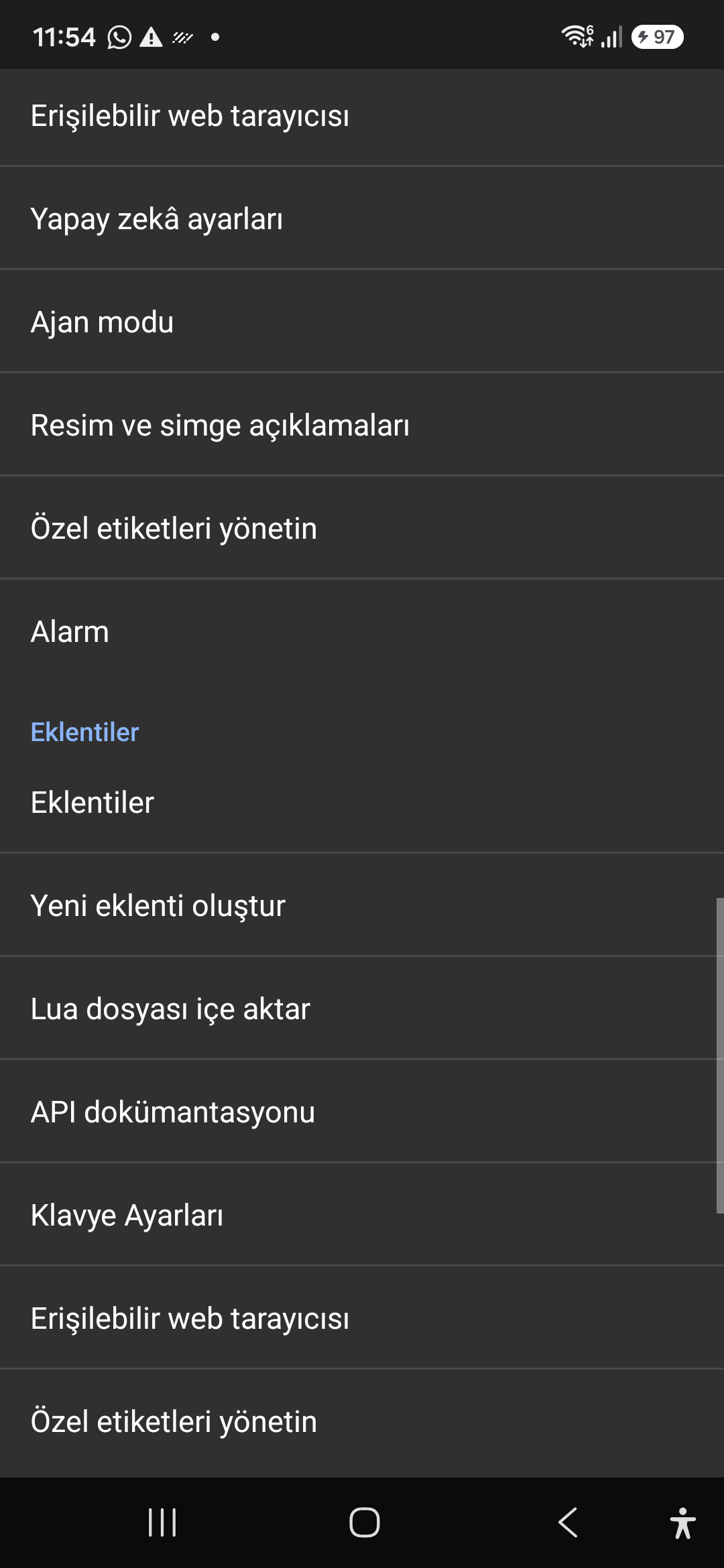
11. Integrated Tools: Keyboard, Browser & Label Manager

Погледајте ово упутство за екран у видеу (00:58 - 01:05)

A suite of integrated utility tools designed specifically for screen reader users, including accessible web browsing and label backup.

2026/10-116 Видео водич са водичем за екран (00:58 - 01:05)

AccessiMind Keyboard preferences, accessible built-in web browser, and management of user-defined labels.

Screenshot displaying keyboard settings, accessible browser, and label manager.

11. Integrated Tools: Keyboard, Browser & Label Manager — Settings > Plugins and Tools > Keyboard / Browser / Custom Labels
Settings > Plugins and Tools > Keyboard / Browser / Custom Labels
12 / 12 · Settings > Braille / Help & Support > Release 116 Info / Community

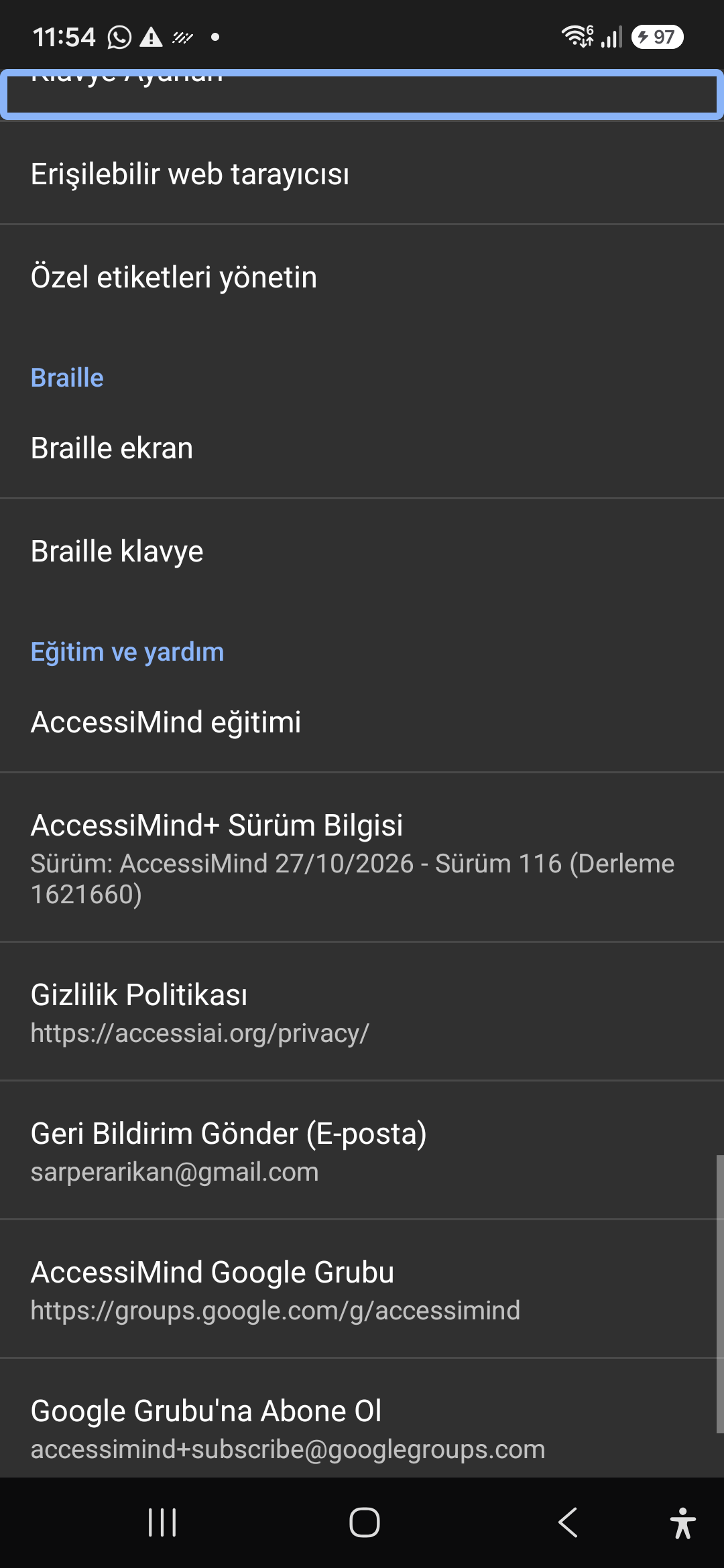
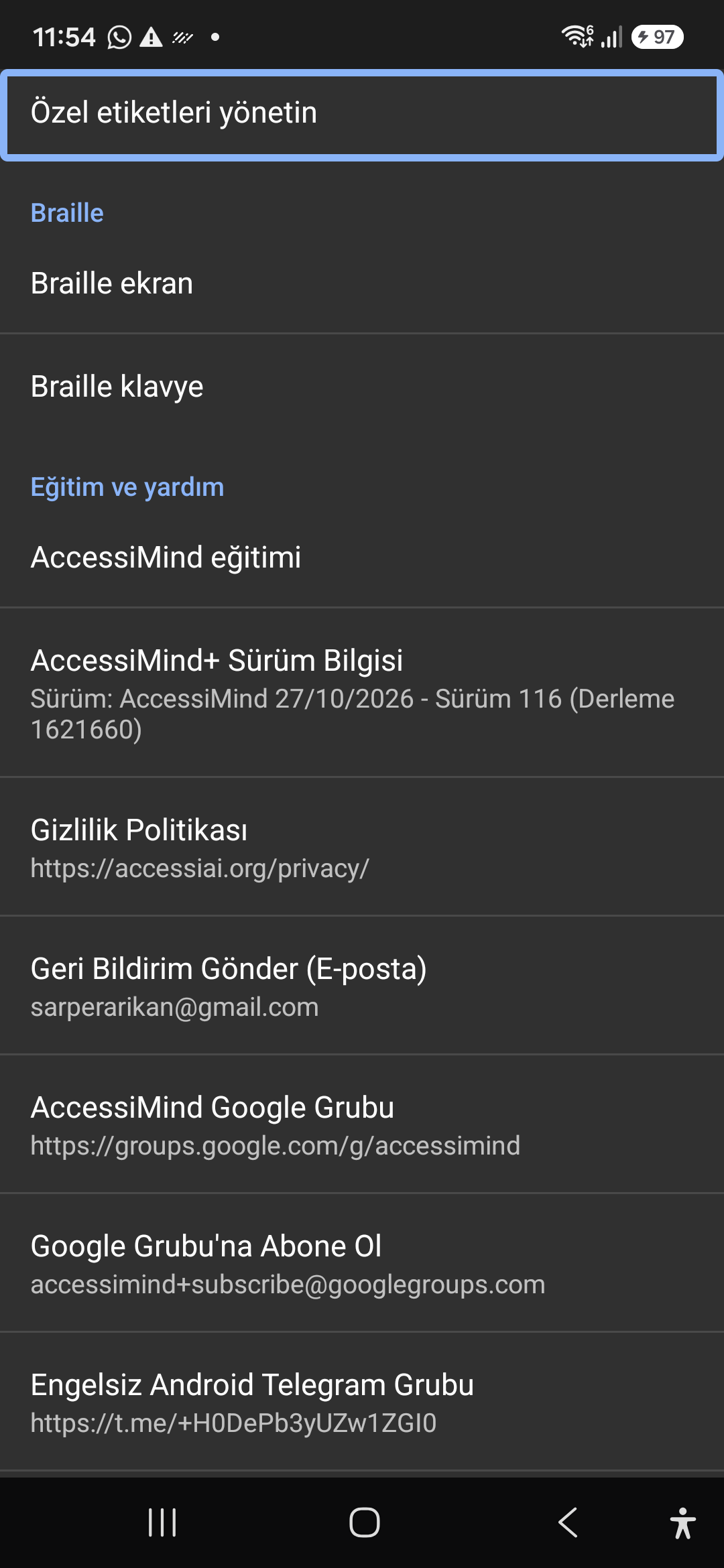
12. Braille Support, Release 116 Info & Community Channels

Погледајте ово упутство за екран у видеу (01:05 - 01:19)

Connect refreshable Braille displays via Bluetooth or USB. Access Release 116 verification certificates, privacy terms, and direct Telegram/Google Groups.

2026/10-116 Видео водич са водичем за екран (01:05 - 01:19)

Braille display and on-screen keyboard support; Release 116 (Build 1621660) metadata, Privacy Policy, Feedback, and active community groups.

Screenshot showing Braille settings, Release 116 version info, and community channels.

12. Braille Support, Release 116 Info & Community Channels — Settings > Braille / Help & Support > Release 116 Info / Community
Settings > Braille / Help & Support > Release 116 Info / Community