Source-Verified The Reference Manual

AccessiMind+ (2026/10-116 · 1621660) User Guide

Integra gradatim documenta pro setup, 6-tab occasus architecturae, 1-5 digiti gestus liberiformes, 6 alvei TTS auditionis fusa, AI Veneficus Agens, VI-modus Translatio Hub Unificata, 31-lingua Smert Dictatio, Voca Management, Compendia pervia, et navigatrum interretiale.

2026/10-116 Screen Walkthrough Video Guide · Latina

AccessiMind+ Screens, 6-Tab Interface & Omnis Pluma in 12 Capitulis

Narrata et captiva velum-by-screen walkthrough featuring real Android screens capta ab AccessiMind+ 2026/10-116 (General, UI Consuetudines, TTS Output Channel, Gestures, Gestura Freeform Creator, Auto Labeling, Provectus, Voca Management AI Assistant, Loquela Translatio, Smart Dictatio, et Accessible Cantiones/Browser).

01:19 · 12 Chapters · LA

Eligendo quodlibet capitulum directe ad illud screen scriptor walkthrough video salit. Captions and full transcripts downloadable are provided.

Production Release • 20 Octobris 2026 • Version 2026/10-116 (versionCode: 1621660)

AccessiMind+ 2026/10-116 (1621660): Core, 6-Tab interface & 101-Locale Support

Hybrid dual-DEX architecturae, 4-strauit occasus atomi conservationis (Direct Boot), 6-alveus TTS output procurator amnis, 101-loci shutdown/gratae denuntiationes, et 100 securitas MASCULINUS indigena libera loci tertii SDKs.

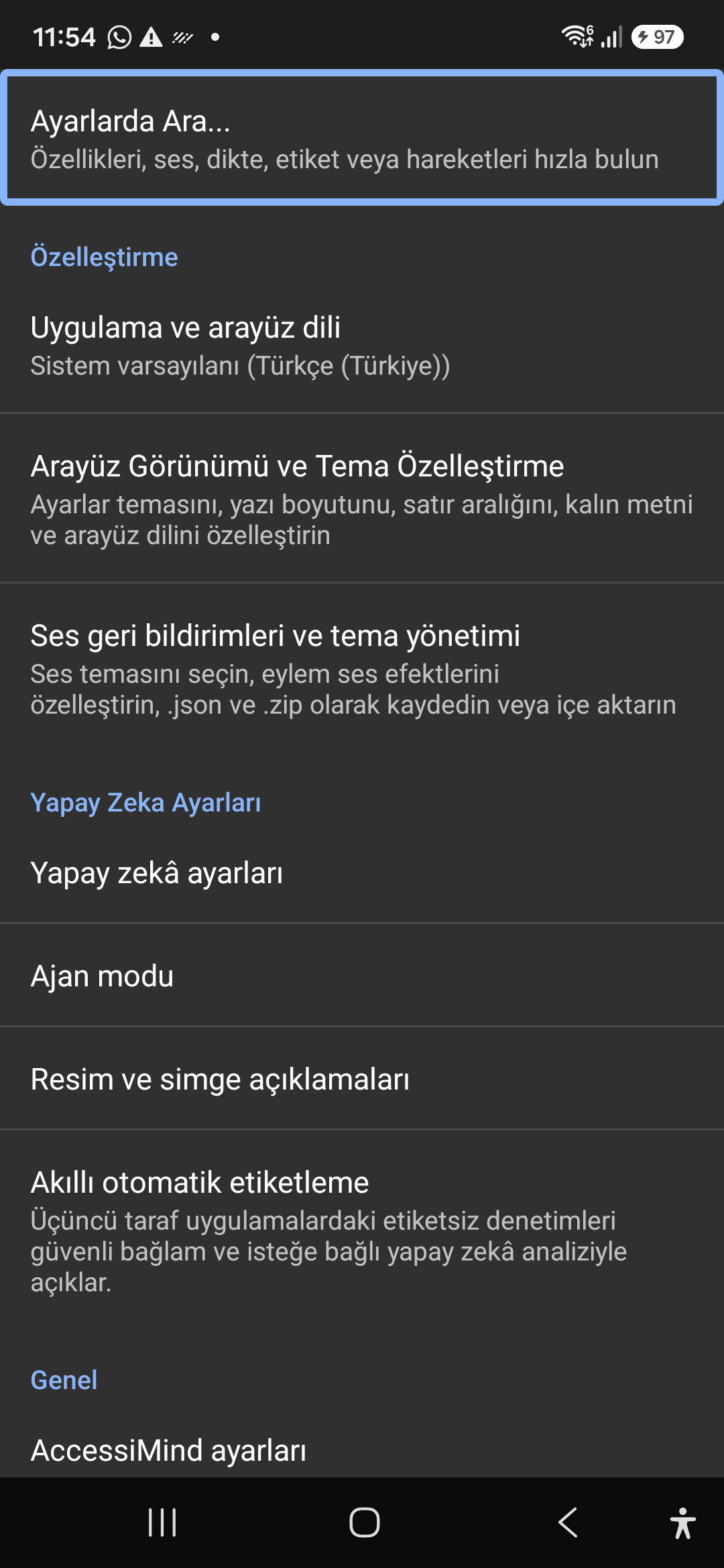
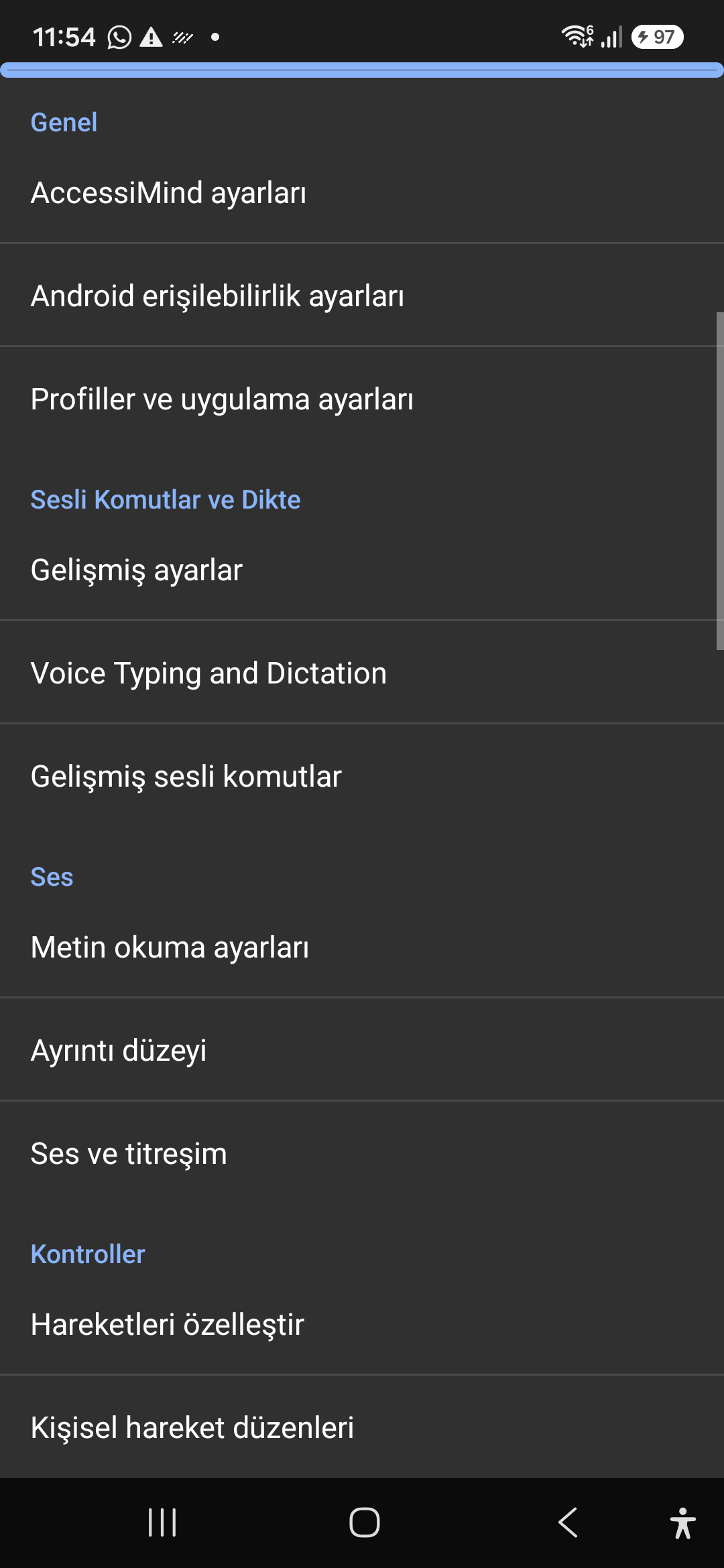
6-Tab Moderni Domus Screen & Instant Voice/Text Search

Singulas occasus e sex tabs constituto attinge: Generales, Gesturas, Loquela Content, Provectus, Artificialis Intelligentia, et Extra Occasus. Quaelibet optionis eliquare statim utens ad summitatem clausurae vel inquisitionis vocis.
AI Assistant, Veneficus Agens & Multi-Script Offline OCR

Describe tegumenta et imagines cum Geminis, OpenAI/Codex, vel Offline Gemma-4 E2B, multi gradus agentis Veneficus operas exercent voce, et textum agnosce trans scripta cum offline ONNX + Google ML Kit OCR.

Hub (6 Modi) & 31-Lingua Smert Dictatio

Auto-deprehensa Focus, Navigatio continua, Imago OCR, Screen Full, Clipboard, et Oratio vive translatione. Punctuation-conscius Smert Dictatio et consuetudo vox imperat in 31 linguis.

1-5 Digitus Gesture Creator & CI-Locale Shutdown Orationis

Trahe freeform 1-5 digitus gestus consuetudo et import/exporta proposita sicut JSON. Audi certiores enuntiationes locutionum in lingua tua systemate, quoties velum lectoris vel transversas 101 loci occasus vertit.

VI, Channel TTS Stream Manager & Single-ICTUS In Voca Dialpad

Iter loquendi independenter per Accessibilitatem, Mediam, Notification, Alarm, Ringtone, vel Vocem canales Voca. Responsio/finis vocat cum 1-digito swipes, auto-loquens, et singulae clavium sonum dialpad.

IV-Laerer atomicus Occasus conservatione & Accuratissima Totius Location

Nulla occasus damnum per Direct Boot lock screens et app updates per 4 iacuit atomi JSON snapshots, plus indigena Android LocationManager + Geocoder location nuntia.

02 / 12 · Settings > Customization > App Language / Appearance

2. Interface Customization & System Locale Integration

Watch hoc screen walkthrough in video (00:07 - 00:14)

Customizable appearance with high contrast modes, large text rendering, card borders, and independent language selection.

2026/10-116 Screen Walkthrough Video Guide (00:07 - 00:14)

Lock the interface language to system default or independently select from 30 supported languages. WCAG 2.2 compliant dark/light themes and custom font scales.

Screenshot showing customization options for language and theme appearance.

2. Interface Customization & System Locale Integration — Settings > Customization > App Language / Appearance
Settings > Customization > App Language / Appearance
03 / 12 · Settings > Customization > Sound Feedback & Themes

3. Audio Feedback & Sound Theme Management

Watch hoc screen walkthrough in video (00:14 - 00:18)

Configure feedback sounds for focus changes, clicks, and notifications. Easily import community-crafted sound packages via .zip or .json.

2026/10-116 Screen Walkthrough Video Guide (00:14 - 00:18)

Customize action audio effects, choose built-in sound themes, or import/export external WAV and OGG sound packages.

Screenshot showing sound feedback and theme configuration.

3. Audio Feedback & Sound Theme Management — Settings > Customization > Sound Feedback & Themes
Settings > Customization > Sound Feedback & Themes
04 / 12 · Settings > AI Settings > Agent Mode

4. Dedicated AI Architecture & Autonomous Agent Mode

Watch hoc screen walkthrough in video (00:18 - 00:23)

Agent Mode interprets onscreen context and coordinates complex tasks such as form completion, order placement, or message drafts with interactive safety overlays.

2026/10-116 Screen Walkthrough Video Guide (00:18 - 00:23)

Multi-provider AI architecture integrating Google Gemini 2.5, on-device Gemma, and GPT. Autonomous Agent Mode carries out multi-step tasks with user approval.

Screenshot displaying AI Settings and Agent Mode controls.

4. Dedicated AI Architecture & Autonomous Agent Mode — Settings > AI Settings > Agent Mode
Settings > AI Settings > Agent Mode
05 / 12 · Settings > AI Settings > Image Descriptions / Auto-Labeling

5. Image, Icon Descriptions & Smart Automatic Labeling

Watch hoc screen walkthrough in video (00:23 - 00:27)

Visual accessibility enabled by cloud and on-device vision models. Once labeled, buttons and icons are cached locally to minimize network latency.

2026/10-116 Screen Walkthrough Video Guide (00:23 - 00:27)

Narrate images and OCR text within seconds. Recognize unlabeled controls in third-party apps and cache them in local SQLite storage.

Screenshot illustrating image narration and automatic labeling options.

5. Image, Icon Descriptions & Smart Automatic Labeling — Settings > AI Settings > Image Descriptions / Auto-Labeling
Settings > AI Settings > Image Descriptions / Auto-Labeling
06 / 12 · Settings > General > Voice Typing and Dictation

6. General Settings, Voice Typing & Dictation

Watch hoc screen walkthrough in video (00:27 - 00:33)

Control the screen reader using voice commands and dictate text into any input field with high recognition accuracy.

2026/10-116 Screen Walkthrough Video Guide (00:27 - 00:33)

Hands-free voice typing, custom voice commands, and core AccessiMind operational parameters.

Screenshot showing general settings and voice typing dictation.

6. General Settings, Voice Typing & Dictation — Settings > General > Voice Typing and Dictation
Settings > General > Voice Typing and Dictation
07 / 12 · Settings > Audio > Text-to-Speech / Verbosity

7. Text-to-Speech (TTS), Verbosity & Audio Channels

Watch hoc screen walkthrough in video (00:33 - 00:40)

Fine-tune speech output parameters, manage punctuation and character-by-character pronunciation, and route audio across dedicated streams.

2026/10-116 Screen Walkthrough Video Guide (00:33 - 00:40)

TTS engine selection, speech rate, pitch, 6 independent audio output channels, and granular verbosity controls.

Screenshot showing text-to-speech engine and verbosity preferences.

7. Text-to-Speech (TTS), Verbosity & Audio Channels — Settings > Audio > Text-to-Speech / Verbosity
Settings > Audio > Text-to-Speech / Verbosity
08 / 12 · Settings > Controls > Customize Gestures / Gesture Layouts

8. Controls: Gesture Customization & Custom Layouts

Watch hoc screen walkthrough in video (00:40 - 00:46)

Freely remap single and multi-finger taps, swipes, and multi-directional gestures to navigation, reading, or custom actions.

2026/10-116 Screen Walkthrough Video Guide (00:40 - 00:46)

Assign any action to 1 to 5 finger gestures, define independent JSON gesture layouts, and create app profiles.

Screenshot showing gesture customization and custom layout options.

8. Controls: Gesture Customization & Custom Layouts — Settings > Controls > Customize Gestures / Gesture Layouts
Settings > Controls > Customize Gestures / Gesture Layouts
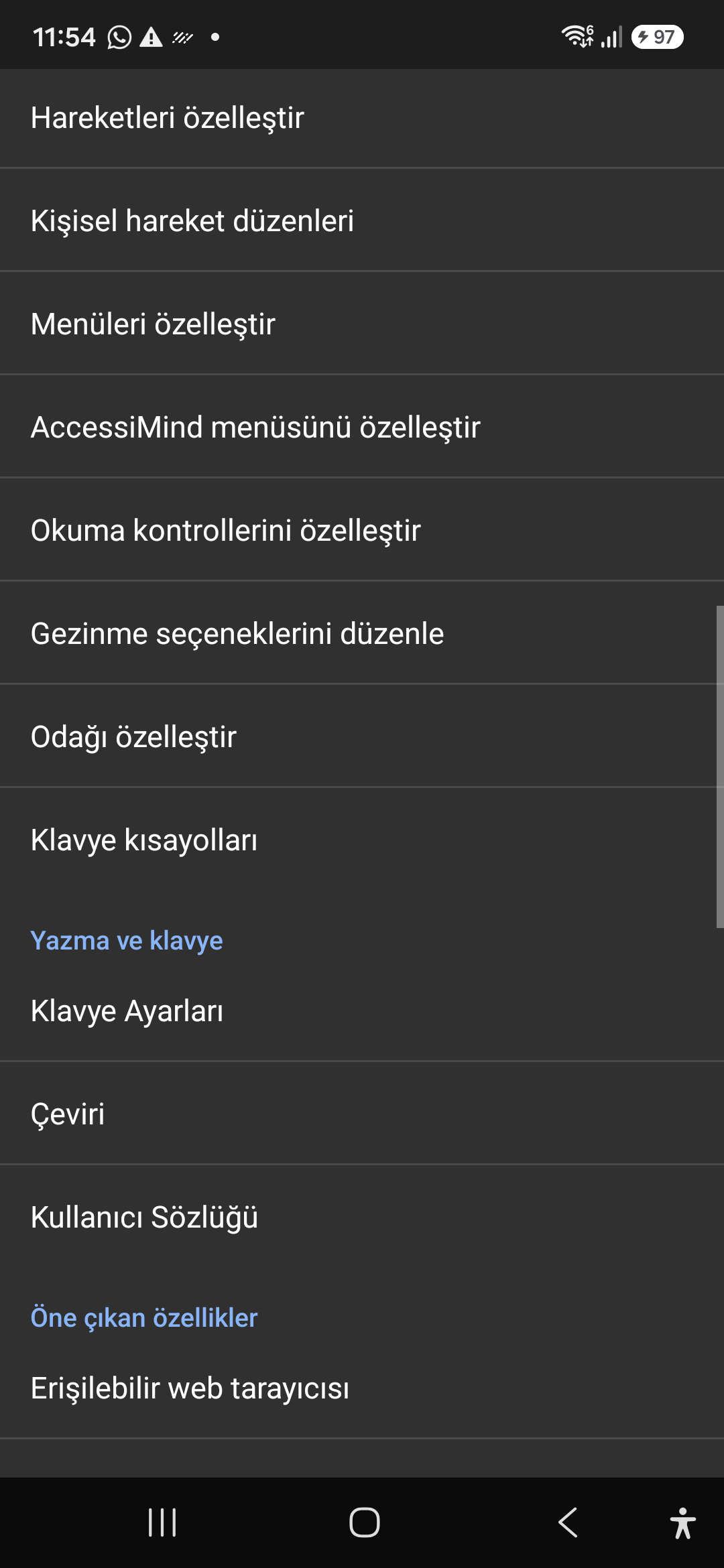
09 / 12 · Settings > Controls > Customize Menus / Navigation Options

9. Customize Menus, Reading Controls & Navigation

Watch hoc screen walkthrough in video (00:46 - 00:51)

Personalize the items appearing in the global context menu and reading granularity selector to match your personal workflow.

2026/10-116 Screen Walkthrough Video Guide (00:46 - 00:51)

Tailor the AccessiMind menu, reading controls (rotor), navigation granularities, focus indicator, and keyboard shortcuts.

Screenshot showing menu customization and navigation granularities.

9. Customize Menus, Reading Controls & Navigation — Settings > Controls > Customize Menus / Navigation Options
Settings > Controls > Customize Menus / Navigation Options
10 / 12 · Settings > Plugins > Create Plugin / Import Lua / API Docs

10. Plugins Engine & Sandboxed Lua Execution

Watch hoc screen walkthrough in video (00:51 - 00:58)

Author and run custom Lua scripts securely. Fully documented access to accessibility, speech, UI, HTTP, and local storage APIs.

2026/10-116 Screen Walkthrough Video Guide (00:51 - 00:58)

Sandboxed Lua scripting execution in an isolated Android process, on-device code editing, and comprehensive built-in API documentation.

Screenshot showing plugins hub and API documentation.

10. Plugins Engine & Sandboxed Lua Execution — Settings > Plugins > Create Plugin / Import Lua / API Docs
Settings > Plugins > Create Plugin / Import Lua / API Docs
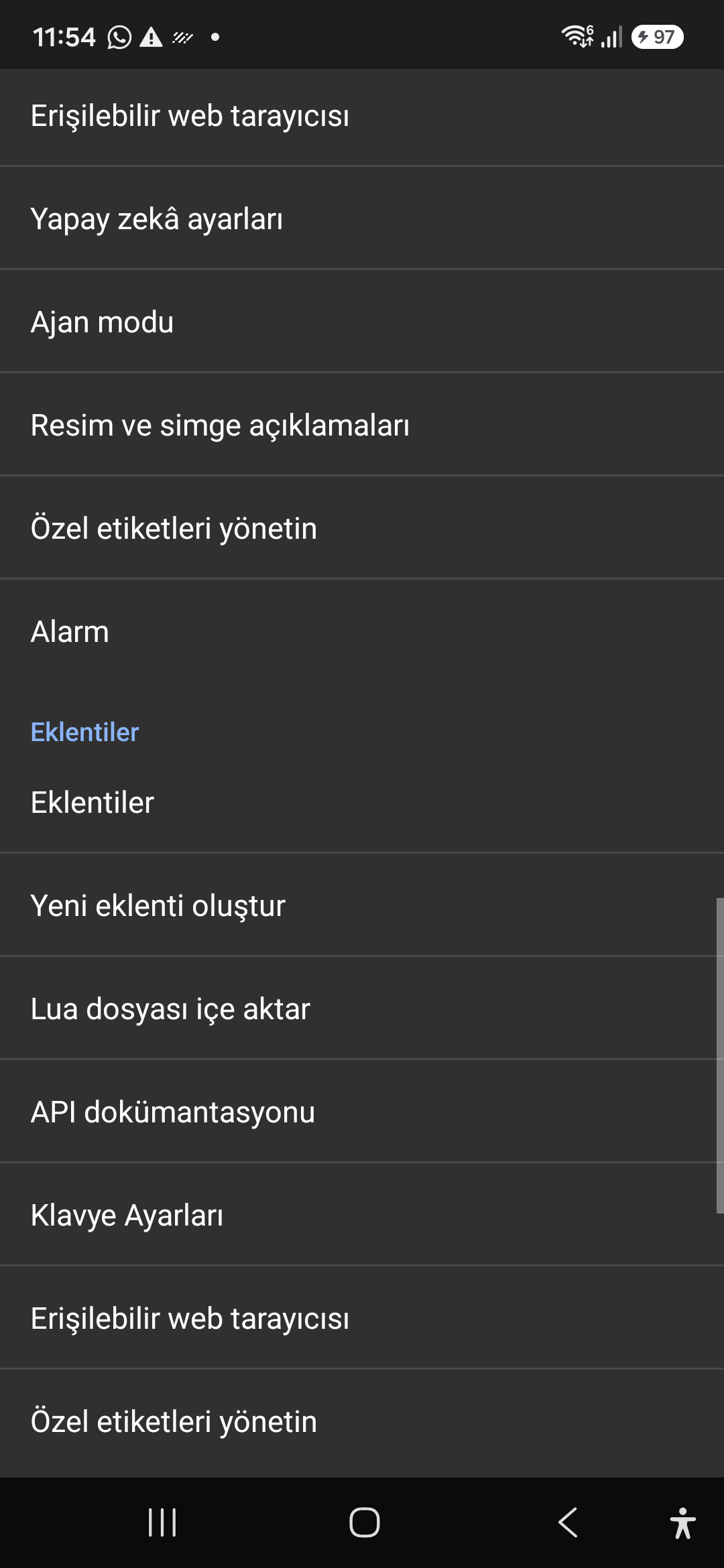
11 / 12 · Settings > Plugins and Tools > Keyboard / Browser / Custom Labels

11. Integrated Tools: Keyboard, Browser & Label Manager

Watch hoc screen walkthrough in video (00:58 - 01:05)

A suite of integrated utility tools designed specifically for screen reader users, including accessible web browsing and label backup.

2026/10-116 Screen Walkthrough Video Guide (00:58 - 01:05)

AccessiMind Keyboard preferences, accessible built-in web browser, and management of user-defined labels.

Screenshot displaying keyboard settings, accessible browser, and label manager.

11. Integrated Tools: Keyboard, Browser & Label Manager — Settings > Plugins and Tools > Keyboard / Browser / Custom Labels
Settings > Plugins and Tools > Keyboard / Browser / Custom Labels
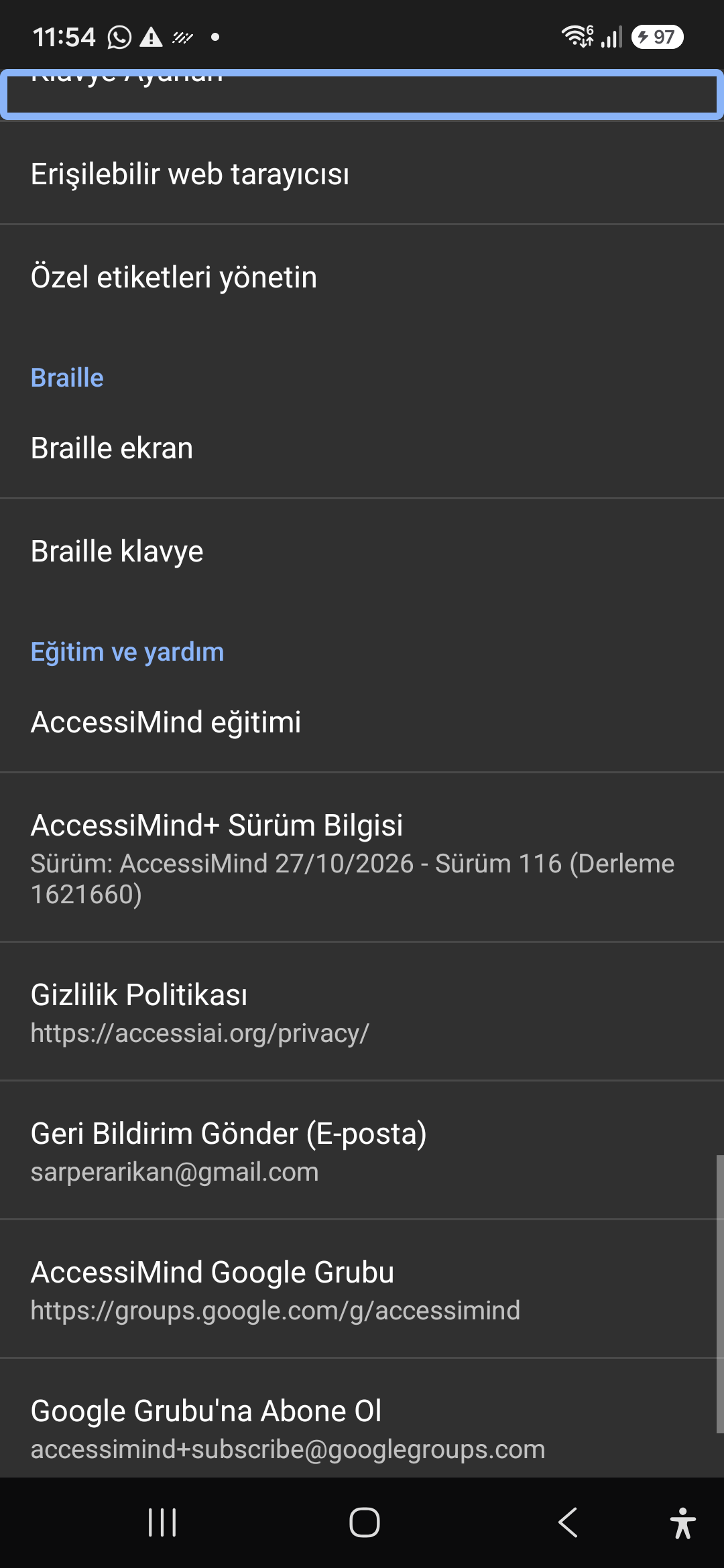
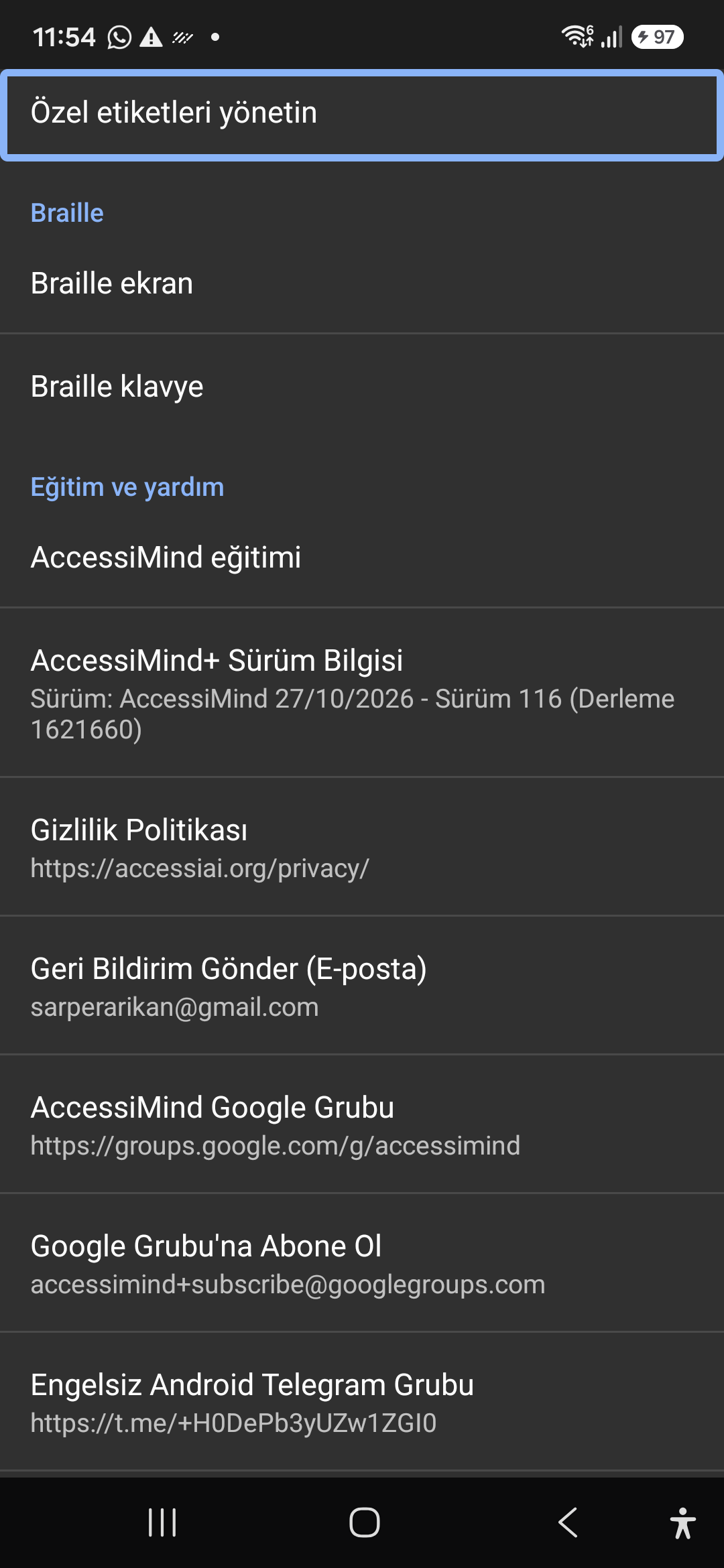
12 / 12 · Settings > Braille / Help & Support > Release 116 Info / Community

12. Braille Support, Release 116 Info & Community Channels

Watch hoc screen walkthrough in video (01:05 - 01:19)

Connect refreshable Braille displays via Bluetooth or USB. Access Release 116 verification certificates, privacy terms, and direct Telegram/Google Groups.

2026/10-116 Screen Walkthrough Video Guide (01:05 - 01:19)

Braille display and on-screen keyboard support; Release 116 (Build 1621660) metadata, Privacy Policy, Feedback, and active community groups.

Screenshot showing Braille settings, Release 116 version info, and community channels.

12. Braille Support, Release 116 Info & Community Channels — Settings > Braille / Help & Support > Release 116 Info / Community
Settings > Braille / Help & Support > Release 116 Info / Community