Manuale di riferimento completo verificato alla fonte

AccessiMind+ (2026/10-116 · 1621660) Guida per l'utente

Documentazione passo-passo completa per la configurazione, architettura delle impostazioni a 6 schede, gesti a mano libera da 1 a 5 dita, routing audio TTS a 6 canali, agente guidato AI, hub di traduzione unificato a 6 modalità, dettatura intelligente in 31 lingue, gestione delle chiamate, tastiera accessibile e browser Web.

Guida video dettagliata sullo schermo 2026/10-116 · Italiano

Schermate AccessiMind+, interfaccia a 6 schede e tutte le funzionalità in 12 capitoli

Procedura dettagliata schermata per schermata con narrazione e sottotitoli con schermate Android reali acquisite da AccessiMind+ 2026/10-116 (generale, personalizzazioni dell'interfaccia utente, canale di output TTS, gesti, creatore di gesti a forma libera, etichettatura automatica, avanzato, gestione delle chiamate, assistente AI, traduzione vocale, dettatura intelligente e tastiera/browser accessibile).

01:17 · 12 Chapters · IT

Selezionando un capitolo qualsiasi si passa dal video direttamente alla procedura dettagliata di quella schermata. Vengono fornite didascalie e trascrizioni complete scaricabili.

Rilascio di produzione • 20 ottobre 2026 • Versione 2026/10-116 (versionCode: 1621660)

AccessiMind+ 2026/10-116 (1621660): core ricostruito, interfaccia a 6 schede e supporto 101-locali

Architettura ibrida dual-DEX, conservazione delle impostazioni atomiche a 4 livelli (avvio diretto), gestore del flusso di output TTS a 6 canali, annunci di arresto/benvenuto in 101 impostazioni locali e sicurezza Android nativa al 100% priva di SDK di posizione di terze parti.

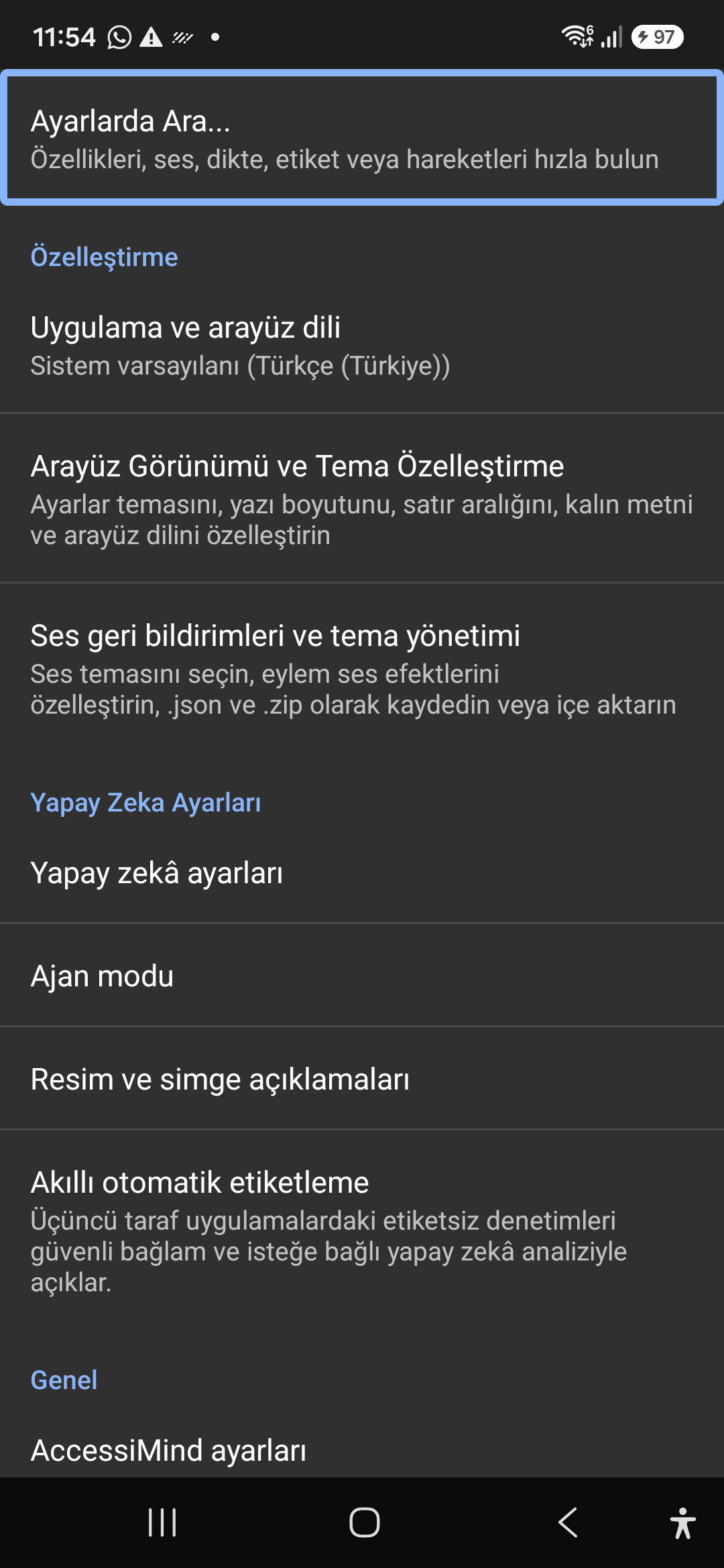
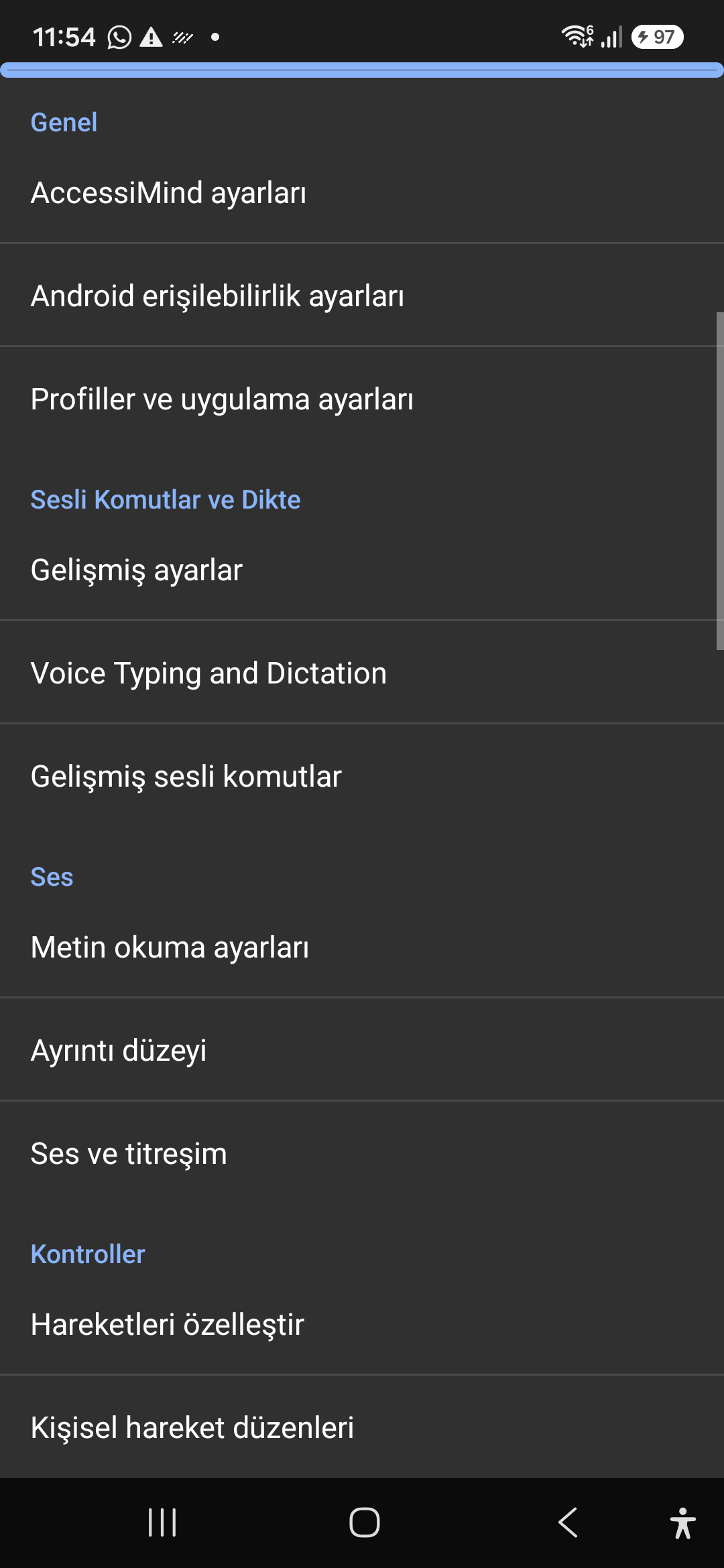
Schermata iniziale moderna a 6 schede e ricerca vocale/testo istantanea

Raggiungi ogni impostazione da sei schede organizzate: Generale, Gesti, Contenuto vocale, Avanzate, Intelligenza artificiale e Impostazioni extra. Filtra istantaneamente qualsiasi opzione utilizzando la barra di ricerca in alto o la ricerca vocale.
Assistente AI, agente guidata e OCR offline multi-script

Descrivi schermate e immagini con Gemini, OpenAI/Codex o Gemma-4 E2B offline, esegui attività Wizard Agent in più passaggi tramite voce e riconosci il testo attraverso script con ONNX offline + Google ML Kit OCR.

Hub di traduzione unificato (6 modalità) e dettatura intelligente in 31 lingue

Messa a fuoco rilevata automaticamente, navigazione continua, OCR di immagini, schermo intero, appunti e traduzione vocale dal vivo. Smart Dictation sensibile alla punteggiatura e comandi vocali personalizzati in 31 lingue.

Creatore di gesti da 1 a 5 e discorso di spegnimento a 101 impostazioni locali

Disegna gesti personalizzati da 1 a 5 dita a mano libera e importa/esporta layout come JSON. Ascolta annunci vocali affidabili nella lingua del tuo sistema ogni volta che lo screen reader si attiva o disattiva in 101 impostazioni internazionali.

Gestore dello streaming TTS a 6 canali e tastierino per chiamate in entrata con un solo tocco

Indirizza la voce in modo indipendente attraverso i canali Accessibilità, Multimedia, Notifica, Sveglia, Suoneria o Chiamata vocale. Rispondi/termina le chiamate con lo scorrimento con un dito, il vivavoce automatico e i tasti della tastiera a tocco singolo.

Conservazione delle impostazioni atomiche a 4 strati e posizione nativa

Nessuna perdita di impostazioni nelle schermate di blocco di avvio diretto e negli aggiornamenti delle app tramite istantanee JSON atomiche a 4 livelli, oltre agli annunci di posizione nativi di Android LocationManager + Geocoder.

02 / 12 · Settings > Customization > App Language / Appearance

2. Interface Customization & System Locale Integration

Guarda questa schermata dettagliata nel video (00:06 - 00:13)

Customizable appearance with high contrast modes, large text rendering, card borders, and independent language selection.

Guida video dettagliata sullo schermo 2026/10-116 (00:06 - 00:13)

Lock the interface language to system default or independently select from 30 supported languages. WCAG 2.2 compliant dark/light themes and custom font scales.

Screenshot showing customization options for language and theme appearance.

2. Interface Customization & System Locale Integration — Settings > Customization > App Language / Appearance
Settings > Customization > App Language / Appearance
03 / 12 · Settings > Customization > Sound Feedback & Themes

3. Audio Feedback & Sound Theme Management

Guarda questa schermata dettagliata nel video (00:13 - 00:17)

Configure feedback sounds for focus changes, clicks, and notifications. Easily import community-crafted sound packages via .zip or .json.

Guida video dettagliata sullo schermo 2026/10-116 (00:13 - 00:17)

Customize action audio effects, choose built-in sound themes, or import/export external WAV and OGG sound packages.

Screenshot showing sound feedback and theme configuration.

3. Audio Feedback & Sound Theme Management — Settings > Customization > Sound Feedback & Themes
Settings > Customization > Sound Feedback & Themes
04 / 12 · Settings > AI Settings > Agent Mode

4. Dedicated AI Architecture & Autonomous Agent Mode

Guarda questa schermata dettagliata nel video (00:17 - 00:22)

Agent Mode interprets onscreen context and coordinates complex tasks such as form completion, order placement, or message drafts with interactive safety overlays.

Guida video dettagliata sullo schermo 2026/10-116 (00:17 - 00:22)

Multi-provider AI architecture integrating Google Gemini 2.5, on-device Gemma, and GPT. Autonomous Agent Mode carries out multi-step tasks with user approval.

Screenshot displaying AI Settings and Agent Mode controls.

4. Dedicated AI Architecture & Autonomous Agent Mode — Settings > AI Settings > Agent Mode
Settings > AI Settings > Agent Mode
05 / 12 · Settings > AI Settings > Image Descriptions / Auto-Labeling

5. Image, Icon Descriptions & Smart Automatic Labeling

Guarda questa schermata dettagliata nel video (00:22 - 00:27)

Visual accessibility enabled by cloud and on-device vision models. Once labeled, buttons and icons are cached locally to minimize network latency.

Guida video dettagliata sullo schermo 2026/10-116 (00:22 - 00:27)

Narrate images and OCR text within seconds. Recognize unlabeled controls in third-party apps and cache them in local SQLite storage.

Screenshot illustrating image narration and automatic labeling options.

5. Image, Icon Descriptions & Smart Automatic Labeling — Settings > AI Settings > Image Descriptions / Auto-Labeling
Settings > AI Settings > Image Descriptions / Auto-Labeling
06 / 12 · Settings > General > Voice Typing and Dictation

6. General Settings, Voice Typing & Dictation

Guarda questa schermata dettagliata nel video (00:27 - 00:34)

Control the screen reader using voice commands and dictate text into any input field with high recognition accuracy.

Guida video dettagliata sullo schermo 2026/10-116 (00:27 - 00:34)

Hands-free voice typing, custom voice commands, and core AccessiMind operational parameters.

Screenshot showing general settings and voice typing dictation.

6. General Settings, Voice Typing & Dictation — Settings > General > Voice Typing and Dictation
Settings > General > Voice Typing and Dictation
07 / 12 · Settings > Audio > Text-to-Speech / Verbosity

7. Text-to-Speech (TTS), Verbosity & Audio Channels

Guarda questa schermata dettagliata nel video (00:34 - 00:40)

Fine-tune speech output parameters, manage punctuation and character-by-character pronunciation, and route audio across dedicated streams.

Guida video dettagliata sullo schermo 2026/10-116 (00:34 - 00:40)

TTS engine selection, speech rate, pitch, 6 independent audio output channels, and granular verbosity controls.

Screenshot showing text-to-speech engine and verbosity preferences.

7. Text-to-Speech (TTS), Verbosity & Audio Channels — Settings > Audio > Text-to-Speech / Verbosity
Settings > Audio > Text-to-Speech / Verbosity
08 / 12 · Settings > Controls > Customize Gestures / Gesture Layouts

8. Controls: Gesture Customization & Custom Layouts

Guarda questa schermata dettagliata nel video (00:40 - 00:46)

Freely remap single and multi-finger taps, swipes, and multi-directional gestures to navigation, reading, or custom actions.

Guida video dettagliata sullo schermo 2026/10-116 (00:40 - 00:46)

Assign any action to 1 to 5 finger gestures, define independent JSON gesture layouts, and create app profiles.

Screenshot showing gesture customization and custom layout options.

8. Controls: Gesture Customization & Custom Layouts — Settings > Controls > Customize Gestures / Gesture Layouts
Settings > Controls > Customize Gestures / Gesture Layouts
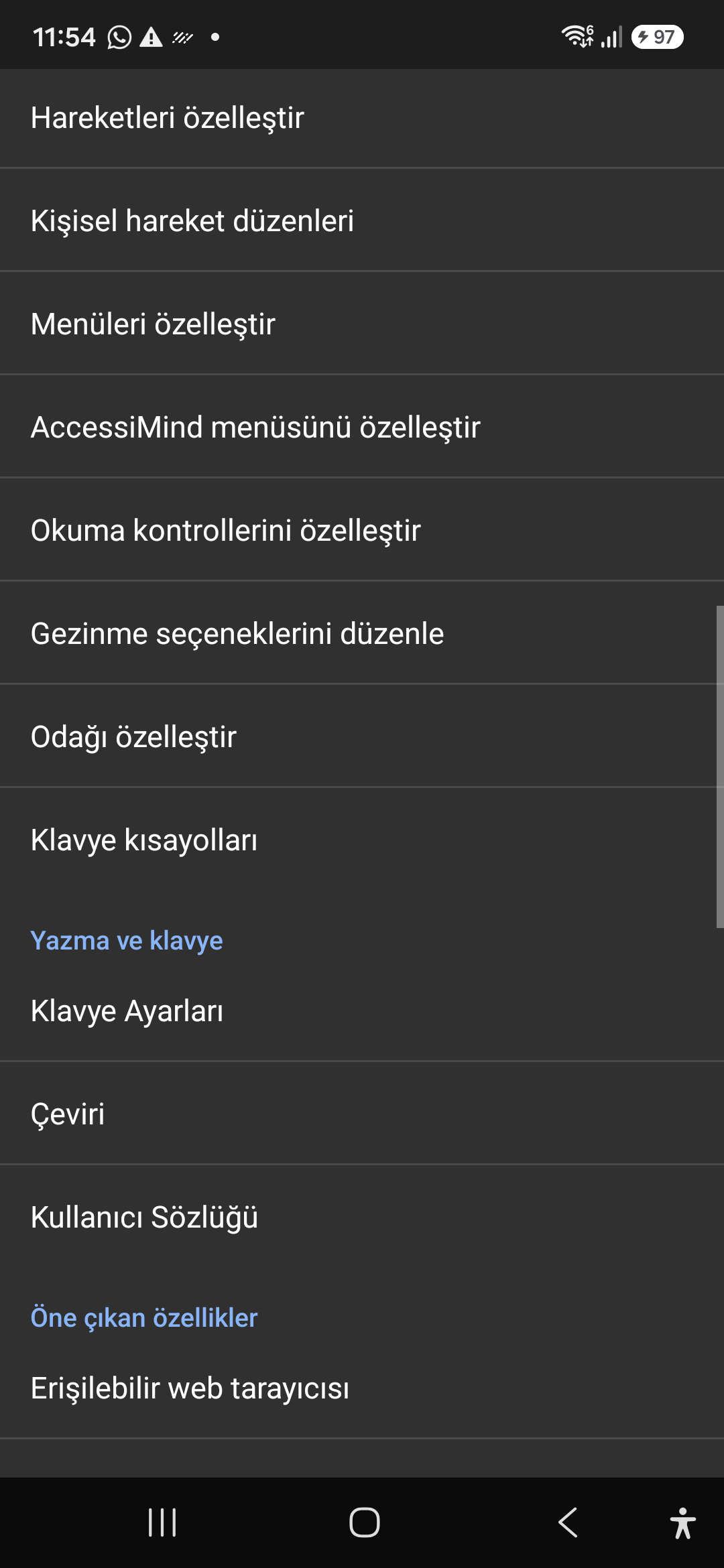
09 / 12 · Settings > Controls > Customize Menus / Navigation Options

9. Customize Menus, Reading Controls & Navigation

Guarda questa schermata dettagliata nel video (00:46 - 00:51)

Personalize the items appearing in the global context menu and reading granularity selector to match your personal workflow.

Guida video dettagliata sullo schermo 2026/10-116 (00:46 - 00:51)

Tailor the AccessiMind menu, reading controls (rotor), navigation granularities, focus indicator, and keyboard shortcuts.

Screenshot showing menu customization and navigation granularities.

9. Customize Menus, Reading Controls & Navigation — Settings > Controls > Customize Menus / Navigation Options
Settings > Controls > Customize Menus / Navigation Options
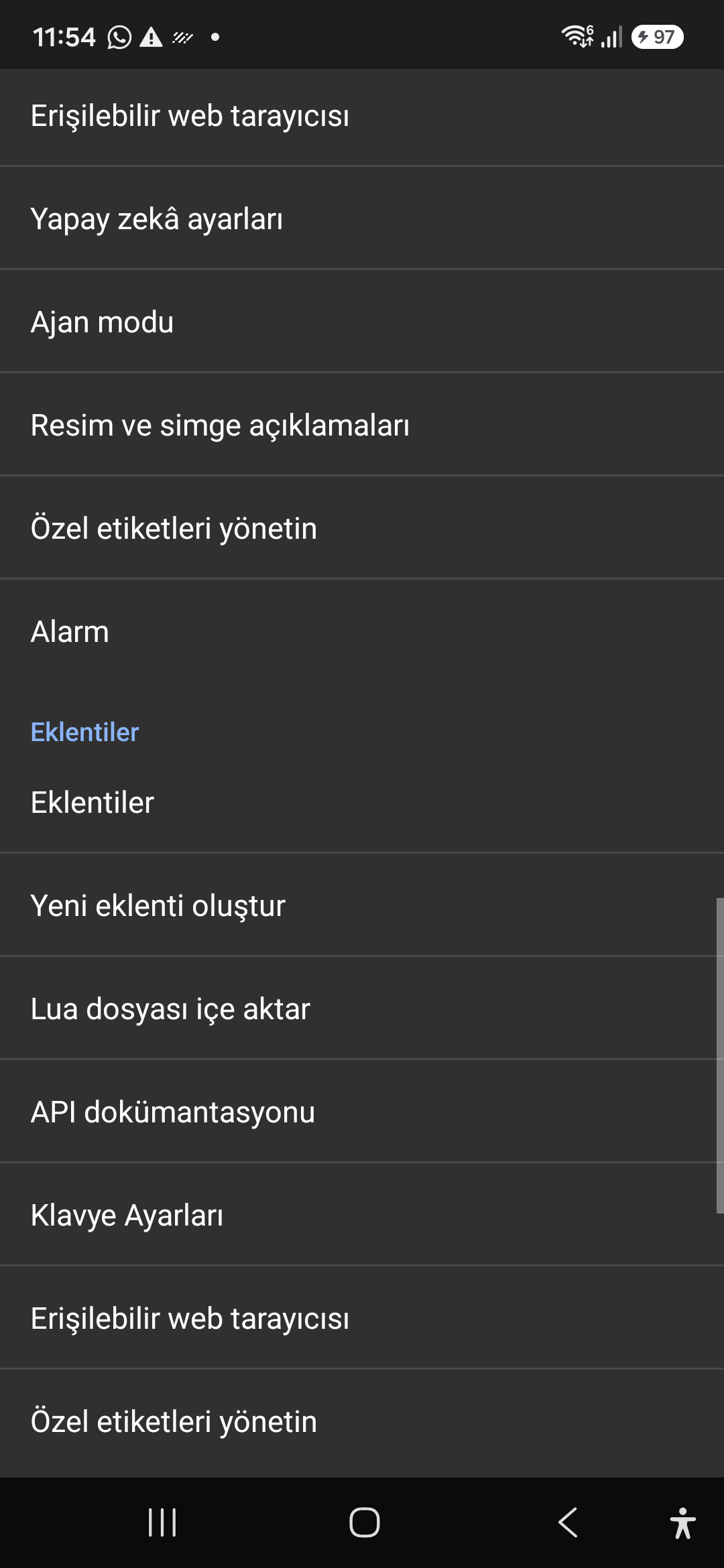
10 / 12 · Settings > Plugins > Create Plugin / Import Lua / API Docs

10. Plugins Engine & Sandboxed Lua Execution

Guarda questa schermata dettagliata nel video (00:51 - 00:58)

Author and run custom Lua scripts securely. Fully documented access to accessibility, speech, UI, HTTP, and local storage APIs.

Guida video dettagliata sullo schermo 2026/10-116 (00:51 - 00:58)

Sandboxed Lua scripting execution in an isolated Android process, on-device code editing, and comprehensive built-in API documentation.

Screenshot showing plugins hub and API documentation.

10. Plugins Engine & Sandboxed Lua Execution — Settings > Plugins > Create Plugin / Import Lua / API Docs
Settings > Plugins > Create Plugin / Import Lua / API Docs
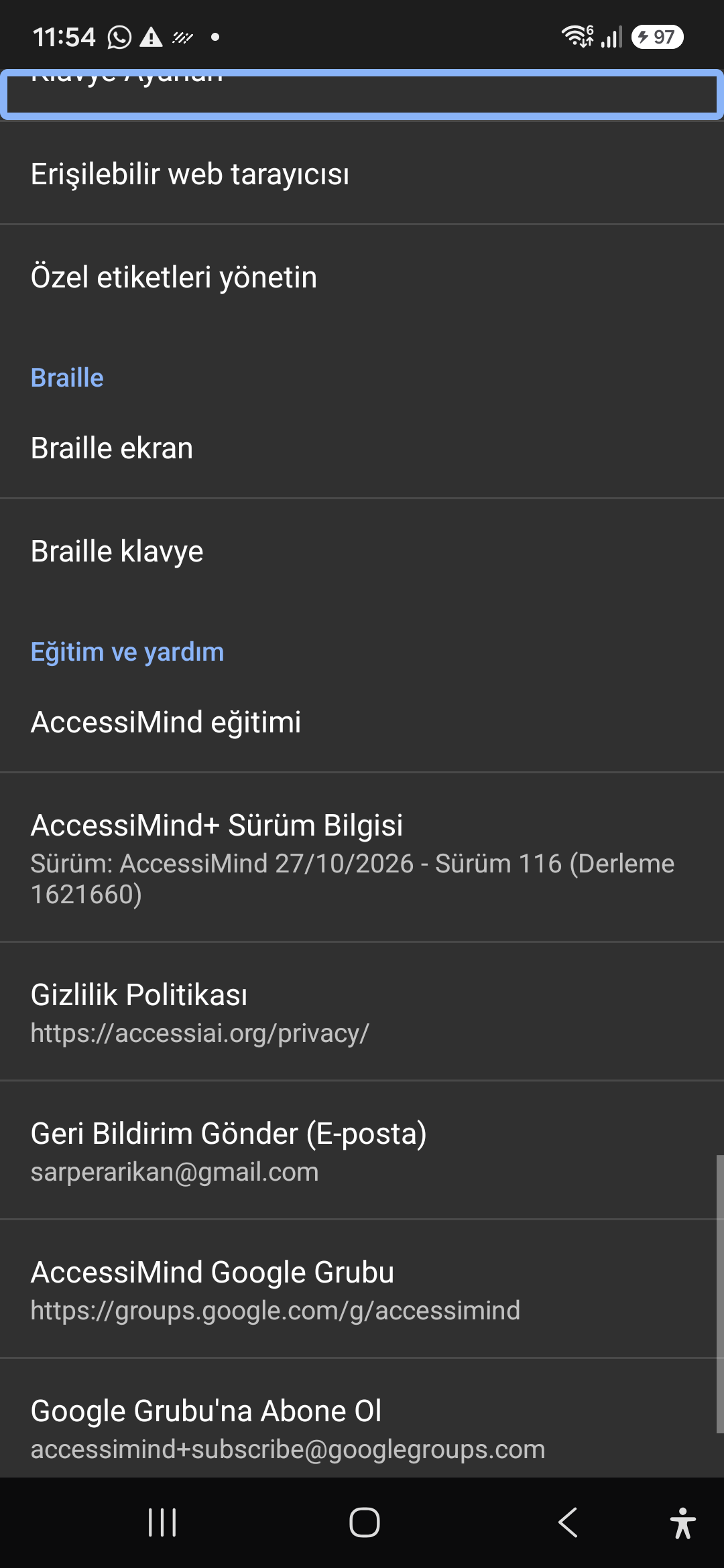
11 / 12 · Settings > Plugins and Tools > Keyboard / Browser / Custom Labels

11. Integrated Tools: Keyboard, Browser & Label Manager

Guarda questa schermata dettagliata nel video (00:58 - 01:05)

A suite of integrated utility tools designed specifically for screen reader users, including accessible web browsing and label backup.

Guida video dettagliata sullo schermo 2026/10-116 (00:58 - 01:05)

AccessiMind Keyboard preferences, accessible built-in web browser, and management of user-defined labels.

Screenshot displaying keyboard settings, accessible browser, and label manager.

11. Integrated Tools: Keyboard, Browser & Label Manager — Settings > Plugins and Tools > Keyboard / Browser / Custom Labels
Settings > Plugins and Tools > Keyboard / Browser / Custom Labels
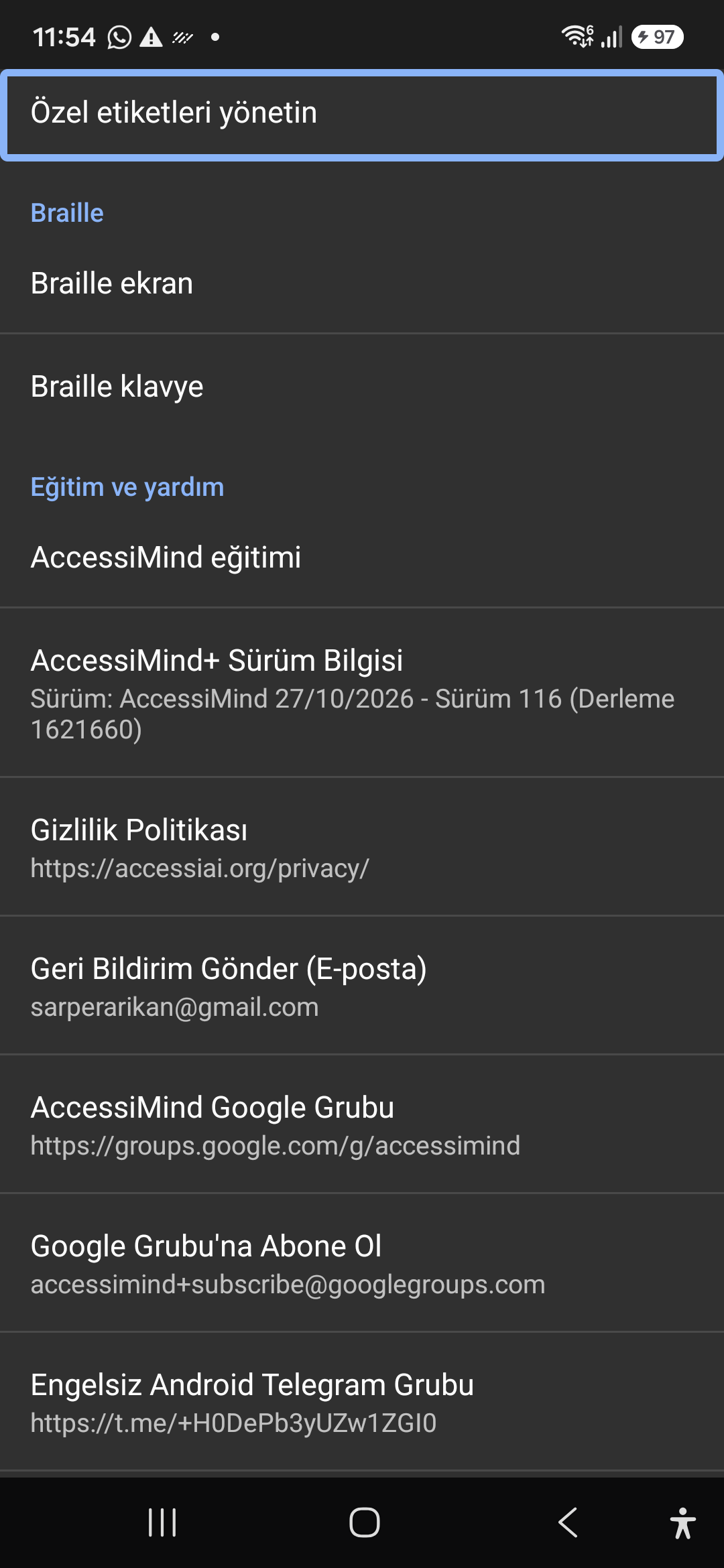
12 / 12 · Settings > Braille / Help & Support > Release 116 Info / Community

12. Braille Support, Release 116 Info & Community Channels

Guarda questa schermata dettagliata nel video (01:05 - 01:17)

Connect refreshable Braille displays via Bluetooth or USB. Access Release 116 verification certificates, privacy terms, and direct Telegram/Google Groups.

Guida video dettagliata sullo schermo 2026/10-116 (01:05 - 01:17)

Braille display and on-screen keyboard support; Release 116 (Build 1621660) metadata, Privacy Policy, Feedback, and active community groups.

Screenshot showing Braille settings, Release 116 version info, and community channels.

12. Braille Support, Release 116 Info & Community Channels — Settings > Braille / Help & Support > Release 116 Info / Community
Settings > Braille / Help & Support > Release 116 Info / Community