स्रोत-सत्यापित पूर्ण संदर्भ मैनुअल

AccessiMind+ (2026/10-116 · 1621660) उपयोगकर्ता मार्गदर्शिका

सेटअप के लिए संपूर्ण चरण-दर-चरण दस्तावेज़ीकरण, 6-टैब सेटिंग्स आर्किटेक्चर, 1-5 फिंगर फ़्रीफ़ॉर्म जेस्चर, 6-चैनल टीटीएस ऑडियो रूटिंग, एआई विज़ार्ड एजेंट, 6-मोड यूनिफ़ाइड ट्रांसलेशन हब, 31-भाषा स्मार्ट डिक्टेशन, कॉल प्रबंधन, एक्सेसिबल कीबोर्ड और वेब ब्राउज़र।

2026/10-116 स्क्रीन वॉकथ्रू वीडियो गाइड · हिन्दी (Hindi)

AccessiMind+ स्क्रीन, 6-टैब इंटरफ़ेस और 12 अध्यायों में प्रत्येक सुविधा

एक्सेसीमाइंड+ 2026/10-116 (सामान्य, यूआई अनुकूलन, टीटीएस आउटपुट चैनल, जेस्चर, फ्रीफॉर्म जेस्चर क्रिएटर, ऑटो लेबलिंग, एडवांस्ड, कॉल मैनेजमेंट, एआई असिस्टेंट, स्पीच ट्रांसलेशन, स्मार्ट डिक्टेशन, और एक्सेसिबल कीबोर्ड/ब्राउज़र) से कैप्चर की गई वास्तविक एंड्रॉइड स्क्रीन की विशेषता वाली स्क्रीन-दर-स्क्रीन वॉकथ्रू का वर्णन किया गया है।

01:16 · 12 Chapters · HI

किसी भी अध्याय का चयन करने से वीडियो सीधे उस स्क्रीन के वॉकथ्रू पर पहुंच जाता है। कैप्शन और पूर्ण डाउनलोड करने योग्य प्रतिलेख प्रदान किए गए हैं।

उत्पादन रिलीज • 20 अक्टूबर 2026 • संस्करण 2026/10-116 (संस्करण कोड: 1621660)

एक्सेसीमाइंड+ 2026/10-116 (1621660): पुनर्निर्मित कोर, 6-टैब इंटरफ़ेस और 101-लोकेल सपोर्ट

हाइब्रिड डुअल-डीईएक्स आर्किटेक्चर, 4-लेयर परमाणु सेटिंग्स संरक्षण (डायरेक्ट बूट), 6-चैनल टीटीएस आउटपुट स्ट्रीम मैनेजर, 101-लोकेल शटडाउन/स्वागत घोषणाएं, और 100% देशी एंड्रॉइड सुरक्षा तीसरे पक्ष के स्थान एसडीके से मुक्त।

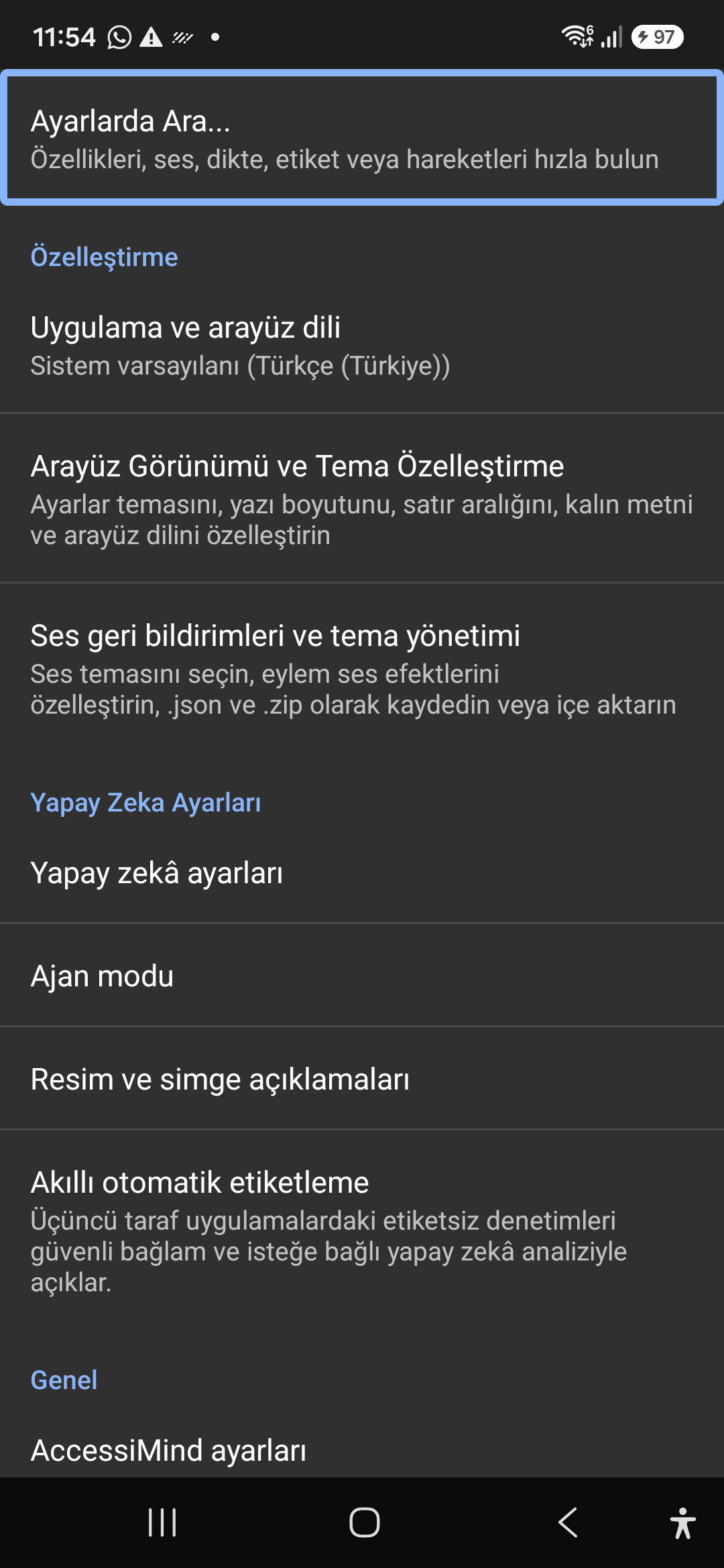
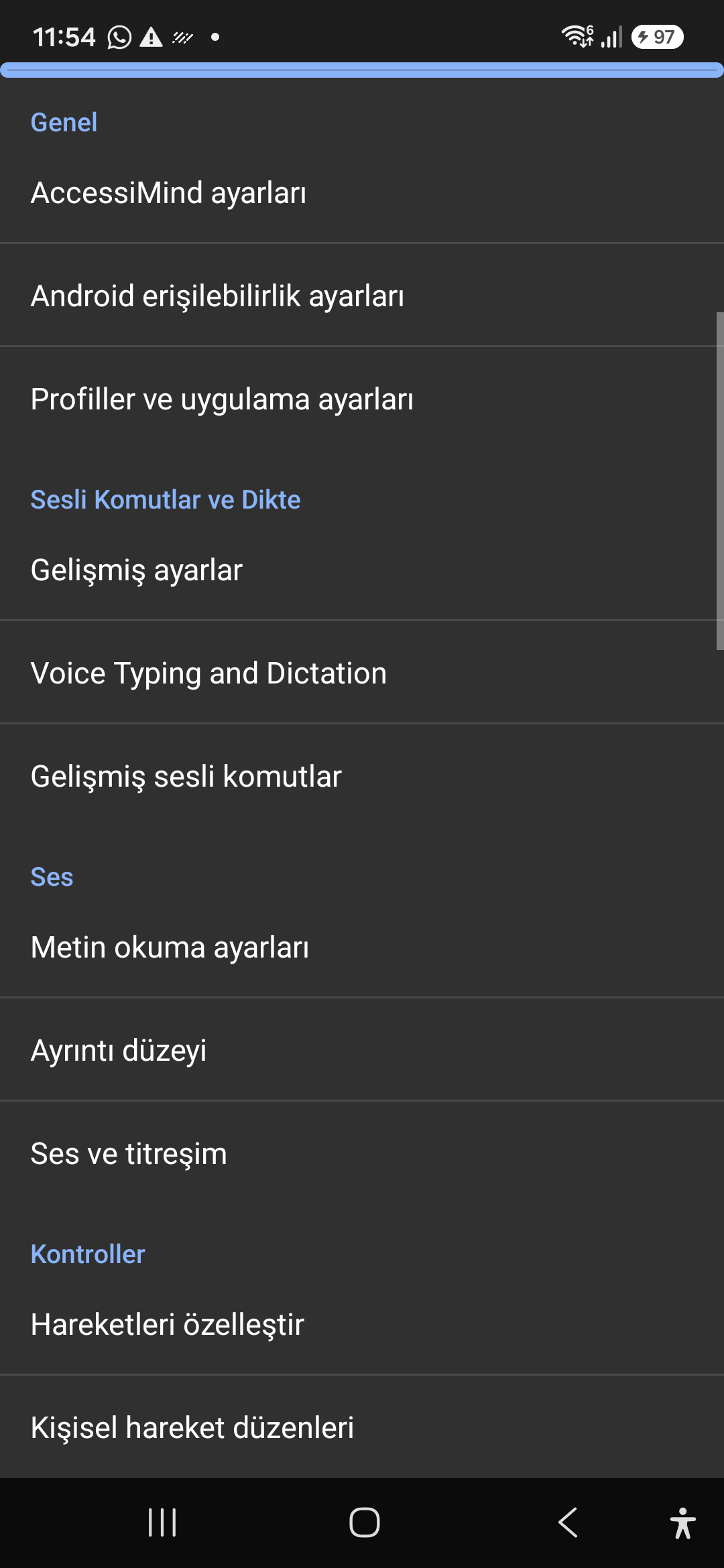
6-टैब आधुनिक होम स्क्रीन और त्वरित ध्वनि/पाठ खोज

छह व्यवस्थित टैब से प्रत्येक सेटिंग तक पहुंचें: सामान्य, जेस्चर, सामग्री भाषण, उन्नत, आर्टिफिशियल इंटेलिजेंस और अतिरिक्त सेटिंग्स। शीर्ष खोज बार या ध्वनि खोज का उपयोग करके किसी भी विकल्प को तुरंत फ़िल्टर करें।
एआई असिस्टेंट, विजार्ड एजेंट और मल्टी-स्क्रिप्ट ऑफलाइन ओसीआर

जेमिनी, ओपनएआई/कोडेक्स, या ऑफ़लाइन जेम्मा-4 ई2बी के साथ स्क्रीन और छवियों का वर्णन करें, आवाज द्वारा मल्टी-स्टेप विज़ार्ड एजेंट कार्यों को निष्पादित करें, और ऑफ़लाइन ओएनएनएक्स + Google एमएल किट ओसीआर के साथ स्क्रिप्ट में टेक्स्ट को पहचानें।

एकीकृत अनुवाद हब (6 मोड) और 31-भाषा स्मार्ट डिक्टेशन

ऑटो-डिटेक्टेड फोकस, सतत नेविगेशन, इमेज ओसीआर, फुल स्क्रीन, क्लिपबोर्ड और लाइव स्पीच ट्रांसलेशन। 31 भाषाओं में विराम चिह्न-जागरूक स्मार्ट डिक्टेशन और कस्टम वॉयस कमांड।

1-5 फिंगर जेस्चर क्रिएटर और 101-लोकेल शटडाउन भाषण

JSON के रूप में फ़्रीफ़ॉर्म 1-5 उंगली कस्टम जेस्चर बनाएं और लेआउट आयात/निर्यात करें। जब भी स्क्रीन रीडर 101 लोकेल सेटों पर चालू या बंद होता है, तो अपने सिस्टम भाषा में विश्वसनीय बोली जाने वाली घोषणाएँ सुनें।

6-चैनल टीटीएस स्ट्रीम मैनेजर और सिंगल-टैप इन-कॉल डायलपैड

अभिगम्यता, मीडिया, अधिसूचना, अलार्म, रिंगटोन, या वॉयस कॉल चैनलों के माध्यम से भाषण को स्वतंत्र रूप से रूट करें। 1-उंगली स्वाइप, ऑटो-स्पीकरफ़ोन और सिंगल-टैप डायलपैड कुंजियों के साथ कॉल का उत्तर दें/समाप्ति करें।

4-परत परमाणु सेटिंग्स संरक्षण और मूल स्थान

डायरेक्ट बूट लॉक स्क्रीन पर शून्य सेटिंग्स हानि और 4-लेयर परमाणु JSON स्नैपशॉट के माध्यम से ऐप अपडेट, साथ ही मूल एंड्रॉइड लोकेशन मैनेजर + जियोकोडर स्थान घोषणाएं।

02 / 12 · Settings > Customization > App Language / Appearance

2. Interface Customization & System Locale Integration

इस स्क्रीन वॉकथ्रू को वीडियो में देखें (00:06 - 00:14)

Customizable appearance with high contrast modes, large text rendering, card borders, and independent language selection.

2026/10-116 स्क्रीन वॉकथ्रू वीडियो गाइड (00:06 - 00:14)

Lock the interface language to system default or independently select from 30 supported languages. WCAG 2.2 compliant dark/light themes and custom font scales.

Screenshot showing customization options for language and theme appearance.

2. Interface Customization & System Locale Integration — Settings > Customization > App Language / Appearance
Settings > Customization > App Language / Appearance
03 / 12 · Settings > Customization > Sound Feedback & Themes

3. Audio Feedback & Sound Theme Management

इस स्क्रीन वॉकथ्रू को वीडियो में देखें (00:14 - 00:18)

Configure feedback sounds for focus changes, clicks, and notifications. Easily import community-crafted sound packages via .zip or .json.

2026/10-116 स्क्रीन वॉकथ्रू वीडियो गाइड (00:14 - 00:18)

Customize action audio effects, choose built-in sound themes, or import/export external WAV and OGG sound packages.

Screenshot showing sound feedback and theme configuration.

3. Audio Feedback & Sound Theme Management — Settings > Customization > Sound Feedback & Themes
Settings > Customization > Sound Feedback & Themes
04 / 12 · Settings > AI Settings > Agent Mode

4. Dedicated AI Architecture & Autonomous Agent Mode

इस स्क्रीन वॉकथ्रू को वीडियो में देखें (00:18 - 00:22)

Agent Mode interprets onscreen context and coordinates complex tasks such as form completion, order placement, or message drafts with interactive safety overlays.

2026/10-116 स्क्रीन वॉकथ्रू वीडियो गाइड (00:18 - 00:22)

Multi-provider AI architecture integrating Google Gemini 2.5, on-device Gemma, and GPT. Autonomous Agent Mode carries out multi-step tasks with user approval.

Screenshot displaying AI Settings and Agent Mode controls.

4. Dedicated AI Architecture & Autonomous Agent Mode — Settings > AI Settings > Agent Mode
Settings > AI Settings > Agent Mode
05 / 12 · Settings > AI Settings > Image Descriptions / Auto-Labeling

5. Image, Icon Descriptions & Smart Automatic Labeling

इस स्क्रीन वॉकथ्रू को वीडियो में देखें (00:22 - 00:26)

Visual accessibility enabled by cloud and on-device vision models. Once labeled, buttons and icons are cached locally to minimize network latency.

2026/10-116 स्क्रीन वॉकथ्रू वीडियो गाइड (00:22 - 00:26)

Narrate images and OCR text within seconds. Recognize unlabeled controls in third-party apps and cache them in local SQLite storage.

Screenshot illustrating image narration and automatic labeling options.

5. Image, Icon Descriptions & Smart Automatic Labeling — Settings > AI Settings > Image Descriptions / Auto-Labeling
Settings > AI Settings > Image Descriptions / Auto-Labeling
06 / 12 · Settings > General > Voice Typing and Dictation

6. General Settings, Voice Typing & Dictation

इस स्क्रीन वॉकथ्रू को वीडियो में देखें (00:26 - 00:32)

Control the screen reader using voice commands and dictate text into any input field with high recognition accuracy.

2026/10-116 स्क्रीन वॉकथ्रू वीडियो गाइड (00:26 - 00:32)

Hands-free voice typing, custom voice commands, and core AccessiMind operational parameters.

Screenshot showing general settings and voice typing dictation.

6. General Settings, Voice Typing & Dictation — Settings > General > Voice Typing and Dictation
Settings > General > Voice Typing and Dictation
07 / 12 · Settings > Audio > Text-to-Speech / Verbosity

7. Text-to-Speech (TTS), Verbosity & Audio Channels

इस स्क्रीन वॉकथ्रू को वीडियो में देखें (00:32 - 00:38)

Fine-tune speech output parameters, manage punctuation and character-by-character pronunciation, and route audio across dedicated streams.

2026/10-116 स्क्रीन वॉकथ्रू वीडियो गाइड (00:32 - 00:38)

TTS engine selection, speech rate, pitch, 6 independent audio output channels, and granular verbosity controls.

Screenshot showing text-to-speech engine and verbosity preferences.

7. Text-to-Speech (TTS), Verbosity & Audio Channels — Settings > Audio > Text-to-Speech / Verbosity
Settings > Audio > Text-to-Speech / Verbosity
08 / 12 · Settings > Controls > Customize Gestures / Gesture Layouts

8. Controls: Gesture Customization & Custom Layouts

इस स्क्रीन वॉकथ्रू को वीडियो में देखें (00:38 - 00:44)

Freely remap single and multi-finger taps, swipes, and multi-directional gestures to navigation, reading, or custom actions.

2026/10-116 स्क्रीन वॉकथ्रू वीडियो गाइड (00:38 - 00:44)

Assign any action to 1 to 5 finger gestures, define independent JSON gesture layouts, and create app profiles.

Screenshot showing gesture customization and custom layout options.

8. Controls: Gesture Customization & Custom Layouts — Settings > Controls > Customize Gestures / Gesture Layouts
Settings > Controls > Customize Gestures / Gesture Layouts
09 / 12 · Settings > Controls > Customize Menus / Navigation Options

9. Customize Menus, Reading Controls & Navigation

इस स्क्रीन वॉकथ्रू को वीडियो में देखें (00:44 - 00:50)

Personalize the items appearing in the global context menu and reading granularity selector to match your personal workflow.

2026/10-116 स्क्रीन वॉकथ्रू वीडियो गाइड (00:44 - 00:50)

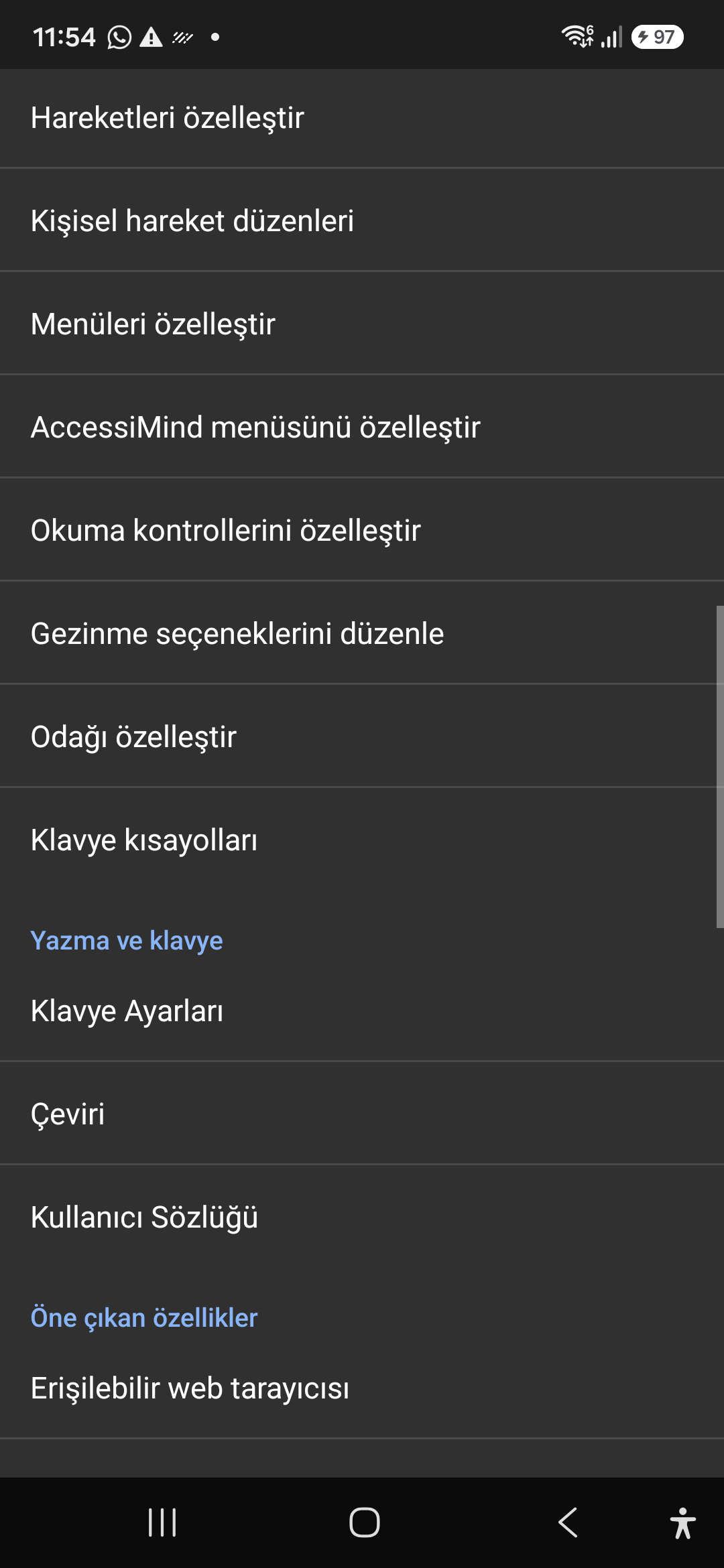
Tailor the AccessiMind menu, reading controls (rotor), navigation granularities, focus indicator, and keyboard shortcuts.

Screenshot showing menu customization and navigation granularities.

9. Customize Menus, Reading Controls & Navigation — Settings > Controls > Customize Menus / Navigation Options
Settings > Controls > Customize Menus / Navigation Options
10 / 12 · Settings > Plugins > Create Plugin / Import Lua / API Docs

10. Plugins Engine & Sandboxed Lua Execution

इस स्क्रीन वॉकथ्रू को वीडियो में देखें (00:50 - 00:56)

Author and run custom Lua scripts securely. Fully documented access to accessibility, speech, UI, HTTP, and local storage APIs.

2026/10-116 स्क्रीन वॉकथ्रू वीडियो गाइड (00:50 - 00:56)

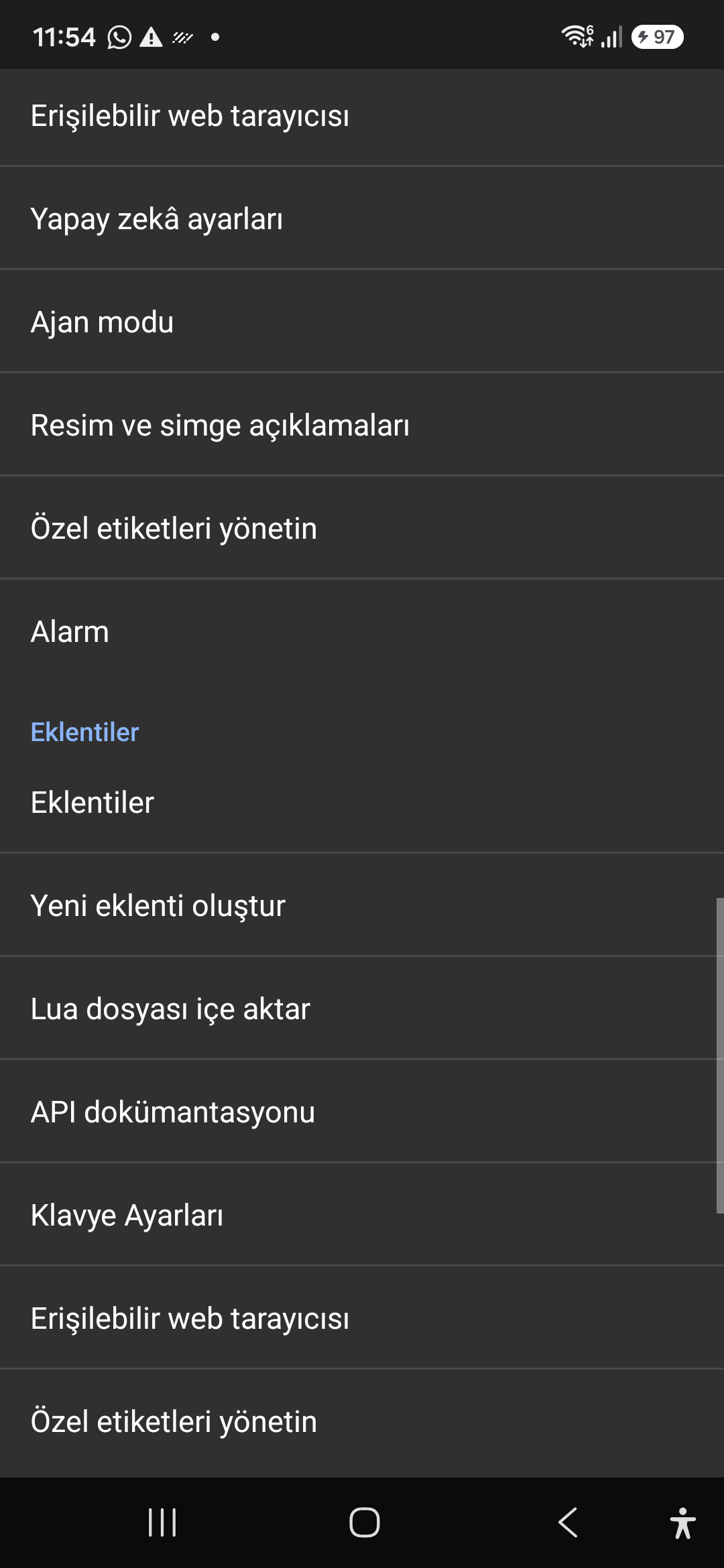
Sandboxed Lua scripting execution in an isolated Android process, on-device code editing, and comprehensive built-in API documentation.

Screenshot showing plugins hub and API documentation.

10. Plugins Engine & Sandboxed Lua Execution — Settings > Plugins > Create Plugin / Import Lua / API Docs
Settings > Plugins > Create Plugin / Import Lua / API Docs
11 / 12 · Settings > Plugins and Tools > Keyboard / Browser / Custom Labels

11. Integrated Tools: Keyboard, Browser & Label Manager

इस स्क्रीन वॉकथ्रू को वीडियो में देखें (00:56 - 01:03)

A suite of integrated utility tools designed specifically for screen reader users, including accessible web browsing and label backup.

2026/10-116 स्क्रीन वॉकथ्रू वीडियो गाइड (00:56 - 01:03)

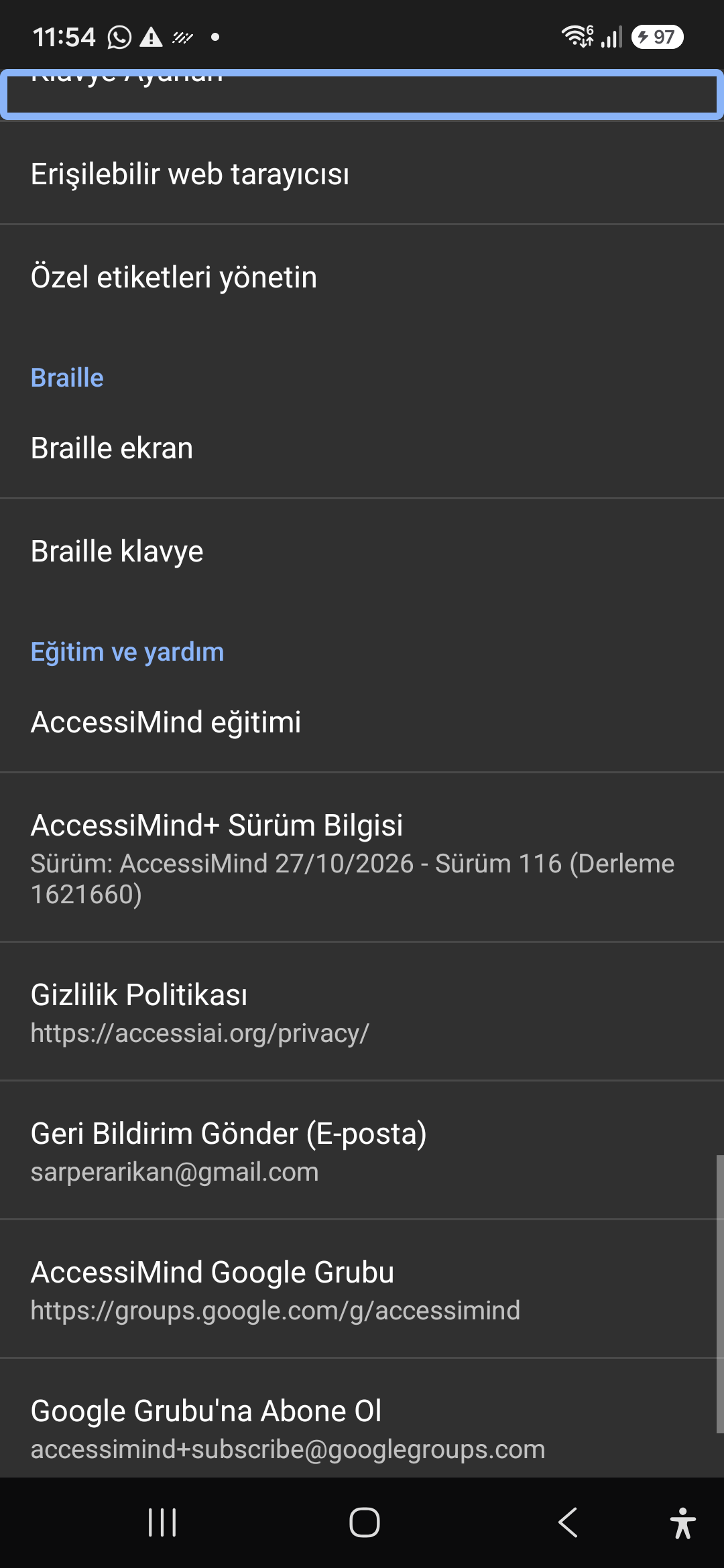
AccessiMind Keyboard preferences, accessible built-in web browser, and management of user-defined labels.

Screenshot displaying keyboard settings, accessible browser, and label manager.

11. Integrated Tools: Keyboard, Browser & Label Manager — Settings > Plugins and Tools > Keyboard / Browser / Custom Labels
Settings > Plugins and Tools > Keyboard / Browser / Custom Labels
12 / 12 · Settings > Braille / Help & Support > Release 116 Info / Community

12. Braille Support, Release 116 Info & Community Channels

इस स्क्रीन वॉकथ्रू को वीडियो में देखें (01:03 - 01:16)

Connect refreshable Braille displays via Bluetooth or USB. Access Release 116 verification certificates, privacy terms, and direct Telegram/Google Groups.

2026/10-116 स्क्रीन वॉकथ्रू वीडियो गाइड (01:03 - 01:16)

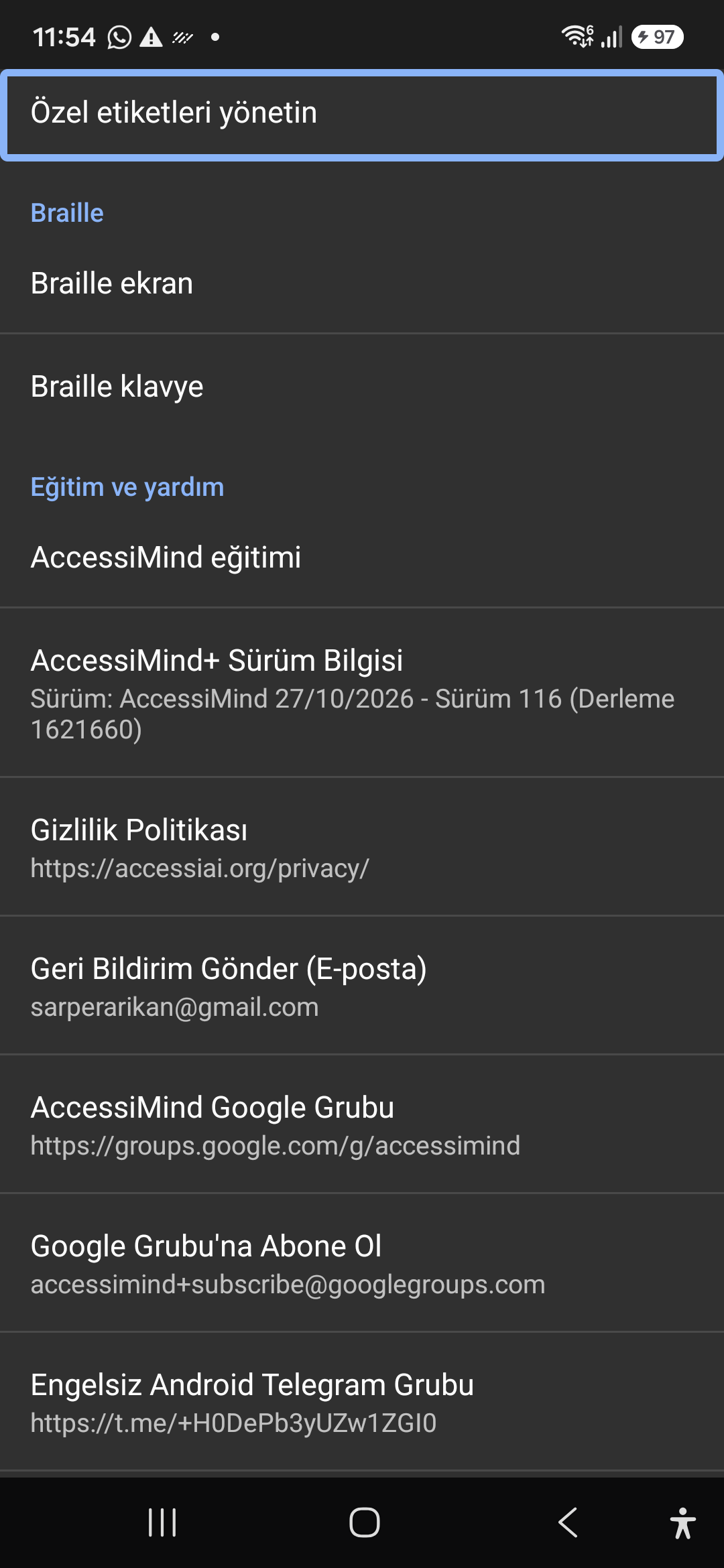
Braille display and on-screen keyboard support; Release 116 (Build 1621660) metadata, Privacy Policy, Feedback, and active community groups.

Screenshot showing Braille settings, Release 116 version info, and community channels.

12. Braille Support, Release 116 Info & Community Channels — Settings > Braille / Help & Support > Release 116 Info / Community
Settings > Braille / Help & Support > Release 116 Info / Community