Kompletny podręcznik referencyjny zweryfikowany pod kątem źródła

AccessiMind+ (2026/10-116 · 1621660) Podręcznik użytkownika

Kompletna dokumentacja krok po kroku dotycząca konfiguracji, architektury ustawień składającej się z 6 zakładek, gestów wykonywanych od 1 do 5 palców, 6-kanałowego routingu audio TTS, agenta AI Wizard, ujednoliconego centrum tłumaczeń działającego w 6 trybach, inteligentnego dyktowania w 31 językach, zarządzania połączeniami, dostępnej klawiatury i przeglądarki internetowej.

2026/10-116 Przewodnik wideo z przewodnikiem po ekranie · Polski

Ekrany AccessiMind+, interfejs z 6 kartami i każda funkcja w 12 rozdziałach

Opowiadany i opisywany przewodnik ekran po ekranie, zawierający prawdziwe ekrany Androida przechwycone z AccessiMind+ 2026/10-116 (ogólne, dostosowywanie interfejsu użytkownika, kanał wyjściowy TTS, gesty, kreator gestów dowolnych, automatyczne etykietowanie, zaawansowane, zarządzanie połączeniami, asystent AI, tłumaczenie mowy, inteligentne dyktowanie i dostępna klawiatura/przeglądarka).

01:25 · 12 Chapters · PL

Wybranie dowolnego rozdziału powoduje przeskoczenie wideo bezpośrednio do instrukcji na tym ekranie. Dostępne są napisy i pełne transkrypcje do pobrania.

Wydanie produkcyjne • 20 października 2026 r. • Wersja 2026/10-116 (kod wersji: 1621660)

AccessiMind+ 2026/10-116 (1621660): przebudowany rdzeń, interfejs 6 kart i obsługa ustawień regionalnych 101

Hybrydowa architektura dual-DEX, 4-warstwowe zachowanie ustawień atomowych (Direct Boot), 6-kanałowy menedżer strumienia wyjściowego TTS, 101-lokalne powiadomienia o zamknięciu/powitaniu i 100% natywne zabezpieczenia systemu Android bez pakietów SDK lokalizacji innych firm.

Nowoczesny ekran główny z 6 zakładkami i natychmiastowym wyszukiwaniem głosowym/tekstowym

Uzyskaj dostęp do wszystkich ustawień na sześciu zorganizowanych kartach: Ogólne, Gesty, Mowa treści, Zaawansowane, Sztuczna inteligencja i Ustawienia dodatkowe. Natychmiast filtruj dowolną opcję, korzystając z górnego paska wyszukiwania lub wyszukiwania głosowego.
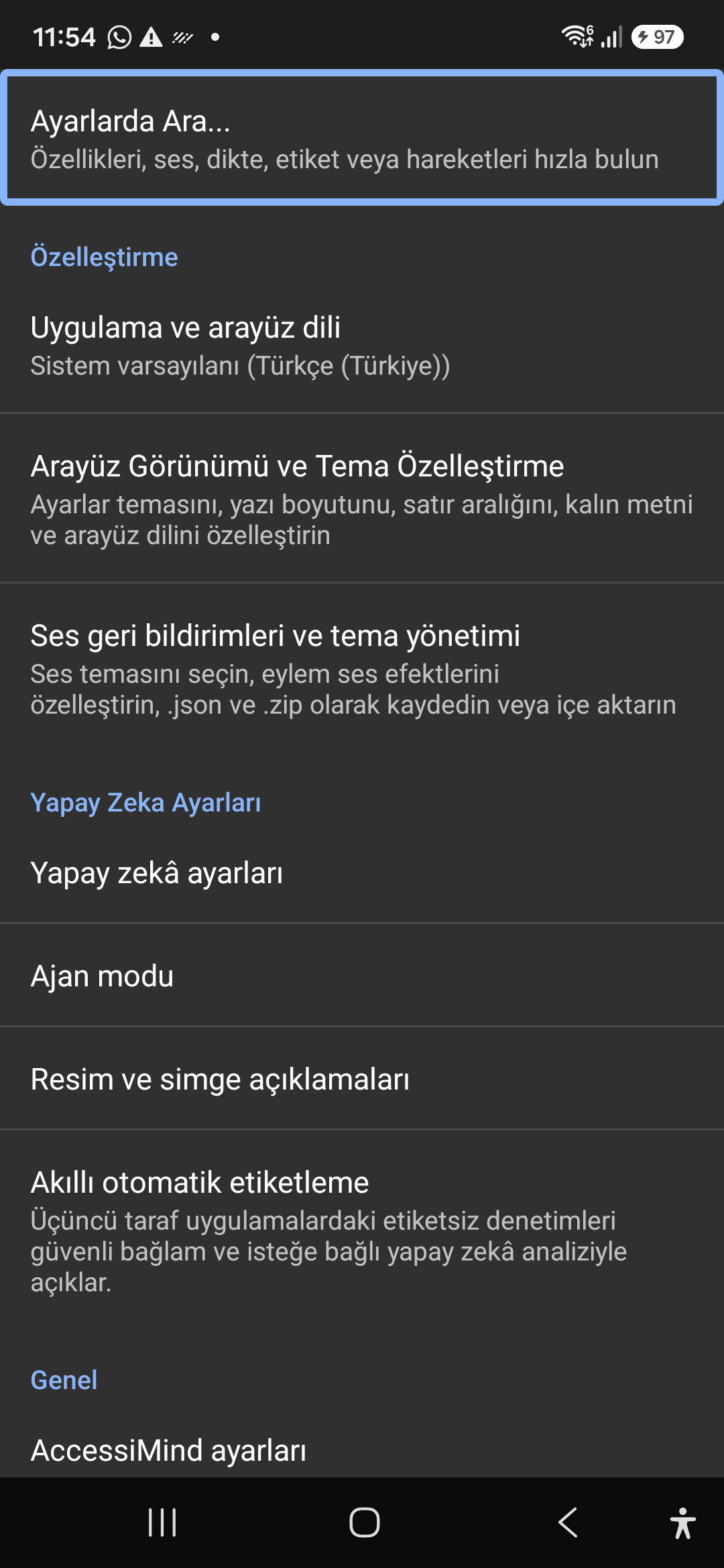
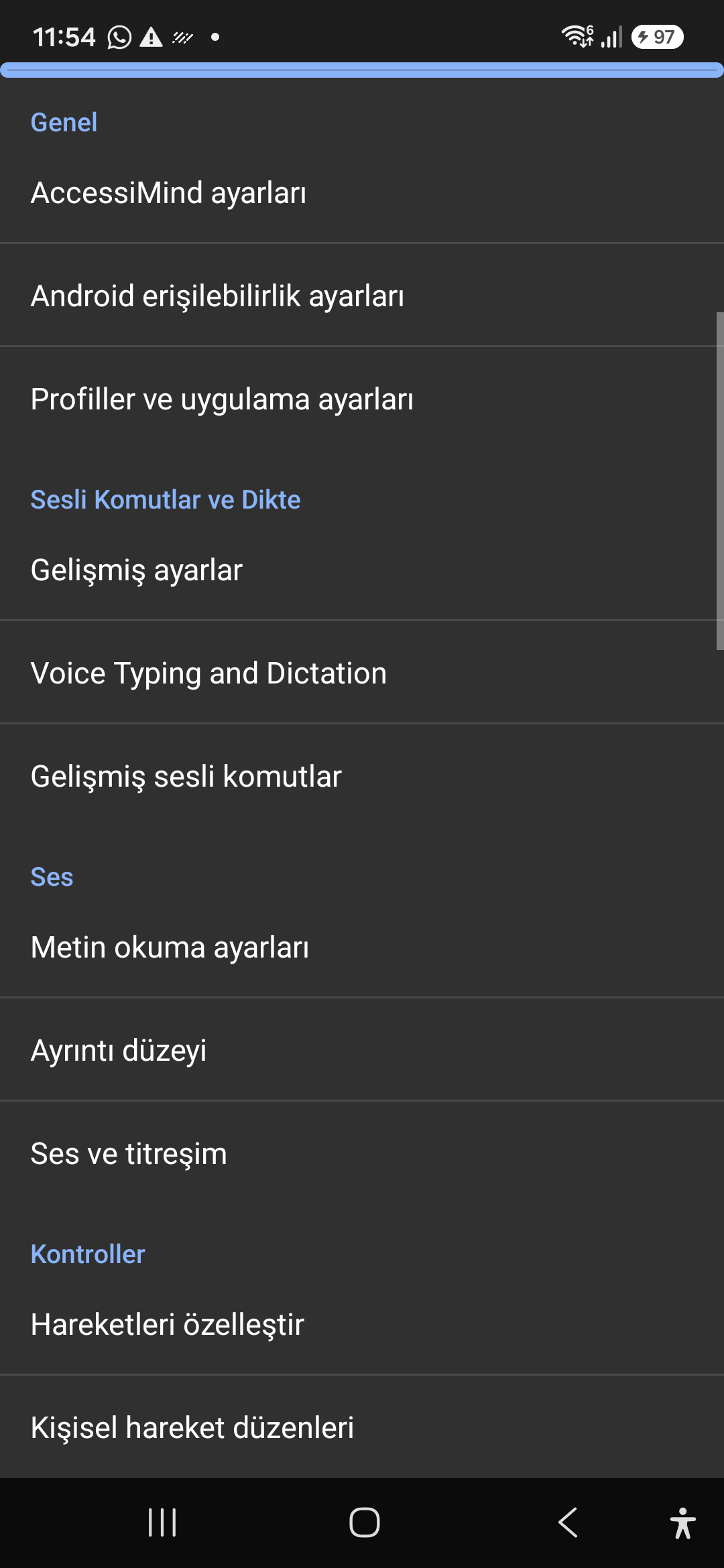
Asystent AI, agent kreatora i wieloskryptowy OCR offline

Opisuj ekrany i obrazy za pomocą Gemini, OpenAI/Codex lub Offline Gemma-4 E2B, wykonuj wieloetapowe zadania Wizard Agent za pomocą głosu i rozpoznawaj tekst w skryptach za pomocą offline ONNX + Google ML Kit OCR.

Zunifikowane centrum tłumaczeń (6 trybów) i inteligentne dyktowanie w 31 językach

Automatycznie wykrywana ostrość, ciągła nawigacja, OCR obrazu, pełny ekran, schowek i tłumaczenie mowy na żywo. Inteligentne dyktowanie z uwzględnieniem interpunkcji i niestandardowe polecenia głosowe w 31 językach.

Kreator gestów składających się z 1–5 palców i mowa o wyłączeniu z ustawieniami regionalnymi 101

Rysuj dowolne, niestandardowe gesty za pomocą 1–5 palców i importuj/eksportuj układy w formacie JSON. Usłysz niezawodne komunikaty mówione w języku systemu za każdym razem, gdy czytnik ekranu zostanie włączony lub wyłączony w 101 zestawach ustawień regionalnych.

6-kanałowy menedżer strumienia TTS i klawiatura wybierania połączeń jednym dotknięciem

Niezależnie kieruj mowę poprzez kanały Dostępność, Media, Powiadomienia, Alarm, Dzwonek lub Połączenia głosowe. Odbieraj/kończ połączenia za pomocą przesunięcia jednym palcem, automatycznego zestawu głośnomówiącego i klawiszy wybierania jednym dotknięciem.

4-warstwowa ochrona ustawień atomowych i natywna lokalizacja

Zerowa utrata ustawień na ekranach blokady Direct Boot i aktualizacjach aplikacji za pośrednictwem 4-warstwowych atomowych migawek JSON oraz natywnych komunikatów o lokalizacji w systemie Android LocationManager + Geokoder.

02 / 12 · Settings > Customization > App Language / Appearance

2. Interface Customization & System Locale Integration

Obejrzyj opis ekranowy w filmie (00:07 - 00:15)

Customizable appearance with high contrast modes, large text rendering, card borders, and independent language selection.

2026/10-116 Przewodnik wideo z przewodnikiem po ekranie (00:07 - 00:15)

Lock the interface language to system default or independently select from 30 supported languages. WCAG 2.2 compliant dark/light themes and custom font scales.

Screenshot showing customization options for language and theme appearance.

2. Interface Customization & System Locale Integration — Settings > Customization > App Language / Appearance
Settings > Customization > App Language / Appearance
03 / 12 · Settings > Customization > Sound Feedback & Themes

3. Audio Feedback & Sound Theme Management

Obejrzyj opis ekranowy w filmie (00:15 - 00:20)

Configure feedback sounds for focus changes, clicks, and notifications. Easily import community-crafted sound packages via .zip or .json.

2026/10-116 Przewodnik wideo z przewodnikiem po ekranie (00:15 - 00:20)

Customize action audio effects, choose built-in sound themes, or import/export external WAV and OGG sound packages.

Screenshot showing sound feedback and theme configuration.

3. Audio Feedback & Sound Theme Management — Settings > Customization > Sound Feedback & Themes
Settings > Customization > Sound Feedback & Themes
04 / 12 · Settings > AI Settings > Agent Mode

4. Dedicated AI Architecture & Autonomous Agent Mode

Obejrzyj opis ekranowy w filmie (00:20 - 00:24)

Agent Mode interprets onscreen context and coordinates complex tasks such as form completion, order placement, or message drafts with interactive safety overlays.

2026/10-116 Przewodnik wideo z przewodnikiem po ekranie (00:20 - 00:24)

Multi-provider AI architecture integrating Google Gemini 2.5, on-device Gemma, and GPT. Autonomous Agent Mode carries out multi-step tasks with user approval.

Screenshot displaying AI Settings and Agent Mode controls.

4. Dedicated AI Architecture & Autonomous Agent Mode — Settings > AI Settings > Agent Mode
Settings > AI Settings > Agent Mode
05 / 12 · Settings > AI Settings > Image Descriptions / Auto-Labeling

5. Image, Icon Descriptions & Smart Automatic Labeling

Obejrzyj opis ekranowy w filmie (00:24 - 00:29)

Visual accessibility enabled by cloud and on-device vision models. Once labeled, buttons and icons are cached locally to minimize network latency.

2026/10-116 Przewodnik wideo z przewodnikiem po ekranie (00:24 - 00:29)

Narrate images and OCR text within seconds. Recognize unlabeled controls in third-party apps and cache them in local SQLite storage.

Screenshot illustrating image narration and automatic labeling options.

5. Image, Icon Descriptions & Smart Automatic Labeling — Settings > AI Settings > Image Descriptions / Auto-Labeling
Settings > AI Settings > Image Descriptions / Auto-Labeling
06 / 12 · Settings > General > Voice Typing and Dictation

6. General Settings, Voice Typing & Dictation

Obejrzyj opis ekranowy w filmie (00:29 - 00:36)

Control the screen reader using voice commands and dictate text into any input field with high recognition accuracy.

2026/10-116 Przewodnik wideo z przewodnikiem po ekranie (00:29 - 00:36)

Hands-free voice typing, custom voice commands, and core AccessiMind operational parameters.

Screenshot showing general settings and voice typing dictation.

6. General Settings, Voice Typing & Dictation — Settings > General > Voice Typing and Dictation
Settings > General > Voice Typing and Dictation
07 / 12 · Settings > Audio > Text-to-Speech / Verbosity

7. Text-to-Speech (TTS), Verbosity & Audio Channels

Obejrzyj opis ekranowy w filmie (00:36 - 00:43)

Fine-tune speech output parameters, manage punctuation and character-by-character pronunciation, and route audio across dedicated streams.

2026/10-116 Przewodnik wideo z przewodnikiem po ekranie (00:36 - 00:43)

TTS engine selection, speech rate, pitch, 6 independent audio output channels, and granular verbosity controls.

Screenshot showing text-to-speech engine and verbosity preferences.

7. Text-to-Speech (TTS), Verbosity & Audio Channels — Settings > Audio > Text-to-Speech / Verbosity
Settings > Audio > Text-to-Speech / Verbosity
08 / 12 · Settings > Controls > Customize Gestures / Gesture Layouts

8. Controls: Gesture Customization & Custom Layouts

Obejrzyj opis ekranowy w filmie (00:43 - 00:49)

Freely remap single and multi-finger taps, swipes, and multi-directional gestures to navigation, reading, or custom actions.

2026/10-116 Przewodnik wideo z przewodnikiem po ekranie (00:43 - 00:49)

Assign any action to 1 to 5 finger gestures, define independent JSON gesture layouts, and create app profiles.

Screenshot showing gesture customization and custom layout options.

8. Controls: Gesture Customization & Custom Layouts — Settings > Controls > Customize Gestures / Gesture Layouts
Settings > Controls > Customize Gestures / Gesture Layouts
09 / 12 · Settings > Controls > Customize Menus / Navigation Options

9. Customize Menus, Reading Controls & Navigation

Obejrzyj opis ekranowy w filmie (00:49 - 00:56)

Personalize the items appearing in the global context menu and reading granularity selector to match your personal workflow.

2026/10-116 Przewodnik wideo z przewodnikiem po ekranie (00:49 - 00:56)

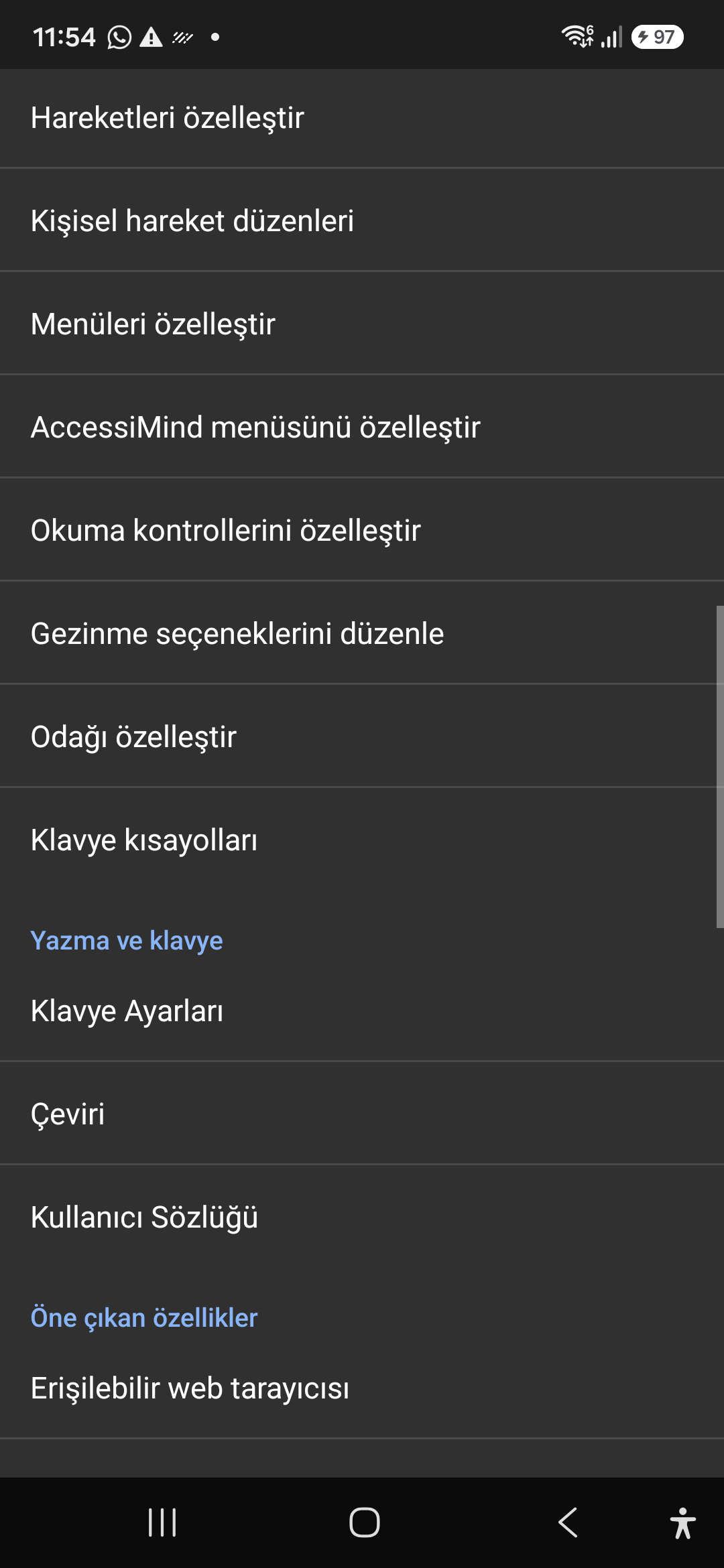
Tailor the AccessiMind menu, reading controls (rotor), navigation granularities, focus indicator, and keyboard shortcuts.

Screenshot showing menu customization and navigation granularities.

9. Customize Menus, Reading Controls & Navigation — Settings > Controls > Customize Menus / Navigation Options
Settings > Controls > Customize Menus / Navigation Options
10 / 12 · Settings > Plugins > Create Plugin / Import Lua / API Docs

10. Plugins Engine & Sandboxed Lua Execution

Obejrzyj opis ekranowy w filmie (00:56 - 01:03)

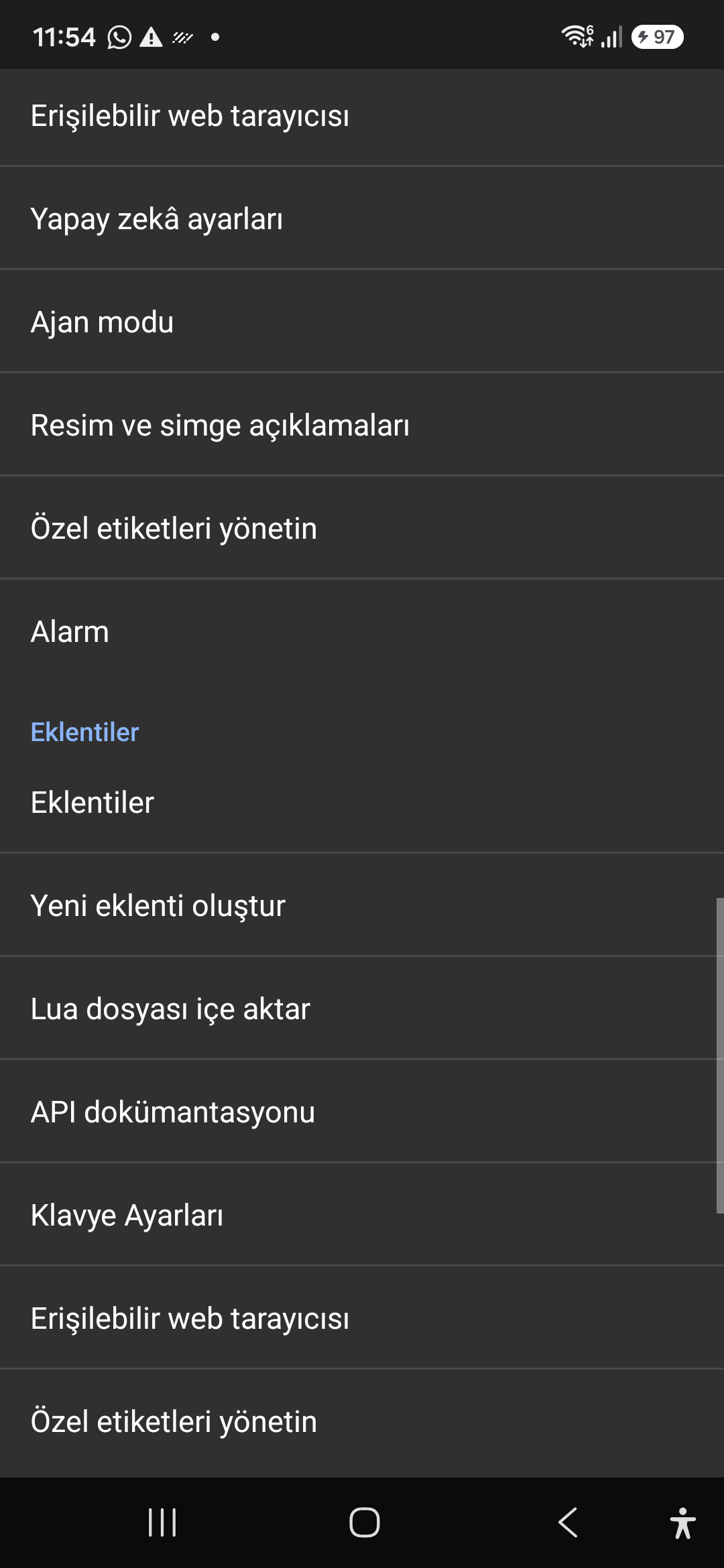
Author and run custom Lua scripts securely. Fully documented access to accessibility, speech, UI, HTTP, and local storage APIs.

2026/10-116 Przewodnik wideo z przewodnikiem po ekranie (00:56 - 01:03)

Sandboxed Lua scripting execution in an isolated Android process, on-device code editing, and comprehensive built-in API documentation.

Screenshot showing plugins hub and API documentation.

10. Plugins Engine & Sandboxed Lua Execution — Settings > Plugins > Create Plugin / Import Lua / API Docs
Settings > Plugins > Create Plugin / Import Lua / API Docs
11 / 12 · Settings > Plugins and Tools > Keyboard / Browser / Custom Labels

11. Integrated Tools: Keyboard, Browser & Label Manager

Obejrzyj opis ekranowy w filmie (01:03 - 01:10)

A suite of integrated utility tools designed specifically for screen reader users, including accessible web browsing and label backup.

2026/10-116 Przewodnik wideo z przewodnikiem po ekranie (01:03 - 01:10)

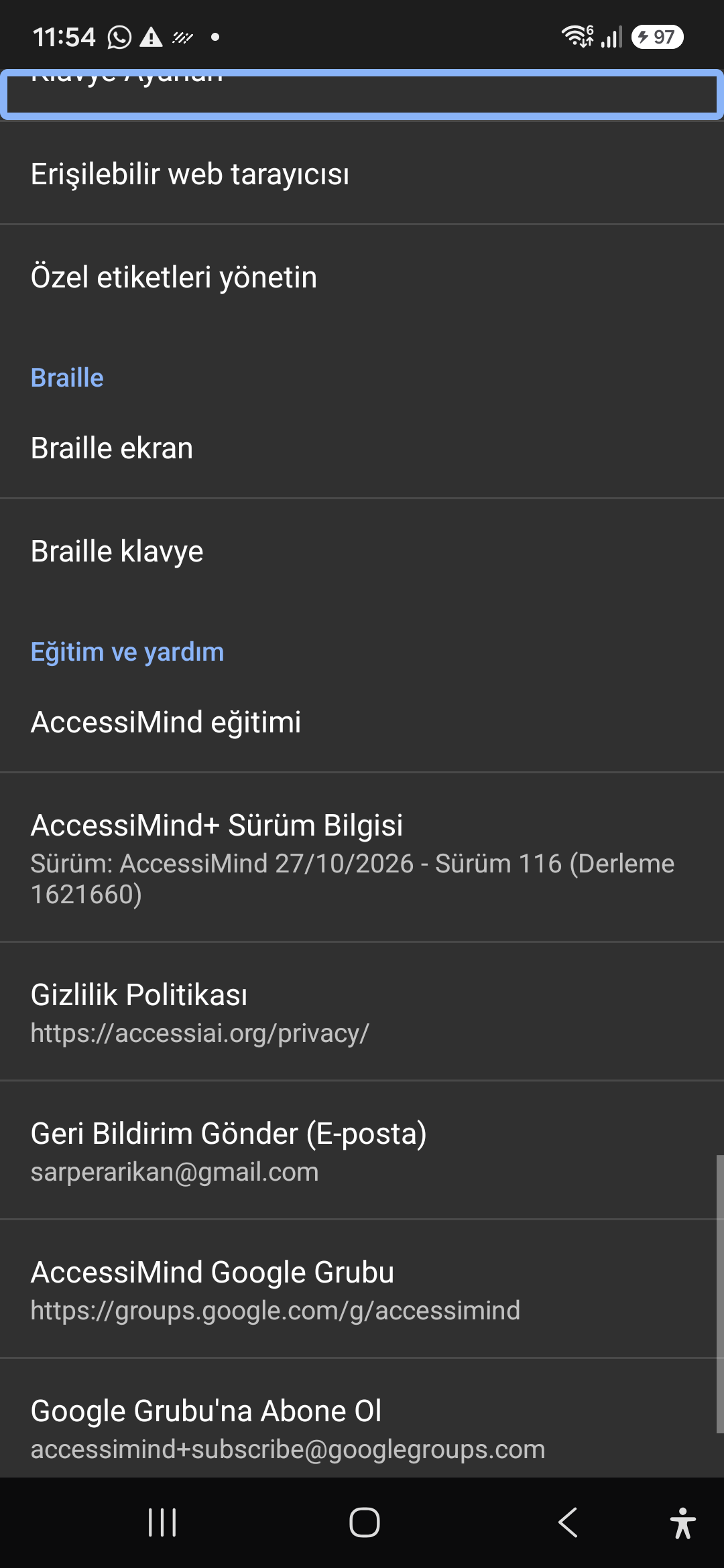
AccessiMind Keyboard preferences, accessible built-in web browser, and management of user-defined labels.

Screenshot displaying keyboard settings, accessible browser, and label manager.

11. Integrated Tools: Keyboard, Browser & Label Manager — Settings > Plugins and Tools > Keyboard / Browser / Custom Labels
Settings > Plugins and Tools > Keyboard / Browser / Custom Labels
12 / 12 · Settings > Braille / Help & Support > Release 116 Info / Community

12. Braille Support, Release 116 Info & Community Channels

Obejrzyj opis ekranowy w filmie (01:10 - 01:25)

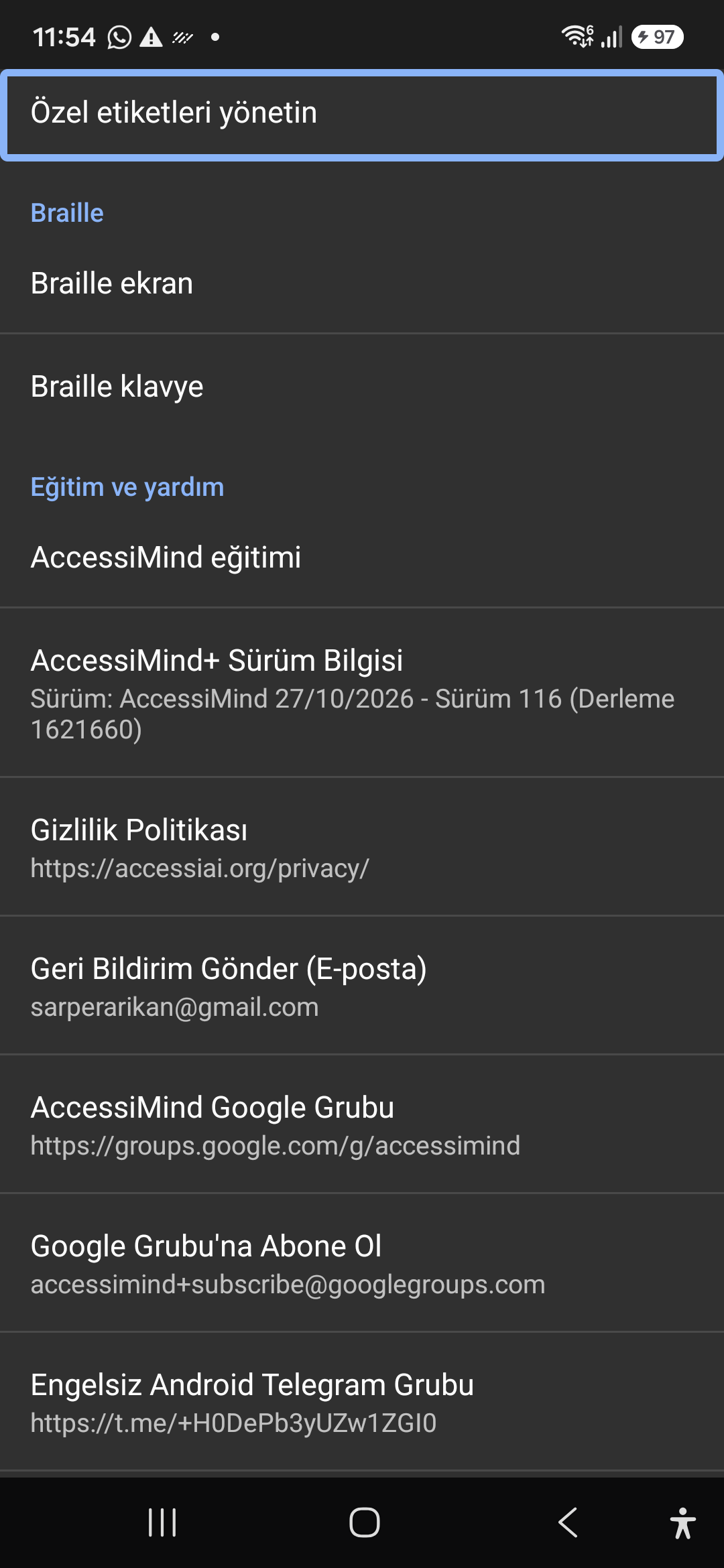
Connect refreshable Braille displays via Bluetooth or USB. Access Release 116 verification certificates, privacy terms, and direct Telegram/Google Groups.

2026/10-116 Przewodnik wideo z przewodnikiem po ekranie (01:10 - 01:25)

Braille display and on-screen keyboard support; Release 116 (Build 1621660) metadata, Privacy Policy, Feedback, and active community groups.

Screenshot showing Braille settings, Release 116 version info, and community channels.

12. Braille Support, Release 116 Info & Community Channels — Settings > Braille / Help & Support > Release 116 Info / Community
Settings > Braille / Help & Support > Release 116 Info / Community