Potpuni referentni priručnik potvrđen izvorom

AccessiMind+ (2026/10-116 · 1621660) Korisnički vodič

Kompletna dokumentacija korak po korak za podešavanje, arhitektura postavki sa 6 kartica, pokreti slobodnog oblika od 1 do 5 prsta, 6-kanalno TTS audio rutiranje, AI čarobnjak, 6-režimski Unified Translation Hub, 31-jezički pametni dikt, upravljanje pozivima, pristupačna tastatura i web pretraživač.

2026/10-116 Video vodič za pregled ekrana · Bosanski

AccessiMind+ ekrani, interfejs sa 6 kartica i svaka funkcija u 12 poglavlja

Napisano i titlovano korak po korak sa pravim Android ekranima snimljenim sa AccessiMind+ 2026/10-116 (Općenito, prilagođavanja korisničkog sučelja, TTS izlazni kanal, pokreti, kreator pokreta slobodnog oblika, automatsko označavanje, napredno, upravljanje pozivima, AI asistent, prevođenje govorne ploče/prevod govorne ploče).

01:19 · 12 Chapters · BS

Odabirom bilo kojeg poglavlja video se prebacuje direktno na vodič kroz taj ekran. Dostupni su titlovi i potpuni transkripti za preuzimanje.

Proizvodnja • 20. oktobar 2026. • Verzija 2026/10-116 (kod verzije: 1621660)

AccessiMind+ 2026/10-116 (1621660): obnovljeno jezgro, interfejs sa 6 kartica i podrška za 101 lokalizaciju

Hibridna dual-DEX arhitektura, 4-slojno očuvanje atomskih postavki (Direct Boot), 6-kanalni TTS menadžer izlaznog toka, 101-locale isključenje/najave dobrodošlice i 100% izvorna Android sigurnost bez SDK-ova za lokaciju trećih strana.

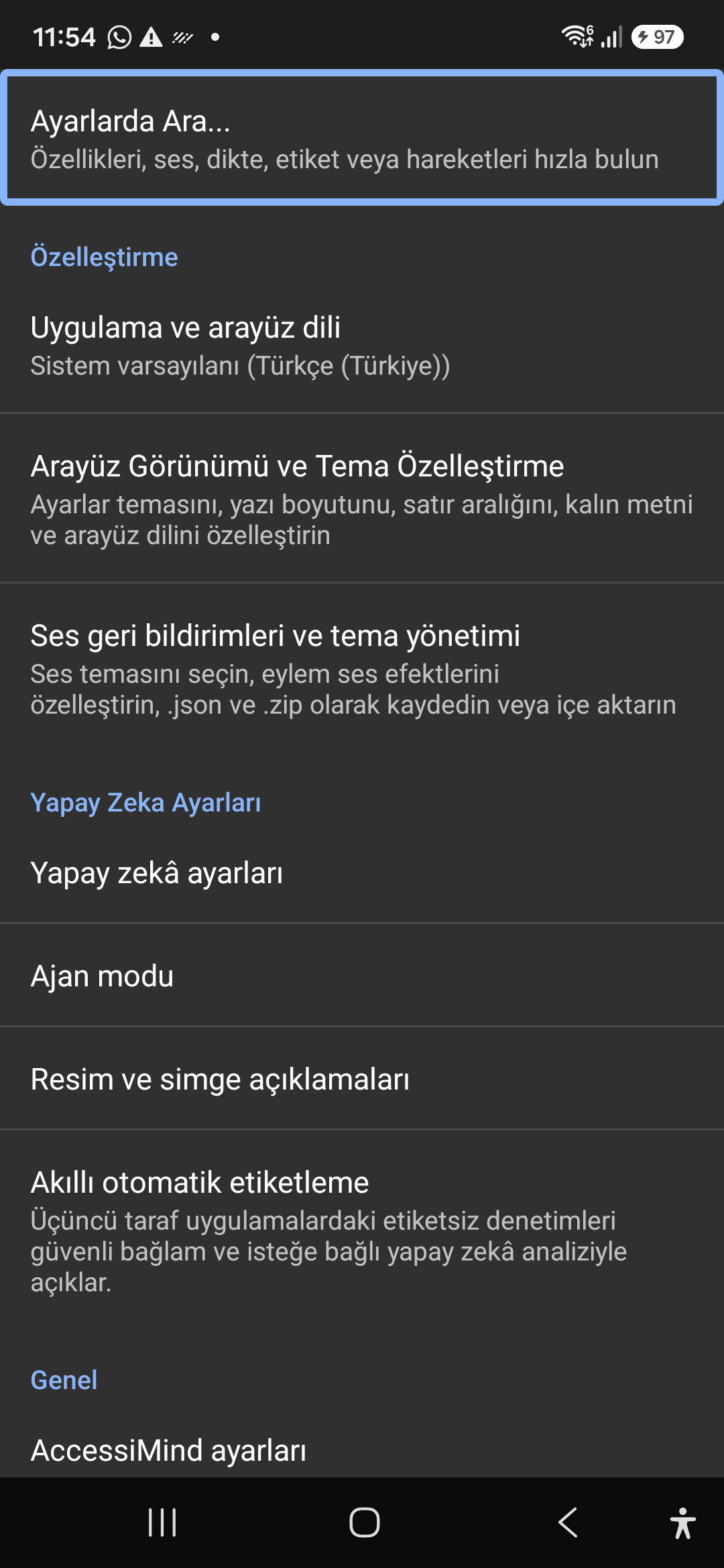
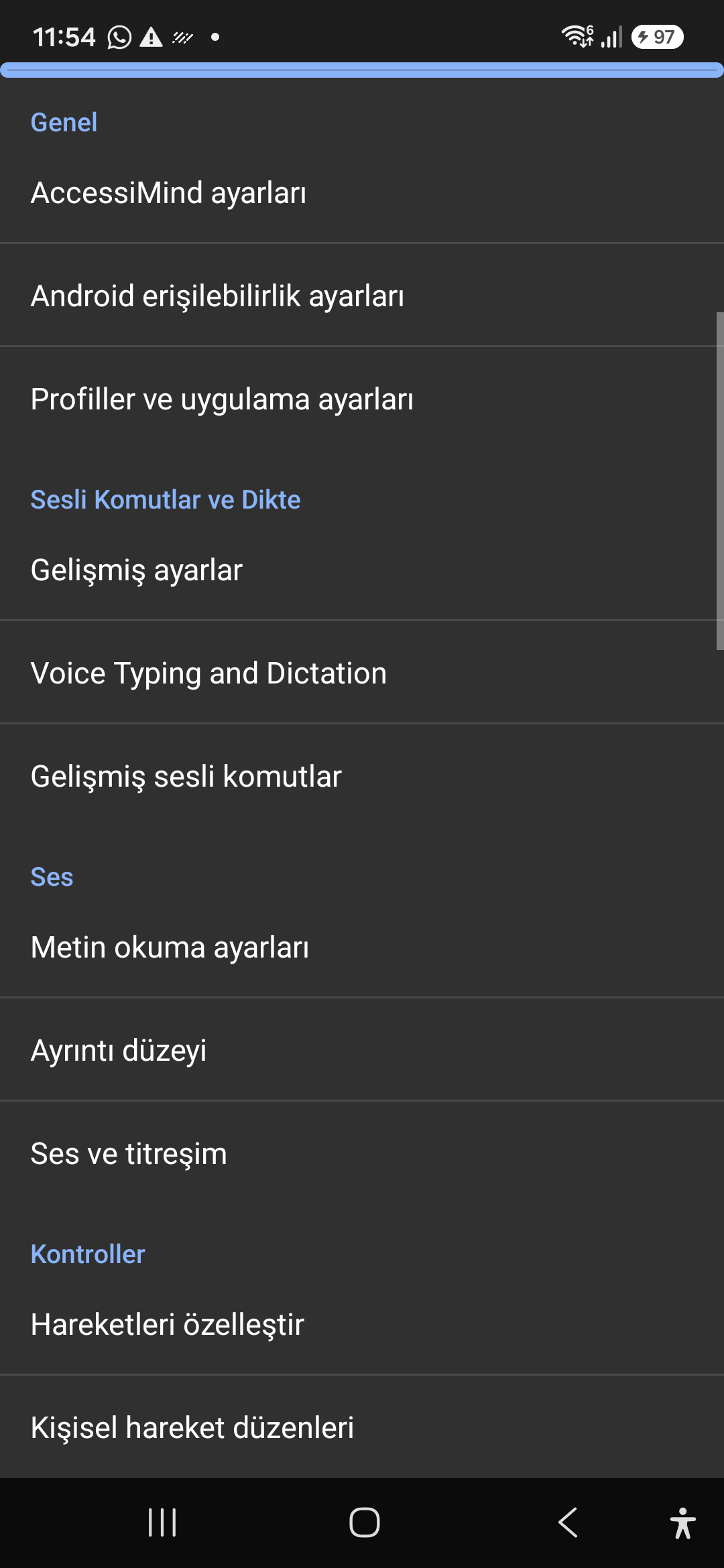
Moderni početni ekran sa 6 kartica i trenutna glasovna/tekstualna pretraga

Dođite do svake postavke sa šest organiziranih kartica: Općenito, Pokreti, Govor sadržaja, Napredno, Vještačka inteligencija i Dodatne postavke. Odmah filtrirajte bilo koju opciju koristeći gornju traku za pretraživanje ili glasovnu pretragu.
AI pomoćnik, čarobnjak agent i multi-skripta van mreže OCR

Opišite ekrane i slike pomoću Gemini, OpenAI/Codex ili Offline Gemma-4 E2B, izvršavajte zadatke čarobnjaka agenta u više koraka glasom i prepoznajte tekst u skriptama uz offline ONNX + Google ML Kit OCR.

Unified Translation Hub (6 režima) i pametni diktat na 31 jezik

Automatski detektovani fokus, kontinuirana navigacija, OCR slike, cijeli ekran, međuspremnik i prijevod govora uživo. Pametni diktiranje koji je svjesno interpunkcije i prilagođene glasovne komande na 31 jeziku.

Kreator pokreta od 1 do 5 prstiju i govor za isključivanje na 101 lokalu

Nacrtajte prilagođene pokrete od 1 do 5 prsta slobodnog oblika i rasporede uvoza/izvoza kao JSON. Slušajte pouzdane govorne najave na jeziku vašeg sistema kad god se čitač ekrana uključi ili isključi na 101 skupu jezika.

6-kanalni TTS Stream Manager i tastatura za biranje u pozivu jednim dodirom

Neovisno usmjerite govor kroz kanale pristupačnosti, medija, obavještenja, alarma, melodije zvona ili glasovnog poziva. Odgovorite/završite pozive prelaskom 1 prstom, automatskim spikerfonom i tasterima na tastaturi za biranje brojeva jednim dodirom.

4-Layer Atomic Settings Preservation & Native Location

Nema gubitka postavki na zaključanim ekranima Direct Boot i ažuriranjima aplikacija putem 4-slojnih atomskih JSON snimaka, plus izvorni Android LocationManager + Geocoder najave lokacije.

02 / 12 · Settings > Customization > App Language / Appearance

2. Interface Customization & System Locale Integration

Pogledajte ovaj vodič kroz ekran u videu (00:07 - 00:14)

Customizable appearance with high contrast modes, large text rendering, card borders, and independent language selection.

2026/10-116 Video vodič za pregled ekrana (00:07 - 00:14)

Lock the interface language to system default or independently select from 30 supported languages. WCAG 2.2 compliant dark/light themes and custom font scales.

Screenshot showing customization options for language and theme appearance.

2. Interface Customization & System Locale Integration — Settings > Customization > App Language / Appearance
Settings > Customization > App Language / Appearance
03 / 12 · Settings > Customization > Sound Feedback & Themes

3. Audio Feedback & Sound Theme Management

Pogledajte ovaj vodič kroz ekran u videu (00:14 - 00:18)

Configure feedback sounds for focus changes, clicks, and notifications. Easily import community-crafted sound packages via .zip or .json.

2026/10-116 Video vodič za pregled ekrana (00:14 - 00:18)

Customize action audio effects, choose built-in sound themes, or import/export external WAV and OGG sound packages.

Screenshot showing sound feedback and theme configuration.

3. Audio Feedback & Sound Theme Management — Settings > Customization > Sound Feedback & Themes
Settings > Customization > Sound Feedback & Themes
04 / 12 · Settings > AI Settings > Agent Mode

4. Dedicated AI Architecture & Autonomous Agent Mode

Pogledajte ovaj vodič kroz ekran u videu (00:18 - 00:23)

Agent Mode interprets onscreen context and coordinates complex tasks such as form completion, order placement, or message drafts with interactive safety overlays.

2026/10-116 Video vodič za pregled ekrana (00:18 - 00:23)

Multi-provider AI architecture integrating Google Gemini 2.5, on-device Gemma, and GPT. Autonomous Agent Mode carries out multi-step tasks with user approval.

Screenshot displaying AI Settings and Agent Mode controls.

4. Dedicated AI Architecture & Autonomous Agent Mode — Settings > AI Settings > Agent Mode
Settings > AI Settings > Agent Mode
05 / 12 · Settings > AI Settings > Image Descriptions / Auto-Labeling

5. Image, Icon Descriptions & Smart Automatic Labeling

Pogledajte ovaj vodič kroz ekran u videu (00:23 - 00:27)

Visual accessibility enabled by cloud and on-device vision models. Once labeled, buttons and icons are cached locally to minimize network latency.

2026/10-116 Video vodič za pregled ekrana (00:23 - 00:27)

Narrate images and OCR text within seconds. Recognize unlabeled controls in third-party apps and cache them in local SQLite storage.

Screenshot illustrating image narration and automatic labeling options.

5. Image, Icon Descriptions & Smart Automatic Labeling — Settings > AI Settings > Image Descriptions / Auto-Labeling
Settings > AI Settings > Image Descriptions / Auto-Labeling
06 / 12 · Settings > General > Voice Typing and Dictation

6. General Settings, Voice Typing & Dictation

Pogledajte ovaj vodič kroz ekran u videu (00:27 - 00:33)

Control the screen reader using voice commands and dictate text into any input field with high recognition accuracy.

2026/10-116 Video vodič za pregled ekrana (00:27 - 00:33)

Hands-free voice typing, custom voice commands, and core AccessiMind operational parameters.

Screenshot showing general settings and voice typing dictation.

6. General Settings, Voice Typing & Dictation — Settings > General > Voice Typing and Dictation
Settings > General > Voice Typing and Dictation
07 / 12 · Settings > Audio > Text-to-Speech / Verbosity

7. Text-to-Speech (TTS), Verbosity & Audio Channels

Pogledajte ovaj vodič kroz ekran u videu (00:33 - 00:40)

Fine-tune speech output parameters, manage punctuation and character-by-character pronunciation, and route audio across dedicated streams.

2026/10-116 Video vodič za pregled ekrana (00:33 - 00:40)

TTS engine selection, speech rate, pitch, 6 independent audio output channels, and granular verbosity controls.

Screenshot showing text-to-speech engine and verbosity preferences.

7. Text-to-Speech (TTS), Verbosity & Audio Channels — Settings > Audio > Text-to-Speech / Verbosity
Settings > Audio > Text-to-Speech / Verbosity
08 / 12 · Settings > Controls > Customize Gestures / Gesture Layouts

8. Controls: Gesture Customization & Custom Layouts

Pogledajte ovaj vodič kroz ekran u videu (00:40 - 00:46)

Freely remap single and multi-finger taps, swipes, and multi-directional gestures to navigation, reading, or custom actions.

2026/10-116 Video vodič za pregled ekrana (00:40 - 00:46)

Assign any action to 1 to 5 finger gestures, define independent JSON gesture layouts, and create app profiles.

Screenshot showing gesture customization and custom layout options.

8. Controls: Gesture Customization & Custom Layouts — Settings > Controls > Customize Gestures / Gesture Layouts
Settings > Controls > Customize Gestures / Gesture Layouts
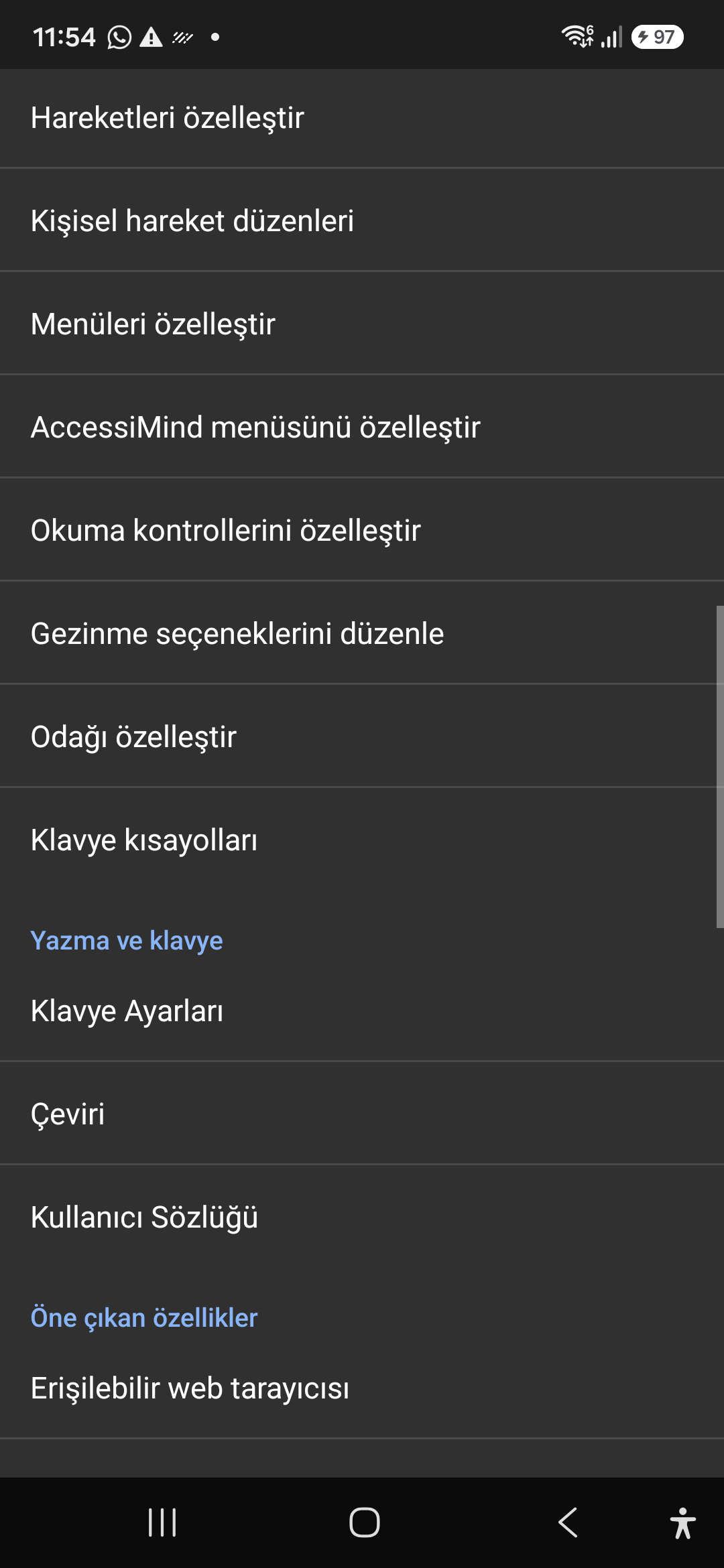
09 / 12 · Settings > Controls > Customize Menus / Navigation Options

9. Customize Menus, Reading Controls & Navigation

Pogledajte ovaj vodič kroz ekran u videu (00:46 - 00:51)

Personalize the items appearing in the global context menu and reading granularity selector to match your personal workflow.

2026/10-116 Video vodič za pregled ekrana (00:46 - 00:51)

Tailor the AccessiMind menu, reading controls (rotor), navigation granularities, focus indicator, and keyboard shortcuts.

Screenshot showing menu customization and navigation granularities.

9. Customize Menus, Reading Controls & Navigation — Settings > Controls > Customize Menus / Navigation Options
Settings > Controls > Customize Menus / Navigation Options
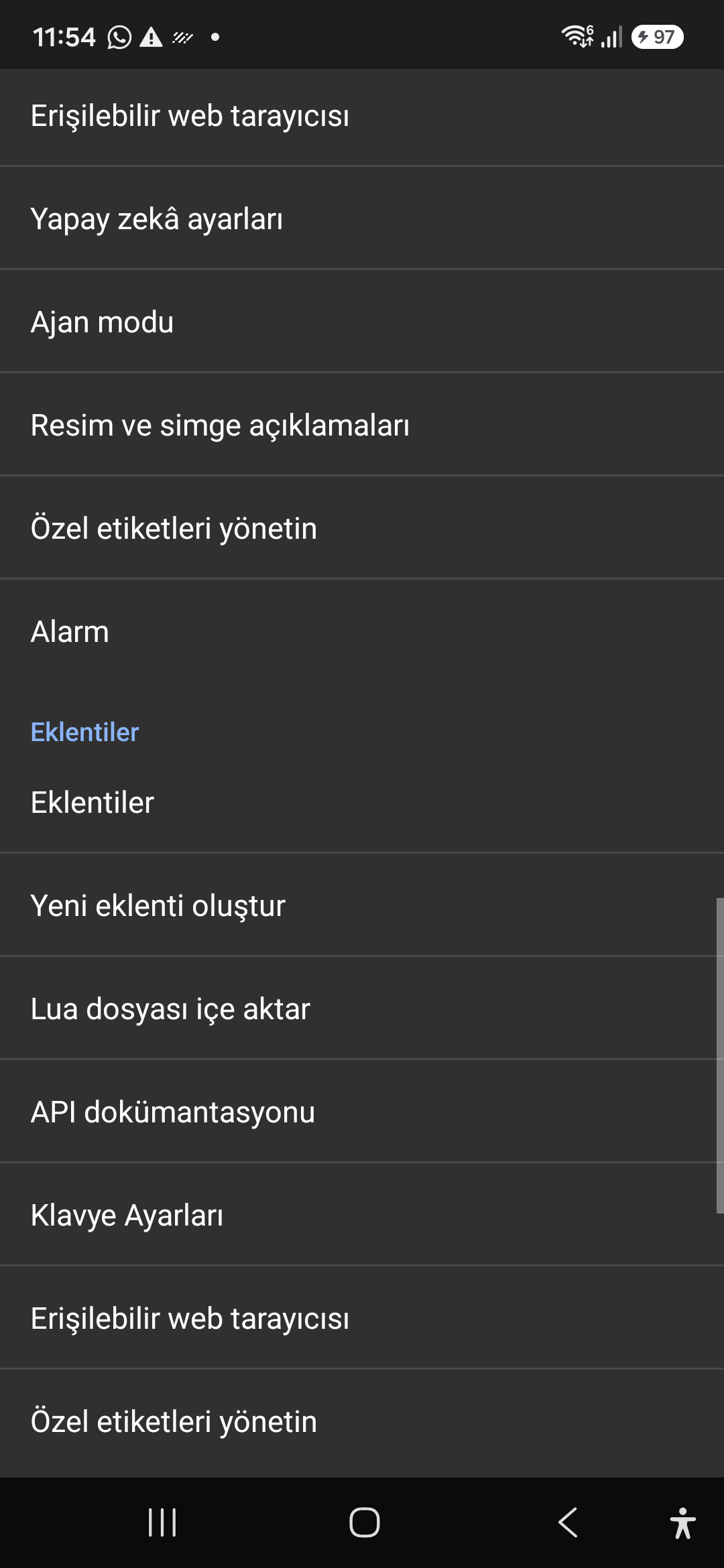
10 / 12 · Settings > Plugins > Create Plugin / Import Lua / API Docs

10. Plugins Engine & Sandboxed Lua Execution

Pogledajte ovaj vodič kroz ekran u videu (00:51 - 00:58)

Author and run custom Lua scripts securely. Fully documented access to accessibility, speech, UI, HTTP, and local storage APIs.

2026/10-116 Video vodič za pregled ekrana (00:51 - 00:58)

Sandboxed Lua scripting execution in an isolated Android process, on-device code editing, and comprehensive built-in API documentation.

Screenshot showing plugins hub and API documentation.

10. Plugins Engine & Sandboxed Lua Execution — Settings > Plugins > Create Plugin / Import Lua / API Docs
Settings > Plugins > Create Plugin / Import Lua / API Docs
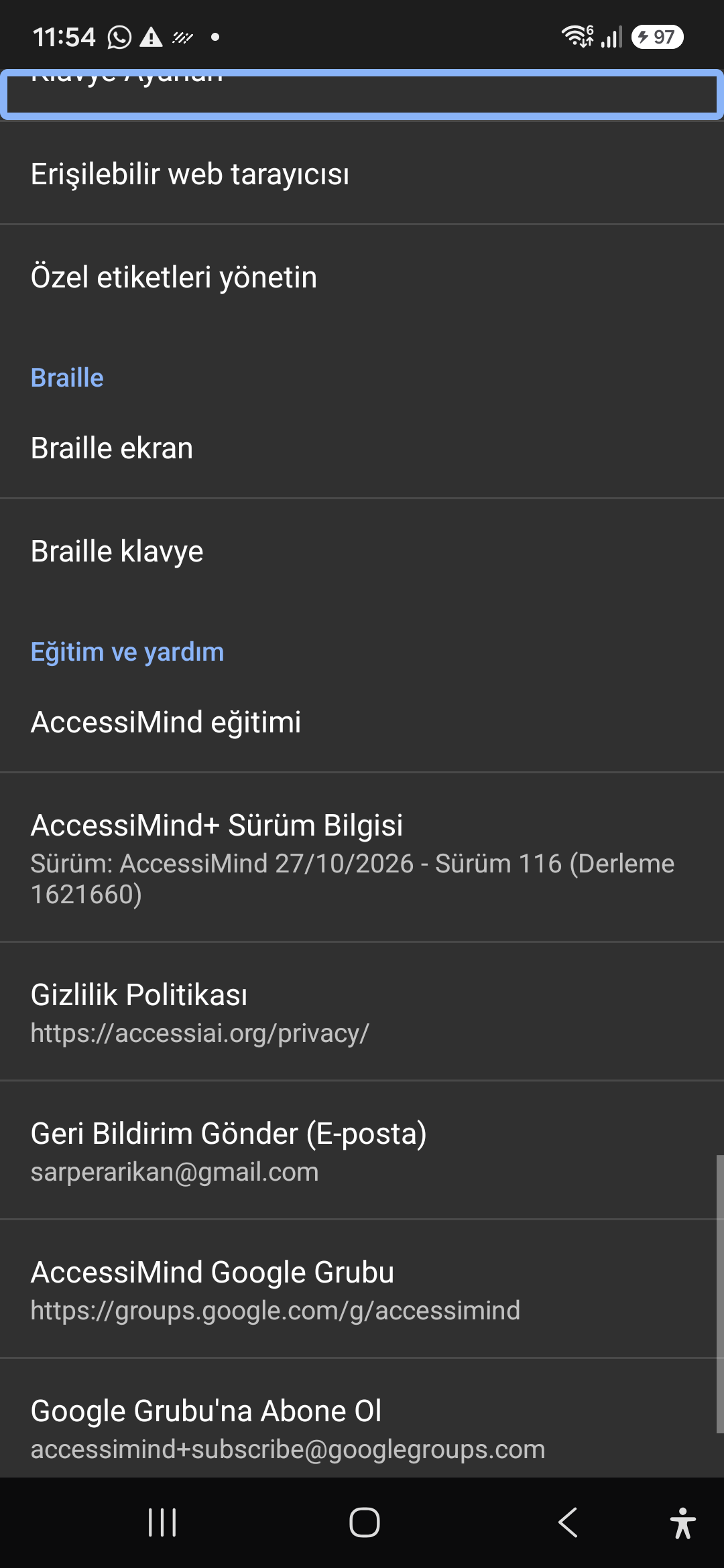
11 / 12 · Settings > Plugins and Tools > Keyboard / Browser / Custom Labels

11. Integrated Tools: Keyboard, Browser & Label Manager

Pogledajte ovaj vodič kroz ekran u videu (00:58 - 01:05)

A suite of integrated utility tools designed specifically for screen reader users, including accessible web browsing and label backup.

2026/10-116 Video vodič za pregled ekrana (00:58 - 01:05)

AccessiMind Keyboard preferences, accessible built-in web browser, and management of user-defined labels.

Screenshot displaying keyboard settings, accessible browser, and label manager.

11. Integrated Tools: Keyboard, Browser & Label Manager — Settings > Plugins and Tools > Keyboard / Browser / Custom Labels
Settings > Plugins and Tools > Keyboard / Browser / Custom Labels
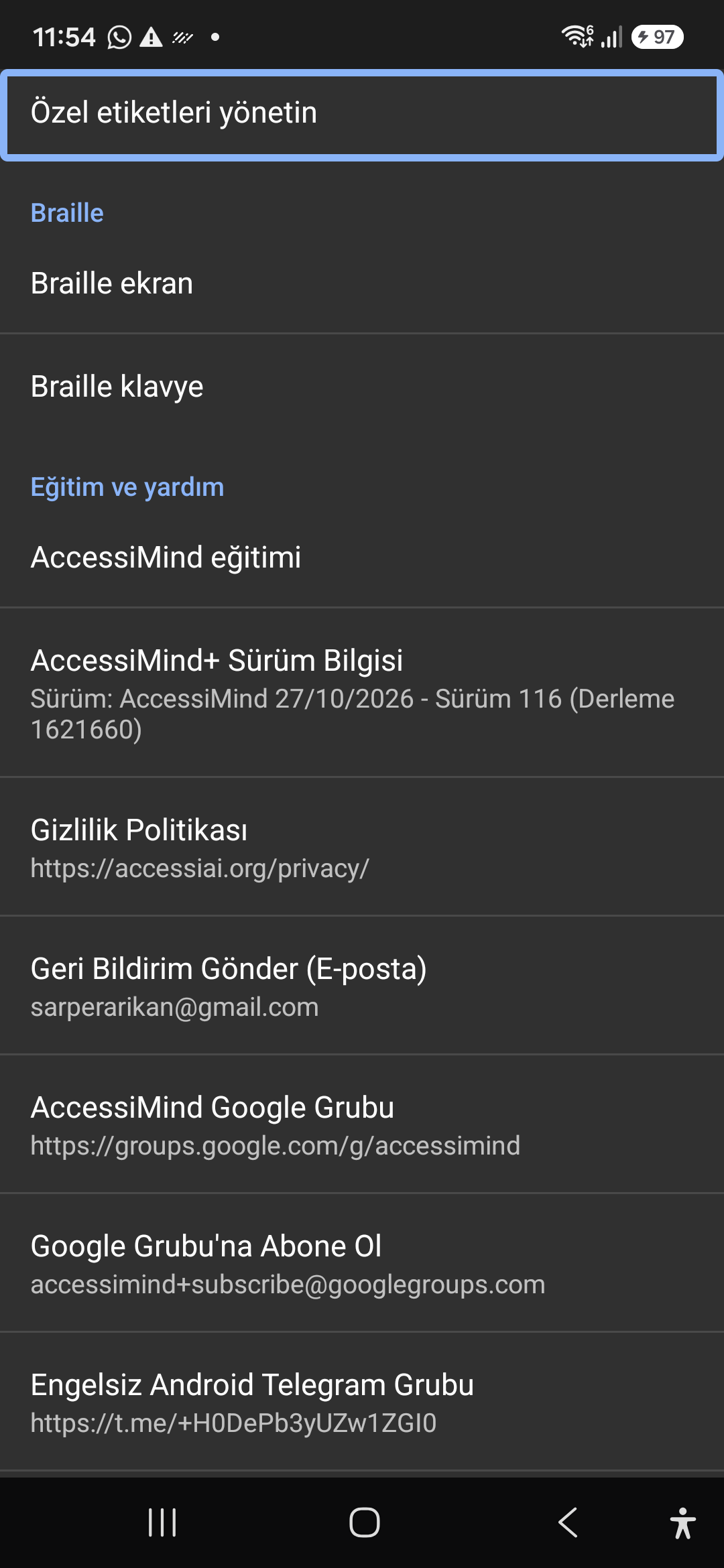
12 / 12 · Settings > Braille / Help & Support > Release 116 Info / Community

12. Braille Support, Release 116 Info & Community Channels

Pogledajte ovaj vodič kroz ekran u videu (01:05 - 01:19)

Connect refreshable Braille displays via Bluetooth or USB. Access Release 116 verification certificates, privacy terms, and direct Telegram/Google Groups.

2026/10-116 Video vodič za pregled ekrana (01:05 - 01:19)

Braille display and on-screen keyboard support; Release 116 (Build 1621660) metadata, Privacy Policy, Feedback, and active community groups.

Screenshot showing Braille settings, Release 116 version info, and community channels.

12. Braille Support, Release 116 Info & Community Channels — Settings > Braille / Help & Support > Release 116 Info / Community
Settings > Braille / Help & Support > Release 116 Info / Community