Manual Referensi Lengkap Terverifikasi Sumber

AccessiMind+ (2026/10-116 · 1621660) Panduan Pengguna

Lengkapi dokumentasi langkah demi langkah untuk penyiapan, arsitektur pengaturan 6 tab, gerakan bentuk bebas 1–5 jari, perutean audio TTS 6 saluran, Agen Wizard AI, Hub Terjemahan Terpadu 6 mode, Dikte Cerdas 31 bahasa, Manajemen Panggilan, Keyboard yang Dapat Diakses, dan Browser Web.

Panduan Video Panduan Layar 2026/10-116 · Bahasa Indonesia

Layar AccessiMind+, Antarmuka 6 Tab & Setiap Fitur dalam 12 Bab

Panduan layar demi layar yang dinarasikan dan diberi teks yang menampilkan layar Android asli yang diambil dari AccessiMind+ 2026/10-116 (Umum, Penyesuaian UI, Saluran Output TTS, Gerakan, Pembuat Gerakan Bentuk Bebas, Pelabelan Otomatis, Tingkat Lanjut, Manajemen Panggilan, Asisten AI, Terjemahan Pidato, Dikte Cerdas, dan Keyboard/Browser yang Dapat Diakses).

01:21 · 12 Chapters · ID

Memilih bab mana pun akan melompati video langsung ke panduan layar itu. Keterangan dan transkrip lengkap yang dapat diunduh disediakan.

Rilis Produksi • 20 Oktober 2026 • Versi 2026/10-116 (Kode Versi: 1621660)

AccessiMind+ 2026/10-116 (1621660): Inti yang Dibangun Kembali, Antarmuka 6 Tab & Dukungan 101 Lokal

Arsitektur dual-DEX hibrid, pelestarian pengaturan atom 4 lapis (Direct Boot), pengelola aliran keluaran TTS 6 saluran, pengumuman penutupan/selamat datang 101 lokal, dan keamanan Android asli 100% bebas dari SDK lokasi pihak ketiga.

Layar Beranda Modern 6-Tab & Pencarian Suara/Teks Instan

Jangkau setiap pengaturan dari enam tab terorganisir: Umum, Gerakan, Ucapan Konten, Tingkat Lanjut, Kecerdasan Buatan, dan Pengaturan Ekstra. Filter opsi apa pun secara instan menggunakan bilah pencarian atas atau Pencarian Suara.
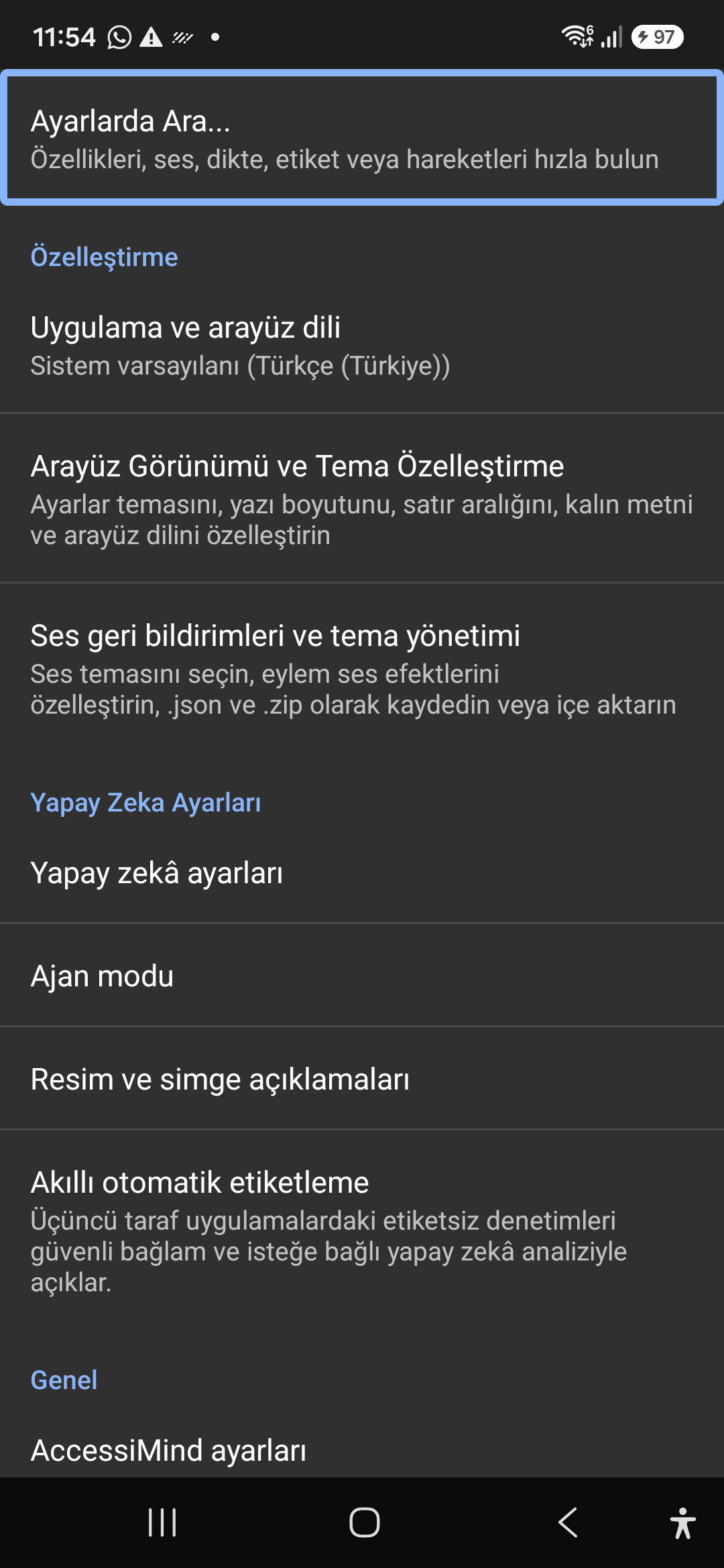
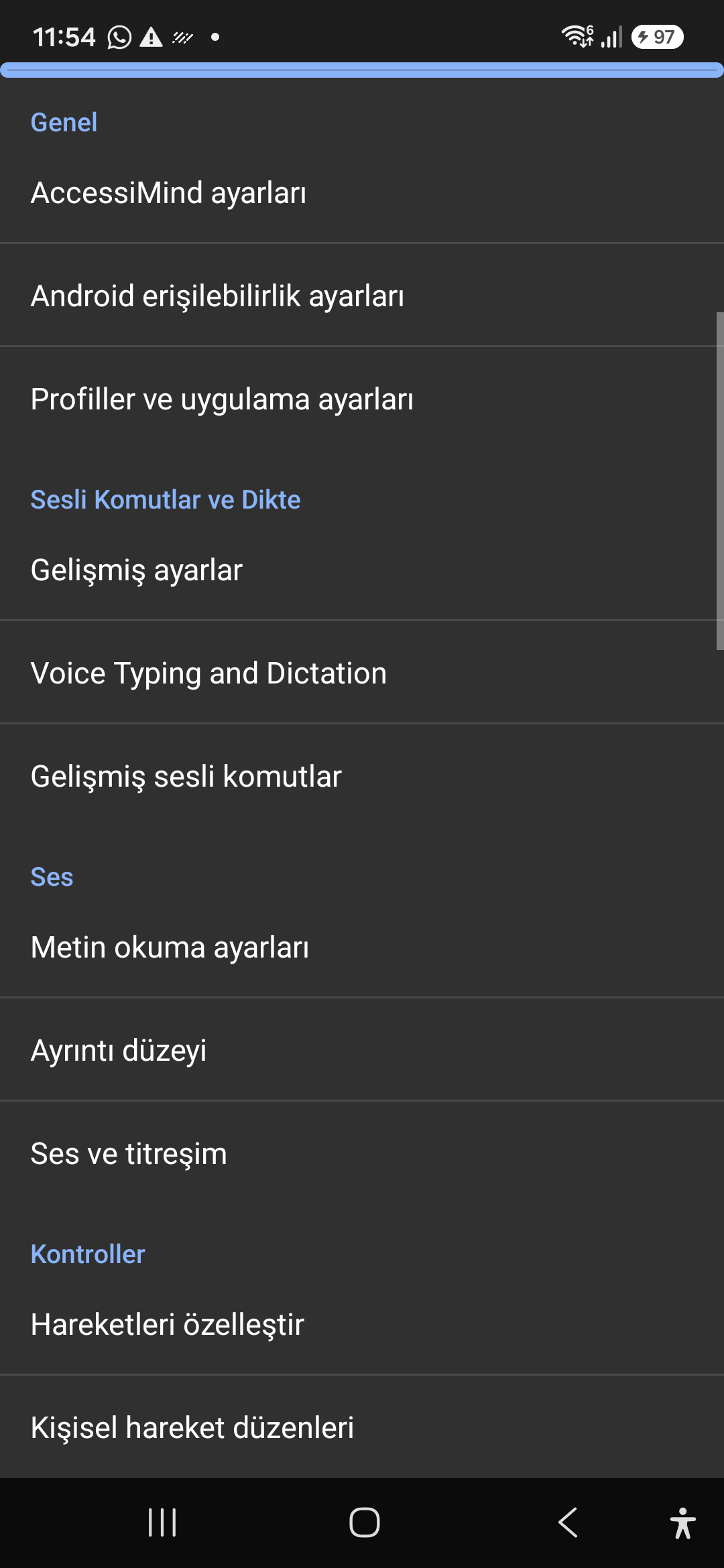
Asisten AI, Agen Penyihir & OCR Offline Multi-Skrip

Jelaskan layar dan gambar dengan Gemini, OpenAI/Codex, atau Offline Gemma-4 E2B, jalankan tugas Agen Penyihir multi-langkah dengan suara, dan kenali teks di seluruh skrip dengan ONNX + Google ML Kit OCR offline.

Hub Terjemahan Terpadu (6 Mode) & Dikte Cerdas 31 Bahasa

Fokus yang terdeteksi secara otomatis, Navigasi Berkelanjutan, OCR Gambar, Layar Penuh, Papan Klip, dan terjemahan Ucapan Langsung. Dikte Cerdas yang sadar tanda baca dan perintah suara khusus dalam 31 bahasa.

Pembuat Gerakan 1–5 Jari & Pidato Shutdown 101 Lokal

Gambarlah gerakan khusus 1–5 jari bentuk bebas dan tata letak impor/ekspor sebagai JSON. Dengarkan pengumuman lisan yang andal dalam bahasa sistem Anda setiap kali pembaca layar aktif atau nonaktif di 101 set lokal.

Manajer Aliran TTS 6 Saluran & Dialpad Panggilan Masuk Sekali Ketuk

Rutekan ucapan secara mandiri melalui saluran Aksesibilitas, Media, Notifikasi, Alarm, Nada Dering, atau Panggilan Suara. Jawab/akhiri panggilan dengan gesekan 1 jari, speaker ponsel otomatis, dan tombol dialpad sekali ketuk.

Pelestarian Pengaturan Atom 4 Lapisan & Lokasi Asli

Tidak ada kehilangan pengaturan di layar kunci Direct Boot dan pembaruan aplikasi melalui snapshot JSON atom 4 lapis, ditambah pengumuman lokasi Android LocationManager + Geocoder asli.

02 / 12 · Settings > Customization > App Language / Appearance

2. Interface Customization & System Locale Integration

Tonton panduan layar ini dalam video (00:07 - 00:15)

Customizable appearance with high contrast modes, large text rendering, card borders, and independent language selection.

Panduan Video Panduan Layar 2026/10-116 (00:07 - 00:15)

Lock the interface language to system default or independently select from 30 supported languages. WCAG 2.2 compliant dark/light themes and custom font scales.

Screenshot showing customization options for language and theme appearance.

2. Interface Customization & System Locale Integration — Settings > Customization > App Language / Appearance
Settings > Customization > App Language / Appearance
03 / 12 · Settings > Customization > Sound Feedback & Themes

3. Audio Feedback & Sound Theme Management

Tonton panduan layar ini dalam video (00:15 - 00:19)

Configure feedback sounds for focus changes, clicks, and notifications. Easily import community-crafted sound packages via .zip or .json.

Panduan Video Panduan Layar 2026/10-116 (00:15 - 00:19)

Customize action audio effects, choose built-in sound themes, or import/export external WAV and OGG sound packages.

Screenshot showing sound feedback and theme configuration.

3. Audio Feedback & Sound Theme Management — Settings > Customization > Sound Feedback & Themes
Settings > Customization > Sound Feedback & Themes
04 / 12 · Settings > AI Settings > Agent Mode

4. Dedicated AI Architecture & Autonomous Agent Mode

Tonton panduan layar ini dalam video (00:19 - 00:23)

Agent Mode interprets onscreen context and coordinates complex tasks such as form completion, order placement, or message drafts with interactive safety overlays.

Panduan Video Panduan Layar 2026/10-116 (00:19 - 00:23)

Multi-provider AI architecture integrating Google Gemini 2.5, on-device Gemma, and GPT. Autonomous Agent Mode carries out multi-step tasks with user approval.

Screenshot displaying AI Settings and Agent Mode controls.

4. Dedicated AI Architecture & Autonomous Agent Mode — Settings > AI Settings > Agent Mode
Settings > AI Settings > Agent Mode
05 / 12 · Settings > AI Settings > Image Descriptions / Auto-Labeling

5. Image, Icon Descriptions & Smart Automatic Labeling

Tonton panduan layar ini dalam video (00:23 - 00:27)

Visual accessibility enabled by cloud and on-device vision models. Once labeled, buttons and icons are cached locally to minimize network latency.

Panduan Video Panduan Layar 2026/10-116 (00:23 - 00:27)

Narrate images and OCR text within seconds. Recognize unlabeled controls in third-party apps and cache them in local SQLite storage.

Screenshot illustrating image narration and automatic labeling options.

5. Image, Icon Descriptions & Smart Automatic Labeling — Settings > AI Settings > Image Descriptions / Auto-Labeling
Settings > AI Settings > Image Descriptions / Auto-Labeling
06 / 12 · Settings > General > Voice Typing and Dictation

6. General Settings, Voice Typing & Dictation

Tonton panduan layar ini dalam video (00:27 - 00:34)

Control the screen reader using voice commands and dictate text into any input field with high recognition accuracy.

Panduan Video Panduan Layar 2026/10-116 (00:27 - 00:34)

Hands-free voice typing, custom voice commands, and core AccessiMind operational parameters.

Screenshot showing general settings and voice typing dictation.

6. General Settings, Voice Typing & Dictation — Settings > General > Voice Typing and Dictation
Settings > General > Voice Typing and Dictation
07 / 12 · Settings > Audio > Text-to-Speech / Verbosity

7. Text-to-Speech (TTS), Verbosity & Audio Channels

Tonton panduan layar ini dalam video (00:34 - 00:41)

Fine-tune speech output parameters, manage punctuation and character-by-character pronunciation, and route audio across dedicated streams.

Panduan Video Panduan Layar 2026/10-116 (00:34 - 00:41)

TTS engine selection, speech rate, pitch, 6 independent audio output channels, and granular verbosity controls.

Screenshot showing text-to-speech engine and verbosity preferences.

7. Text-to-Speech (TTS), Verbosity & Audio Channels — Settings > Audio > Text-to-Speech / Verbosity
Settings > Audio > Text-to-Speech / Verbosity
08 / 12 · Settings > Controls > Customize Gestures / Gesture Layouts

8. Controls: Gesture Customization & Custom Layouts

Tonton panduan layar ini dalam video (00:41 - 00:47)

Freely remap single and multi-finger taps, swipes, and multi-directional gestures to navigation, reading, or custom actions.

Panduan Video Panduan Layar 2026/10-116 (00:41 - 00:47)

Assign any action to 1 to 5 finger gestures, define independent JSON gesture layouts, and create app profiles.

Screenshot showing gesture customization and custom layout options.

8. Controls: Gesture Customization & Custom Layouts — Settings > Controls > Customize Gestures / Gesture Layouts
Settings > Controls > Customize Gestures / Gesture Layouts
09 / 12 · Settings > Controls > Customize Menus / Navigation Options

9. Customize Menus, Reading Controls & Navigation

Tonton panduan layar ini dalam video (00:47 - 00:53)

Personalize the items appearing in the global context menu and reading granularity selector to match your personal workflow.

Panduan Video Panduan Layar 2026/10-116 (00:47 - 00:53)

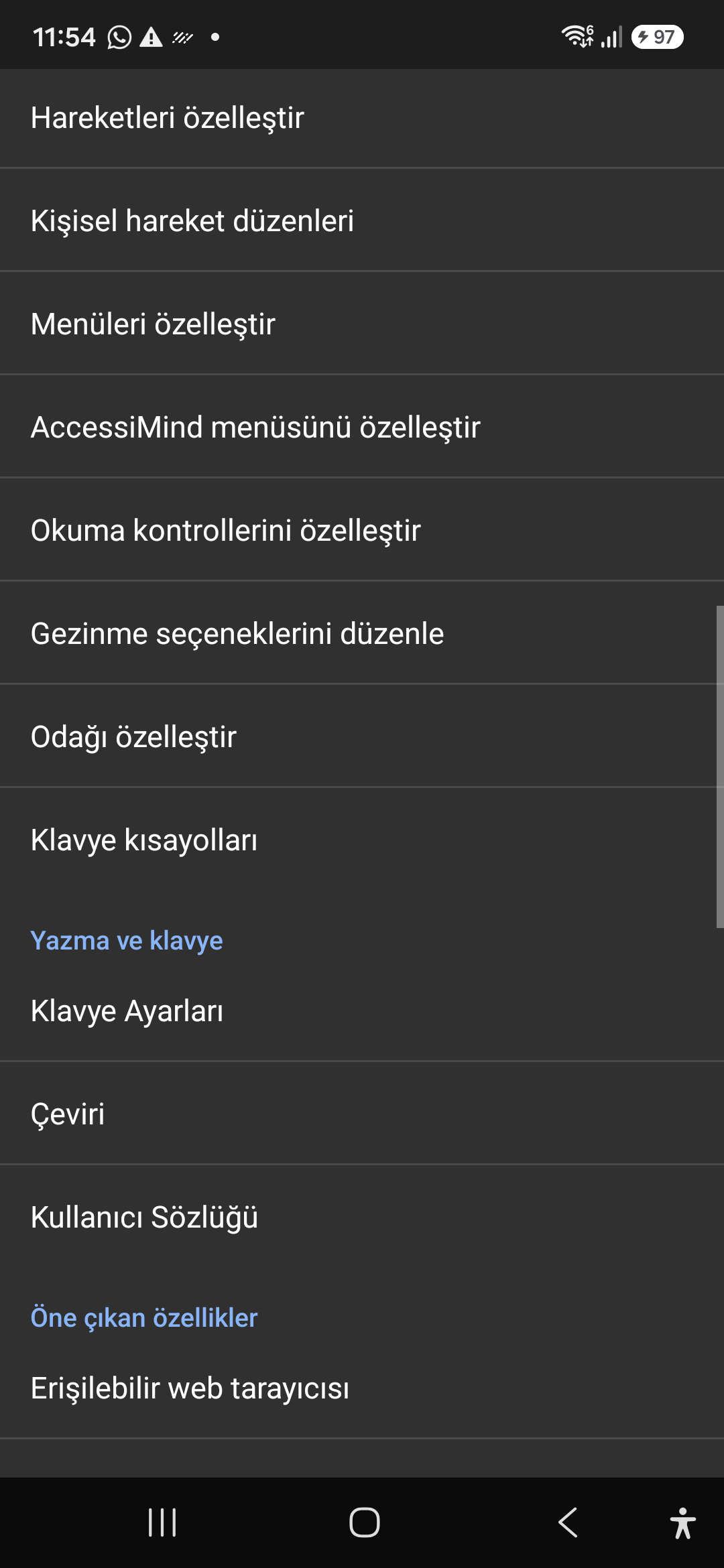
Tailor the AccessiMind menu, reading controls (rotor), navigation granularities, focus indicator, and keyboard shortcuts.

Screenshot showing menu customization and navigation granularities.

9. Customize Menus, Reading Controls & Navigation — Settings > Controls > Customize Menus / Navigation Options
Settings > Controls > Customize Menus / Navigation Options
10 / 12 · Settings > Plugins > Create Plugin / Import Lua / API Docs

10. Plugins Engine & Sandboxed Lua Execution

Tonton panduan layar ini dalam video (00:53 - 01:00)

Author and run custom Lua scripts securely. Fully documented access to accessibility, speech, UI, HTTP, and local storage APIs.

Panduan Video Panduan Layar 2026/10-116 (00:53 - 01:00)

Sandboxed Lua scripting execution in an isolated Android process, on-device code editing, and comprehensive built-in API documentation.

Screenshot showing plugins hub and API documentation.

10. Plugins Engine & Sandboxed Lua Execution — Settings > Plugins > Create Plugin / Import Lua / API Docs
Settings > Plugins > Create Plugin / Import Lua / API Docs
11 / 12 · Settings > Plugins and Tools > Keyboard / Browser / Custom Labels

11. Integrated Tools: Keyboard, Browser & Label Manager

Tonton panduan layar ini dalam video (01:00 - 01:08)

A suite of integrated utility tools designed specifically for screen reader users, including accessible web browsing and label backup.

Panduan Video Panduan Layar 2026/10-116 (01:00 - 01:08)

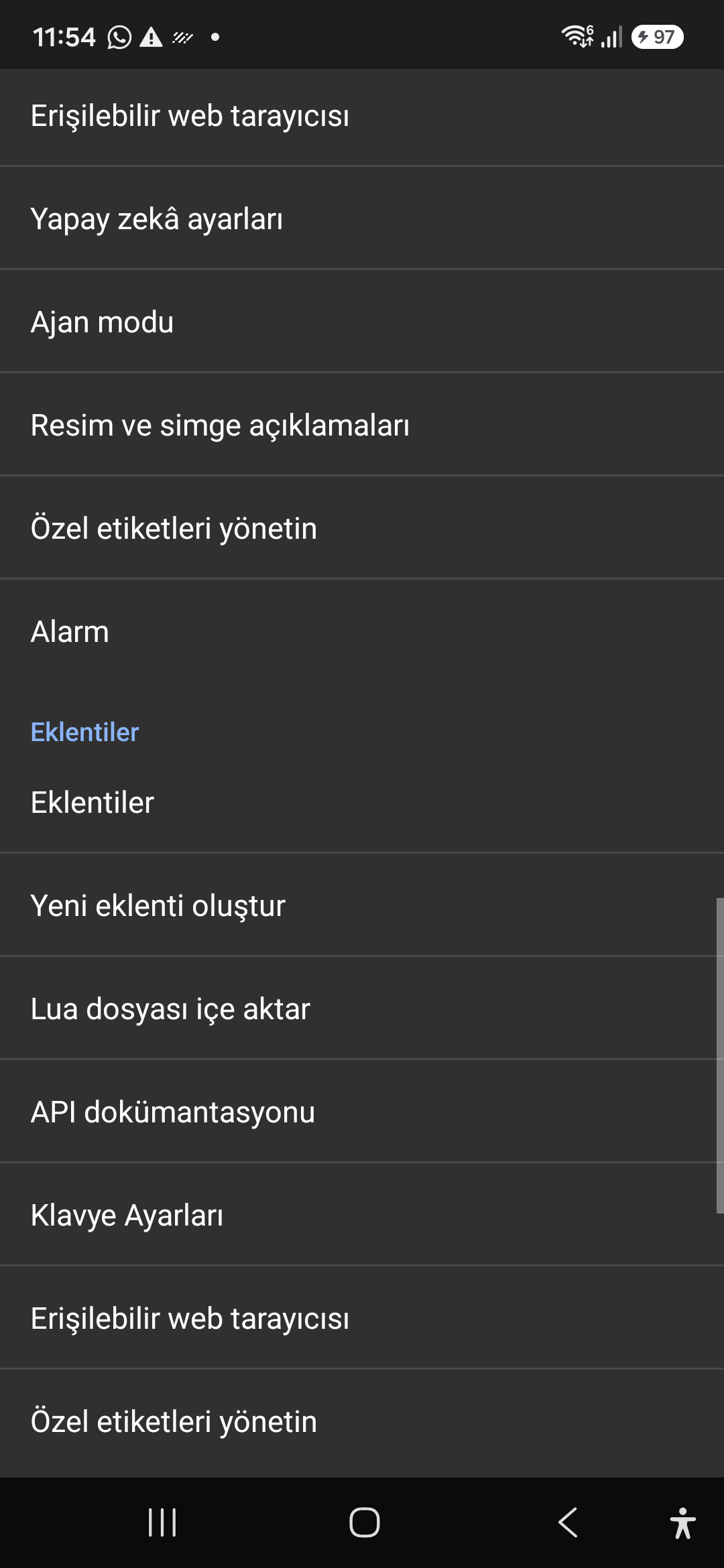
AccessiMind Keyboard preferences, accessible built-in web browser, and management of user-defined labels.

Screenshot displaying keyboard settings, accessible browser, and label manager.

11. Integrated Tools: Keyboard, Browser & Label Manager — Settings > Plugins and Tools > Keyboard / Browser / Custom Labels
Settings > Plugins and Tools > Keyboard / Browser / Custom Labels
12 / 12 · Settings > Braille / Help & Support > Release 116 Info / Community

12. Braille Support, Release 116 Info & Community Channels

Tonton panduan layar ini dalam video (01:08 - 01:21)

Connect refreshable Braille displays via Bluetooth or USB. Access Release 116 verification certificates, privacy terms, and direct Telegram/Google Groups.

Panduan Video Panduan Layar 2026/10-116 (01:08 - 01:21)

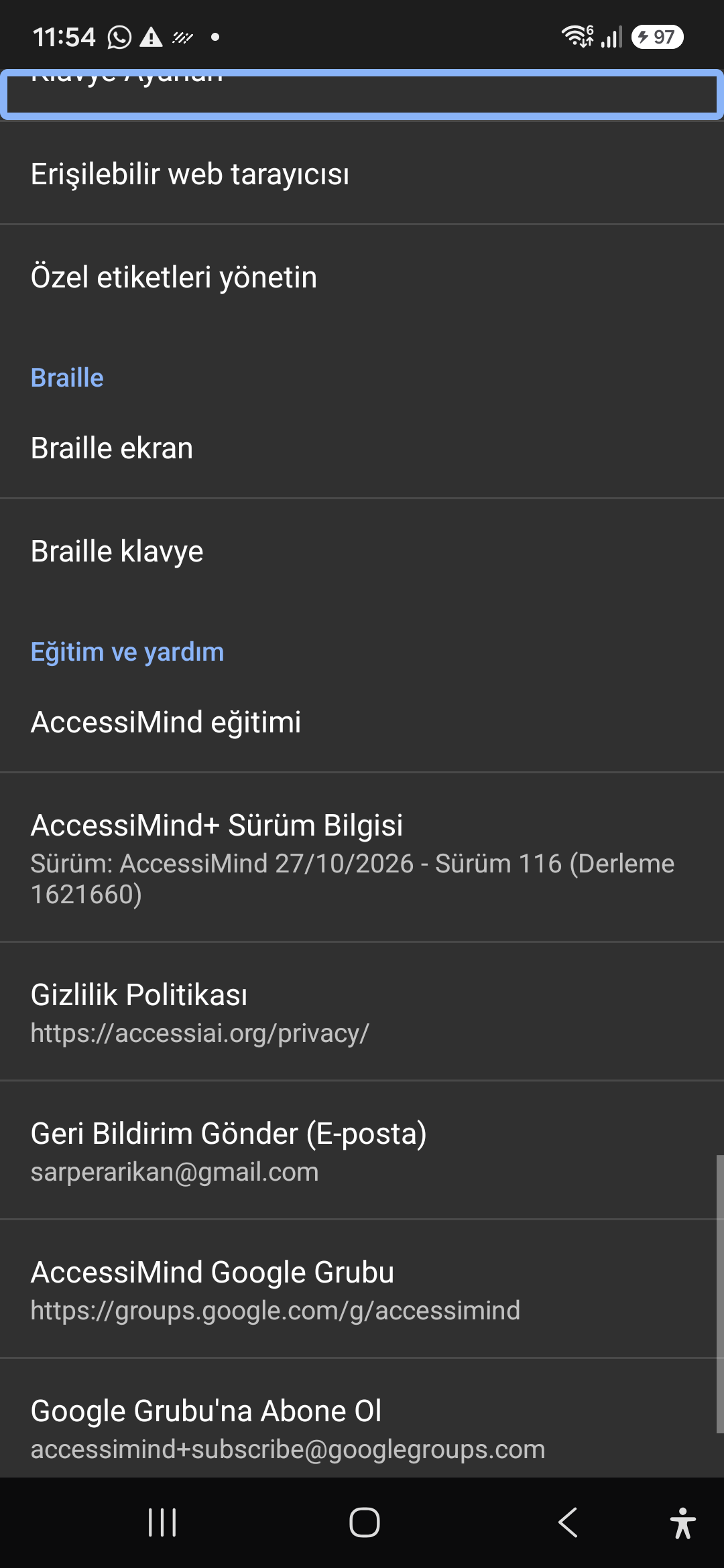
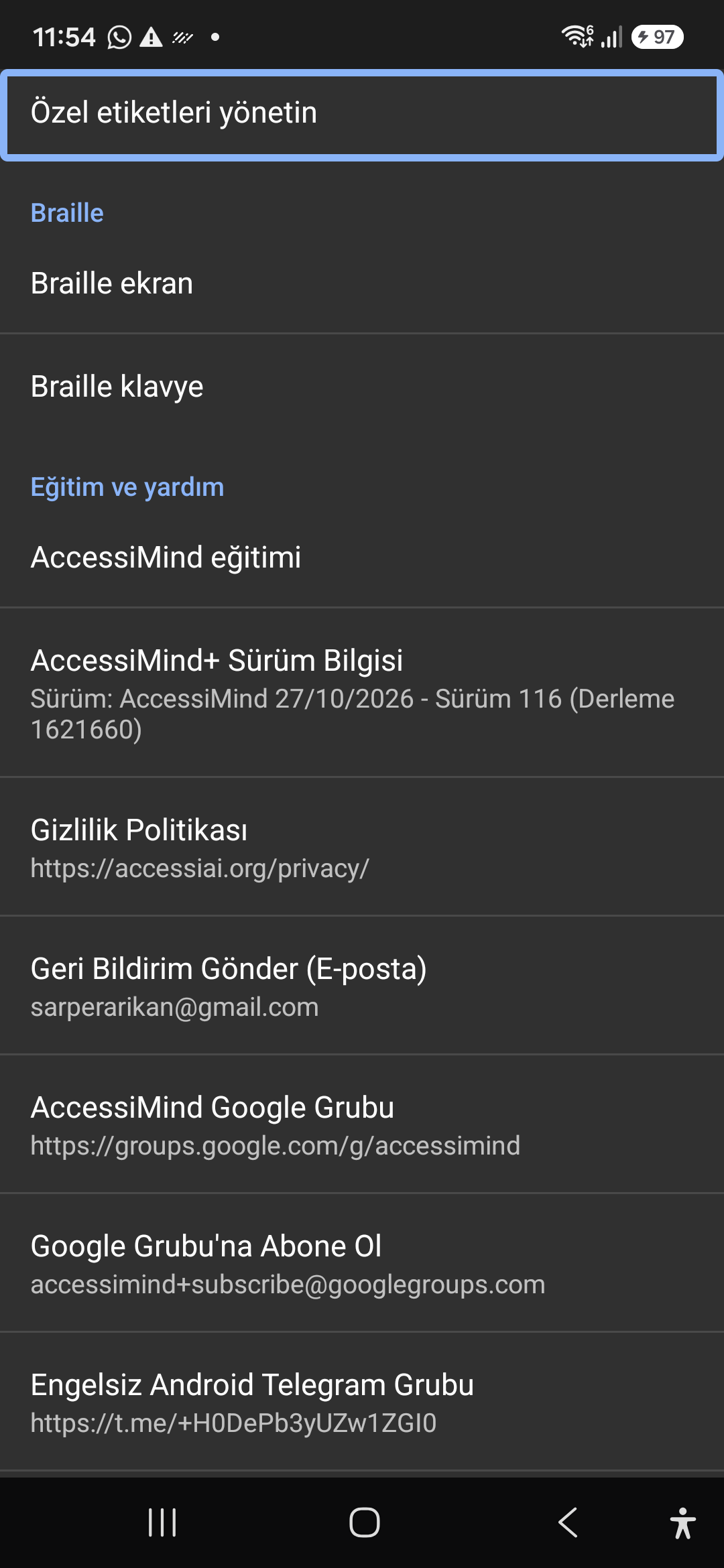
Braille display and on-screen keyboard support; Release 116 (Build 1621660) metadata, Privacy Policy, Feedback, and active community groups.

Screenshot showing Braille settings, Release 116 version info, and community channels.

12. Braille Support, Release 116 Info & Community Channels — Settings > Braille / Help & Support > Release 116 Info / Community
Settings > Braille / Help & Support > Release 116 Info / Community